How to Make the Fish Cutting Video With AI (From One Photo)
How to make the fish cutting video: where the precise entries only giant fish meme comes from, the kitchen shot cut by cut, and how one photo puts you in it
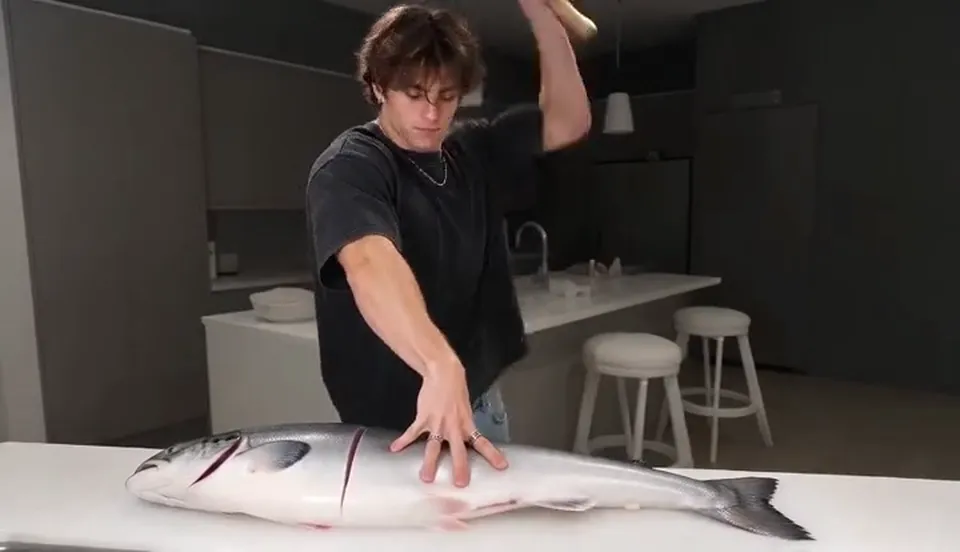
The fish cutting video is a one-take kitchen clip with a very short story. A person stands behind a white counter, one hand pressing flat on a huge silver fish to measure it, the other swinging a cleaver high over their head. Chop, shuffle, chop, and every cut leaves a clean line across the fish. This guide covers where the "precise entries only" fish meme comes from, why it works as a post, and how to make a 10-second version starring you or a friend from 1 photo with the AI Fish Cutting generator on Viberot.
Where the fish cutting video comes from#
The original is an AI-generated clip captioned "Precise entries only", posted by the AI creator @cowboylew on Instagram. From November 2026 it started spreading on TikTok and Instagram Reels, where people search for it as "fish cutting meme", "precise entries only" or "giant fish cutting video". It's still a young trend, and most of what you see are remakes and reaction posts rather than one huge original.
The setup in the clip never changes: a fixed camera in a kitchen, a fish as long as the counter, a hand to measure and a cleaver to cut.
Why it's funny#
- It's a trading joke. "Precise entries only" is how traders talk about picking the exact moment to buy. The clip shows the same attitude with a knife: every cut has to be exactly in the right place.
- The scale is absurd. The fish is enormous, the cleaver is tiny next to it, and the person treats it like a normal Tuesday.
- The rhythm is a loop. Press, lift, chop, shuffle, repeat about nine times. The chops land on the beat of the chopping sound, so it's easy to watch twice.
- It's easy to caption. Put it over any "pick your moment" situation: a trade, a haircut, a job application, a text you're about to send.
- No words needed. There's no dialogue, so it works in any language.
The shot, cut by cut#
Every version is a single locked-off take. Here is the 10-second version you get:
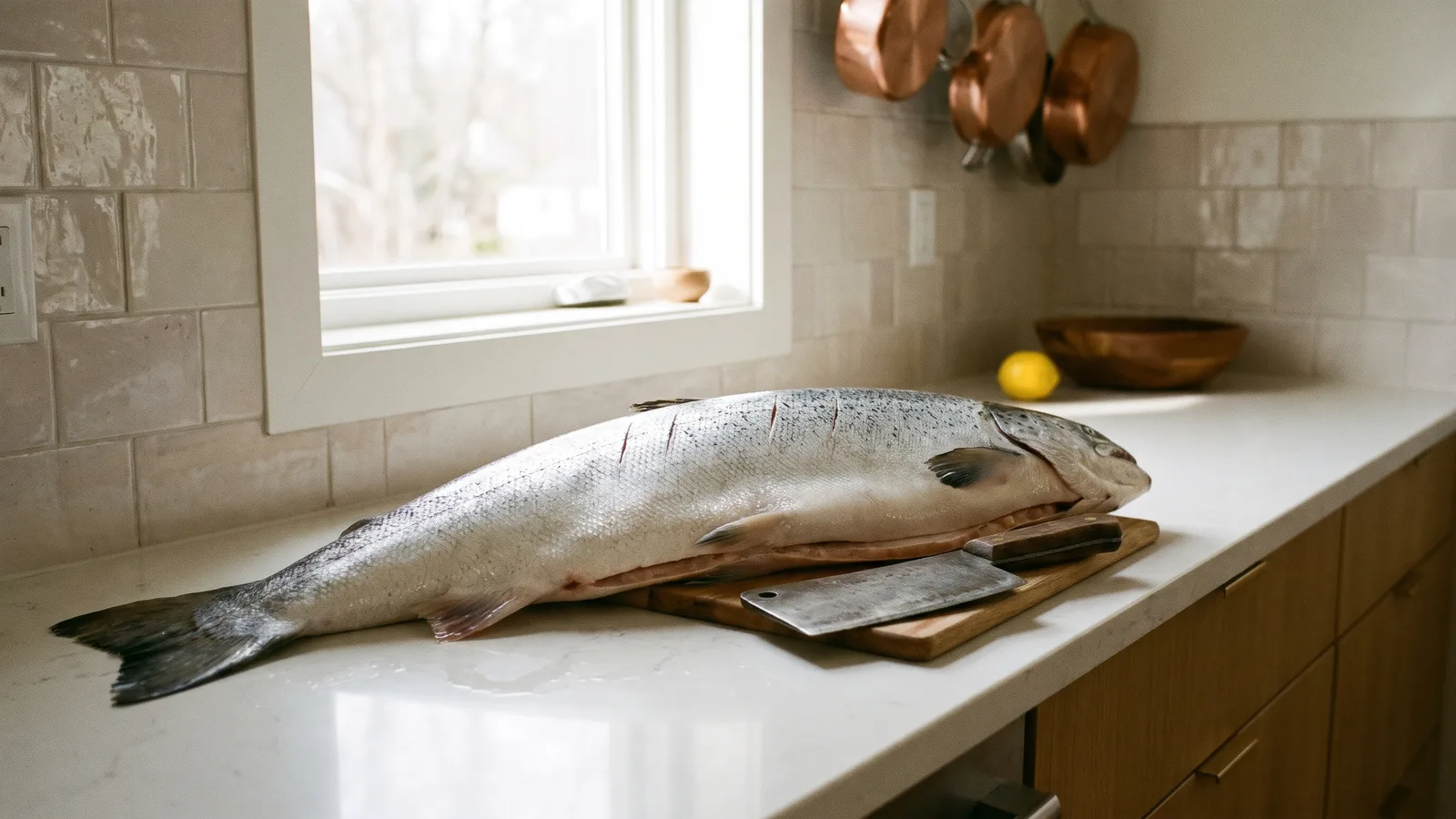
- The setup. A modern kitchen, a white counter and one person behind it. A huge silver-skinned fish lies along the whole counter.
- The measure. One hand presses flat on the fish, as if measuring where the first cut should go.
- The first chop. The other hand swings the cleaver high over the head and brings it straight down.
- The rhythm. The person shuffles a little along the counter between chops and keeps the measuring hand in place. About nine chops in total, each one landing on the sound.
- The result. Every chop leaves a clean cut line across the fish, so by the last frame it's marked like a ruler.
You can make it vertical 9:16 for Reels, TikTok and Stories, or widescreen 16:9.
Step by step: how to make the fish cutting video#
- Open the template. Go to the AI Fish Cutting page and sign in.
- Upload one photo. A clear photo of the person who will be in the kitchen.
- Pick the aspect ratio. 9:16 for Reels and TikTok, 16:9 for a wider shot.
- Pick a quality. Standard 480p or 720p is enough for social. Higher tiers give more detail and cost more.
- Generate. You don't need to write a prompt. The kitchen, the fish, the cleaver and the chopping rhythm are already set. Rendering usually takes a few minutes.
- Download and post. You get a 10-second MP4, ready to post or send.
Picking a photo that works#
| Works well | Causes trouble |
|---|---|
| One person, face clearly visible | Group photos where the face is tiny |
| Front-facing, eyes open | Sunglasses, masks, faces turned away |
| Full-body or half-body, so the build and clothes show | Tight crops of the face only |
| Even light, sharp focus | Heavy filters, very dark or blurry photos |
- The face is the punchline. It's what the viewer looks at while the cleaver swings, so pick a photo where the face is sharp.
- Your clothes come along. The person wears what they have on in your photo, so a clear full or half-body shot gives the best result.
Note
Photos that appear to show public figures or celebrities are rejected before any credits are charged. Use photos of yourself or people who agreed to be in your video.
Ideas for your post#
- Caption it with a trade. "Me waiting for the exact right entry" is the classic. Replace the trade with whatever you're being picky about.
- Make it about work. "Me editing one sentence in the email for the sixth time."
- Tag a friend. Make one with their photo for the friend who overthinks every decision.
- Pair it with a screenshot. Post the chart or the plan first, then this clip as the reaction.
- Make a series. Same kitchen, different people: your whole friend group takes a turn behind the counter.
AI Fish Cutting vs. CapCut templates#
A template app pastes your photo or clip into an edit someone else filmed, and you need the app and the template link.
The AI Fish Cutting generator makes a new video around your photo:
- No app to install. It runs in the browser on your phone or computer.
- Made in one go. Upload, generate, download. No editing timeline.
- A real kitchen scene. The person at the counter is generated from your photo, with their own body and clothes, not a face pasted onto someone else's footage.
- Two aspect ratios. 9:16 vertical or 16:9 widescreen, picked before you generate.
- The same chopping rhythm. The cuts land where they do in the meme, so it still reads as the trend.
How much it costs#
A Standard 720p video costs 501 credits; 480p costs 228. Higher tiers cost more, and the exact price is always shown next to the Generate button before you start. Credit packs are one-time payments, not a subscription. They start at $9.90 for 600 credits and never expire. If a generation fails, the credits go straight back to your balance. See the pricing page for details.
Frequently asked questions#
What is the fish cutting video?#
A short kitchen clip where a person measures a giant fish with one hand and chops it about nine times with a cleaver, leaving a cut line each time. It's captioned "Precise entries only" and started as an AI-generated post by the creator @cowboylew on Instagram.
How much does it cost?#
228 credits at 480p and 501 credits at Standard 720p. The price is shown before you generate.
How many photos do I need?#
- One clear photo of the person who will be in the video.
Does the person wear the clothes from my photo?#
Yes. The face, hair, build and outfit come from your photo. The kitchen, the fish and the cleaver are generated fresh.
Can I use my pet?#
It's made for people, since the video is built around a person swinging a cleaver. Pet photos are not recommended.
Does it have sound?#
Yes, the chopping sound effect used in the trend posts, which is the original creator's own sound. This is an independent tool, not affiliated with the original creator or with Instagram, and a file containing audio is not a license to use that sound. Follow your platform's rules on labelling AI-generated content.
Can I change the caption or add text?#
The video has no text, so add your caption or a sticker in your posting app before you share it.
How long is the video?#
10 seconds, vertical 9:16 by default or 16:9 if you choose it.
Which photos are rejected?#
Photos that appear to show public figures or celebrities are blocked before any credits are charged, and explicit images are always blocked. Uploading your own video is not supported.
The fish is waiting on the counter
Upload a photo and chop the giant fish in your own kitchen scene. A meme post nobody has to film.
From 81 credits · failed videos refunded · no subscription