How to Make the Tesla Roadster AI Video: Fly Off a Police Stop From One Photo
How to make the Tesla Roadster AI video: the flying-car traffic stop, shot by shot, plus how one photo of you or your pet takes the driver's seat.
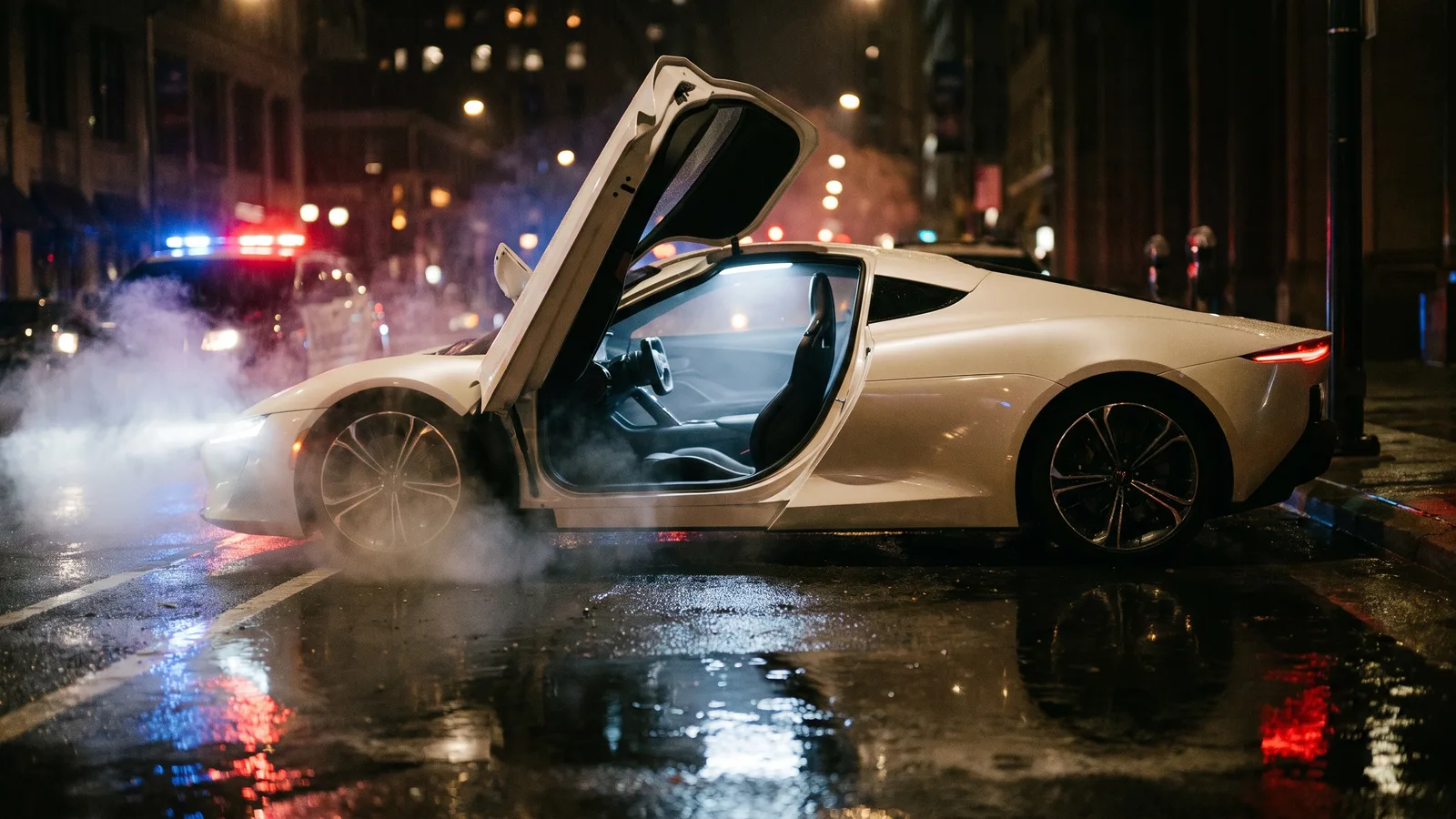
The Tesla Roadster AI video is the one shot on a police bodycam at night: an officer walks up to a white supercar, knocks on the window, and the driver — you, or your cat — turns, stares straight into the lens without a word, grips the wheel, and the car blasts off in a cloud of white vapour and flies away. This guide covers where the joke comes from, the 12-second clip shot by shot, and how to put yourself or your pet behind the wheel with the Tesla Roadster AI generator on Viberot, from a single photo.
Where the trend comes from#
In October 2026 Tesla showed off its new-generation Roadster, and the part everyone talked about was the "SpaceX package": cold gas thrusters that, in the demo, actually lifted the car off a ramp. The footage looked so unreal that a lot of people assumed it was an AI video.
That reaction is the whole joke. If a real car flying off a ramp already looks like AI, then an AI video of you flying off in one is only a small step further. The format that stuck is the traffic stop: an officer pulls over a white two-door supercar, and instead of handing over a licence, the driver just leaves — straight up.
Why it took off#
- The bodycam angle sells it. Shaky, handheld, night-time footage with red and blue lights reads as "real", which makes the take-off funnier.
- The stare is the punchline. The driver doesn't speak, doesn't panic — just turns, looks into the camera, and turns back. It works on people and it works even better on pets.
- It's a meme about the news. The real Roadster demo was the "is this AI?" moment. Posting an AI version plays along with that.
- One photo is enough. No friend to recruit, no driving, no car. Just one face for the driver's seat.
The clip, shot by shot#
The Tesla Roadster AI template is a 12-second night scene, filmed as if from a police officer's body camera, handheld and shaky the whole way through:
- The approach. The officer walks up to a white two-door supercar parked at the kerb, red and blue police lights washing over it.
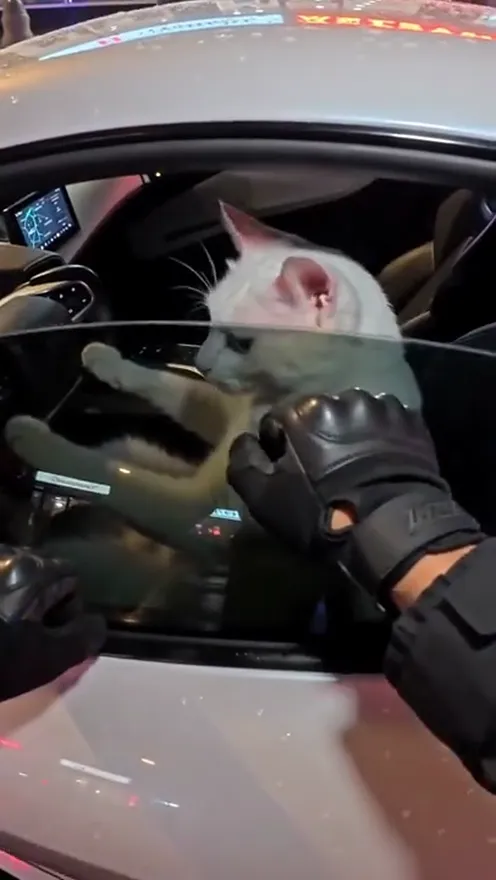
- The knock. A black-gloved hand knocks on the driver's window.
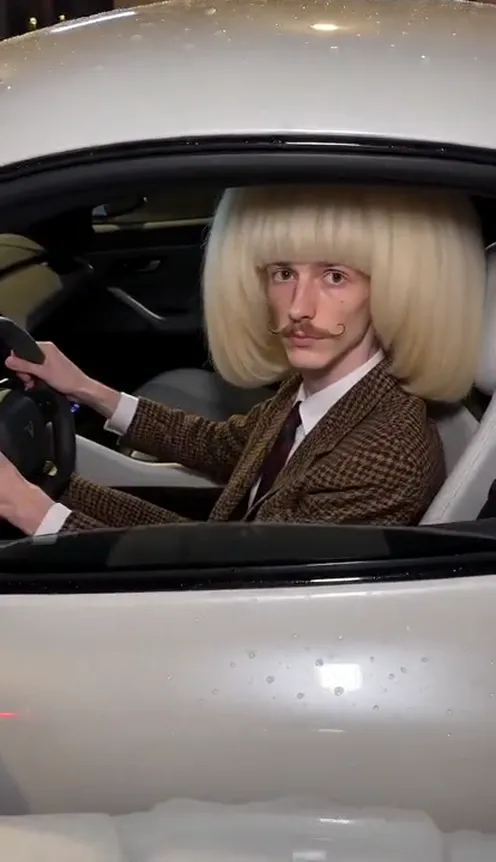
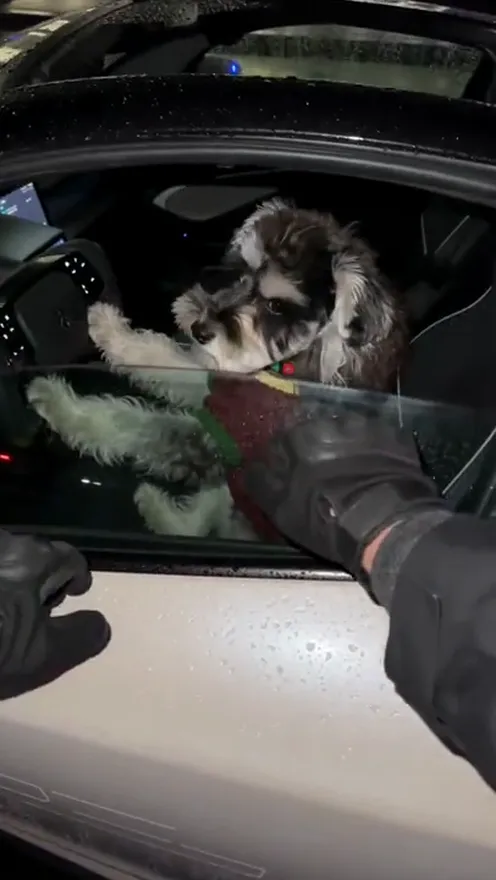
- The reveal. Inside is your subject — a person or a pet — hands (or paws) on the steering wheel. They slowly turn their head and stare straight into the camera, expressionless.
- The turn back. They face forward again and tighten their grip on the wheel.
- The launch. Thrusters fire a huge cloud of white vapour that swallows the camera, and the car shoots off.
- The empty street. The vapour clears. Only the police lights are left, and far away the white car is flying up into the night sky.
How to make your Tesla Roadster AI video, step by step#
- Open the template. Go to the Tesla Roadster AI page and sign in.
- Upload the driver. 1 photo — one person or one pet, facing the camera.
- Pick a format. 9:16 for TikTok, Reels and Shorts, or 16:9 for YouTube.
- Pick a quality. Standard 720p is the default; 480p is cheaper for a first try. The exact credit cost is shown next to the Generate button before you start.
- Generate. It usually takes a few minutes.
- Download. You get a 12-second MP4 with the traffic-stop audio built in: street ambience and the officer asking "Do you know how fast you were going?" There is no music, so add a track from the TikTok or Instagram sound library if you want one.
Tip
The driver keeps their own face and their own clothes from your photo. If you want a specific look — a suit, a hoodie, a costume — wear it in the photo you upload.
Choosing the right photo#
The driver's face is on screen for the stare, the most important moment of the clip, so the photo matters more than anything else.
| Works well | Causes trouble |
|---|---|
| One person or one pet, facing the camera | Group photos, or a face that's tiny in the frame |
| Waist-up or head-and-shoulders, eyes visible | Sunglasses, masks, a hand over the face |
| Even light and a sharp focus | Dark, grainy or blurry photos |
| Pets sitting upright, looking at the lens | Pets curled up asleep or half under a blanket |
| A neutral or deadpan expression | Big laughs — the joke is the blank stare |
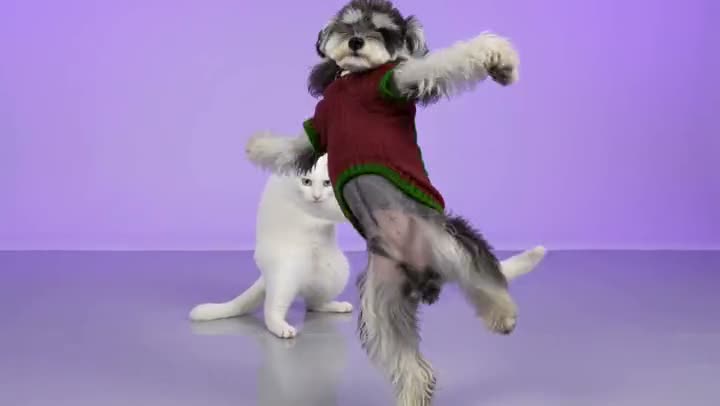
- Pets are the stars here. White cats and schnauzers come out especially well: a calm animal face gripping a steering wheel is exactly the energy this trend needs.
- Outfits add a second joke. A suit and a wig, a costume, or a dog in a red sweater make the deadpan stare even funnier.
- Don't worry about the background. The template puts your subject in the car at night and relights them for the police lights.
Note
Photos of celebrities and other public figures are rejected before any credits are charged. Use photos of yourself, your pets, or people who agreed to be in your video. Only photos are accepted — you can't upload your own video.
Ideas for your post#
- "When the cop asks for my licence." The classic caption. The stare does the rest.
- Your pet's getaway. "My cat when I say the word vet." Pets in the driver's seat are the most shared version of this trend.
- The office escape. You in work clothes, captioned with your Friday 5 pm feeling.
- Play along with the news. "They said the Roadster flies. Here's mine." Leaning into the "is it AI?" debate is half the fun.
- Let the cop line land. The clip already has the officer asking "Do you know how fast you were going?" — keep it audible, and if you add music, pick something that drops right as the vapour hits.
- Post both formats. 9:16 for TikTok and Reels, 16:9 for YouTube or the group chat.
Tesla Roadster AI vs. CapCut templates#
Most CapCut "flying car" templates take a still photo and paste it onto stock footage, or add zooms and shake to a single frame. Your face sits on top of the clip like a sticker, and nothing in the car actually moves.
The Tesla Roadster AI template generates a new video around your subject: they're in the driver's seat, they turn and stare, they grip the wheel, and the car takes off while the camera shakes and gets swallowed by vapour. It's built from your photo, not a face overlay, and it runs in your phone's browser with no app or template link to hunt for.
A quick note on the car#
Viberot is an independent tool. It is not affiliated with, endorsed by or connected to Tesla, Inc. or SpaceX. The car in the video is a generic white two-door supercar with no brand badges or logos.
How much it costs#
A Standard 720p video costs 201 credits; 480p costs 97. The exact price is always shown next to the Generate button before you start. Credit packs are one-time payments — no subscription — start at $9.90 for 600 credits and never expire. If a generation fails, the credits go straight back to your balance. See the pricing page for details.
Frequently asked questions#
What is the Tesla Roadster AI trend?#
It's an AI video where a police officer pulls over a white supercar at night, the driver stares into the bodycam, and the car blasts off and flies away. It plays on the October 2026 Roadster demo, where the real car lifted off a ramp and people thought the footage was AI.
How many photos do I need?#
- One photo of one person or one pet, facing the camera.
Can I use my pet?#
Yes. Cats and dogs work very well — they sit in the driver's seat with their paws on the wheel and keep their own fur colour and markings.
Will I look like myself?#
Yes. The driver keeps the face and the clothes from your photo.
Does the video have sound?#
Yes. It comes with the traffic-stop audio — street ambience and the officer asking "Do you know how fast you were going?" — but no music, so you can add a track from the TikTok or Instagram sound library when you post.
How long is the video, and which formats are supported?#
12 seconds, in vertical 9:16 or horizontal 16:9.
Can I put a celebrity in the car?#
No. Photos of public figures are rejected before you're charged.
Is this an official Tesla product?#
No. Viberot is an independent AI tool with no connection to Tesla, Inc., and the car in the video carries no brand logos.
More one-photo trends#
If you like putting yourself into a viral scene from a single photo, try the Burning Bridges party video, the Bulin 47 freestyle or the Crazy Frog invisible moped.
License and registration, please
Upload one photo, stare down the officer and fly off into the night.
From 97 credits · failed videos refunded · no subscription