How to Do the Save Yourself Trend (AI Cliff Rescue From One Photo)
How to do the Save Yourself trend: where the AI cliff-rescue reel comes from, the shot second by second, and how one photo makes your own version of it.
The Save Yourself trend, also called the AI cliff rescue, is a short video where one version of you hangs from a wet sea cliff and a calmer version of you pulls you up and hugs you. The caption is usually "only you can save yourself". This guide covers where it comes from, why it hit a nerve, the shot second by second, and how to make a 15-second version starring you from 1 photo with the AI Save Yourself generator on Viberot.
Where the Save Yourself trend comes from#
The trend took off in early September 2026 with a TikTok reel from a creator in Kazakhstan, and remakes in several languages followed within days. The reel is built on a single idea: nobody is coming to rescue you, so the person who finally reaches down is you.
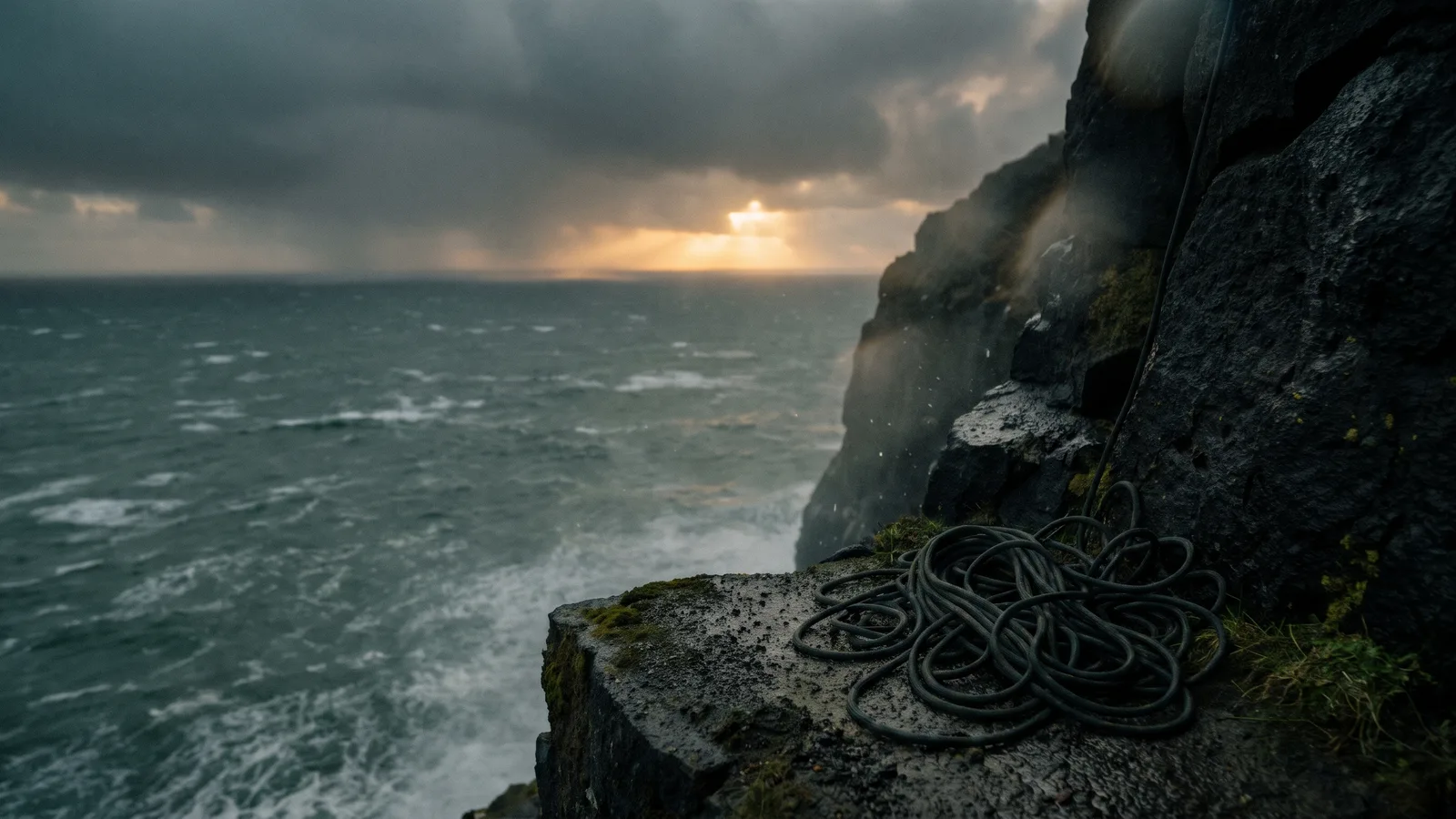
Most versions use the same look: a black volcanic cliff, a raging grey-green sea, a close-up of a frightened face, and a hug as the sun breaks through at the end.
Why it went viral#
- It's a feeling, not a stunt. The caption speaks to anyone who has had to hold on through a hard season.
- Two of you on screen. Seeing yourself as both the person in trouble and the rescuer is the hook.
- The structure is simple. Fear, a slip, a grab, a pull, a hug. Every beat is easy to follow with the sound off.
- It works for any caption. Burnout, a breakup, a new job, a comeback, a message to a friend.
- It looks like a film. Cliffs, storms and low-angle rescue shots, from one photo.
The shot, second by second#
Here is the 15-second version you get:
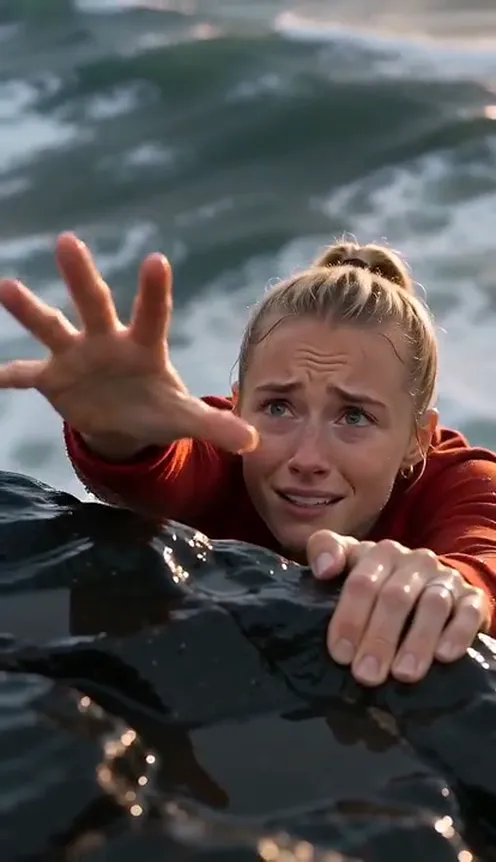
- 0–5s: The edge. An overhead close-up: you cling to the wet black rock with both hands, the sea raging far below, breathing hard.
- 5–6s: The slip. One of your hands slips and flails upward.
- 6–8s: The grab. A low-angle shot: the calmer you leans over the ledge and locks a hand around your wrist.
- 8–11s: The pull. Close shots of the locked hands, then you are pulled up onto the ledge.
- 11s to the end: The hug. You both stand on top of the cliff and hug as the sun breaks through the clouds.
Choose vertical 9:16 for TikTok, Reels and Shorts, or widescreen 16:9 for YouTube.
Step by step: how to do the Save Yourself trend#
- Open the template. Go to the AI Save Yourself page and sign in.
- Upload one photo. A clear photo of you with your face visible. The same photo is used for both people.
- Pick the aspect ratio. 9:16 for TikTok and Reels, 16:9 for YouTube.
- Pick a quality. Standard 480p or 720p is enough for social. Higher tiers add detail and cost more.
- Generate. No prompt needed. The cliff, the sea, the slip and the hug are already set. Rendering usually takes a few minutes.
- Download and post. You get a 15-second MP4 with the sound of waves and wind.
Picking a photo that works#
| Works well | Causes trouble |
|---|---|
| One person, face clearly visible and well lit | Group photos, or a face turned away |
| Half-body or full-body so your clothes show | Masks, sunglasses, heavy shadows |
| Sharp focus, natural colours | Heavy filters, very dark or blurry photos |
- Both people are you. The generator copies your face, hair and clothes onto both, so there is no need for a second photo.
- Your outfit stays. Nobody is dressed in a costume.
Note
Photos that appear to show public figures or celebrities are rejected before any credits are charged. Use photos of yourself or people who agreed to be in your video.
Ideas for your post#
- A message to yourself. "To the version of me who kept going" is the classic caption.
- A comeback story. Pair it with a before-and-after of a hard year.
- A message to a friend. Send it with "I'm not going to let you fall".
- Mental health awareness days. The theme fits the conversation, so add a helpline link if you share it around those days.
- Use the hashtags. #saveyourself and #onlyyoucansaveyourself put your clip next to the ones people are already watching.
AI Save Yourself vs. editing it yourself#
Making this look by hand means stock cliff footage, a green screen shoot with a friend and a lot of compositing.
The AI Save Yourself generator makes a new video around your photo:
- No app to install. It runs in the browser on your phone or computer.
- Both people are you. One photo gives you the person in danger and the rescuer.
- Your own clothes. The original footage is not reused.
- Two aspect ratios. 9:16 vertical or 16:9 widescreen, picked before you generate.
How much it costs#
A Standard 720p video costs 594 credits; 480p costs 270. Higher tiers cost more, and the exact price is always shown next to the Generate button before you start. Credit packs are one-time payments, not a subscription. They start at $9.90 for 600 credits and never expire. If a generation fails, the credits go straight back to your balance. See the pricing page for details.
Frequently asked questions#
What is the Save Yourself trend?#
A short AI video where one version of you hangs from a sea cliff and a second version pulls you up and hugs you, captioned "only you can save yourself". It went viral on TikTok and Instagram in September 2026.
How much does it cost?#
270 credits at 480p and 594 credits at Standard 720p. The price is shown before you generate.
How many photos do I need?#
- One clear photo of your face is used for both people.
Is the cliff rescue real?#
No. The cliff, the sea, the people and the sound are all generated. Please do not try to copy the climb for real.
What sound does the video have?#
Waves, wind and breathing, with no music and no speech. This is an independent tool, not affiliated with TikTok, Instagram or the creators of the original posts. Follow your platform's rules on labelling AI-generated content.
How long is the video?#
15 seconds, vertical 9:16 by default or 16:9 if you choose it.
Which photos are rejected?#
Photos that appear to show public figures or celebrities are blocked before any credits are charged, and explicit images are always blocked. Uploading your own video is not supported.
Nobody is coming? You are.
Upload one photo and watch the other you reach down, grab your hand and pull you back up.
From 95 credits · failed videos refunded · no subscription