How to Do the Glow Stick Dance Trend With AI: Glow Trio AI From 3 Photos
How to do the glow stick dance trend with AI: where the three-friend routine comes from, each move beat by beat, and how 3 photos become your Glow Trio video.
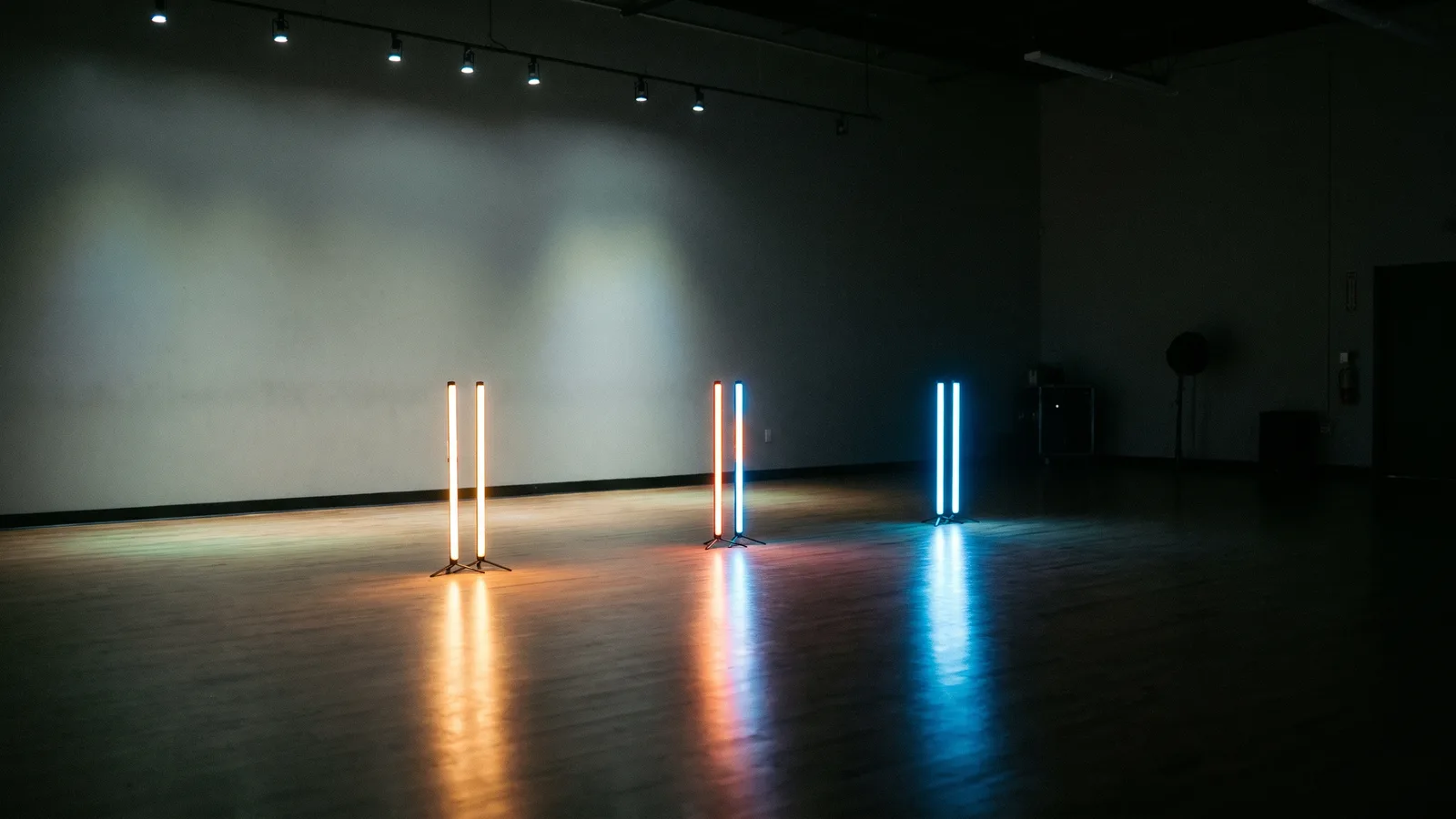
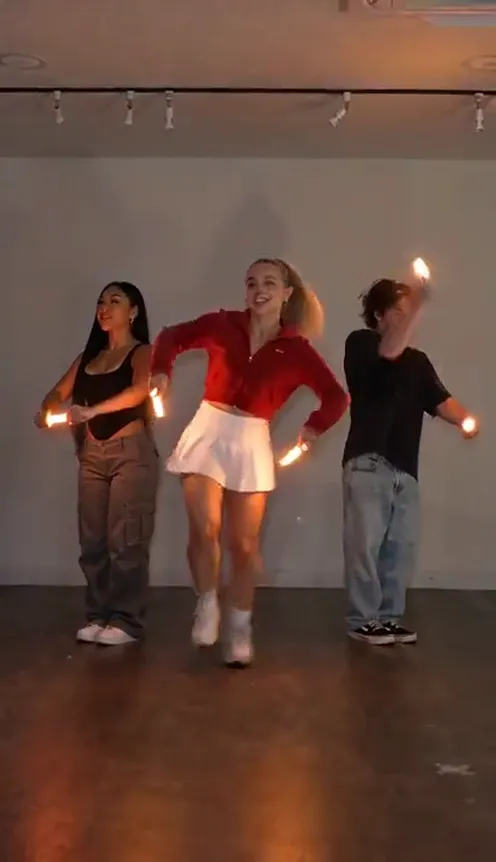
The glow stick dance trend is the one where three friends line up in a dark room, a light in each hand, and hit the same routine on the same beat. In the dark, six moving lights make even simple moves look like a stage show. The AI version takes it into a dim, empty dance studio with light sticks that flip from warm orange to icy blue halfway through. This guide covers where it comes from, why it caught on, the routine beat by beat, and how to make a 10-second version starring you and two friends from 3 photos with the AI Glow Trio template on Viberot.
Where the glow stick dance trend comes from#
All through summer and autumn 2026, TikTok was full of three-person "lights in the dark" dances. Three friends stand in a row, switch off the room lights and dance one synchronized routine with a light in each hand: phone flashlights, LED sticks, whatever is around. Under tags like #3persondance and glow stick dance, the remakes piled up because the idea is simple and the result looks much more rehearsed than it really is.
In early November 2026 the format moved to AI video tools under the name "Glow Trio AI". The AI take swaps the living room for a dance studio and the flashlights for colour-changing light sticks, and adds a camera tilt for the finale. You don't need a dark room, three phones or an evening of practice. You need one photo of each friend.
Why it caught on#
- It's made for three. Every post tags two friends, and those friends go on to make their own version.
- The light does the work. Glowing sticks turn basic bounces and arm swings into light trails, so nobody needs dance training to look good.
- The colour switch. The jump from warm orange to icy blue in the middle of the clip is the moment people replay.
- Perfect sync is hard in real life. Getting three people on the same beat in a dark room usually takes a lot of takes. The AI version lands every move together.
- It fits any sound. The clip has no fixed song, so you can post it with whatever audio is trending that week.
The routine, beat by beat#
Every Glow Trio video follows the same routine, filmed as one continuous take on a phone held at chest height. Here is the 10-second version you get:
- 0–3s: The groove. The sticks are held flat at waist height, glowing warm amber-orange. All three bounce on their knees and sway the sticks side to side to the beat.
- 3–5s: The arcs. Everyone swings both sticks out to the sides in wide glowing arcs, and the friend in the centre takes a small step forward, then back into line.
- 5–6.5s: The switch. All six sticks change from orange to icy blue, the reflection on the floor turns blue with them, and the trio raises the sticks overhead for one small hop together.
- 6.5s–end: The finale. Everyone drops into the same wide side lunge and sweeps the sticks over their heads, leaving light trails, while the camera tilts up a little toward the ceiling. The clip ends on the held pose.
The room stays the same every time: a pale wall, a row of switched-off track lights and a polished wooden floor that catches the glow. It's dim, but your faces stay clear. Pick vertical 9:16 for TikTok, Reels and Shorts, or widescreen 16:9 for YouTube and the group chat.
Step by step: how to do the glow stick dance trend with AI#
- Open the template. Go to the AI Glow Trio page and sign in.
- Upload the left dancer. The first photo is the friend who stands on the left.
- Upload the centre dancer. The second photo takes the middle spot, the one who steps forward during the arcs. Put the friend who should stand out here.
- Upload the right dancer. The third photo goes on the right. All 3 photos are required.
- Pick the aspect ratio and quality. 9:16 for TikTok and Reels. Standard 480p or 720p is enough for social; higher tiers give more detail and cost more.
- Generate. You don't need to write a prompt. The studio, the light sticks, the colour switch and the moves are already set. Rendering usually takes a few minutes.
- Add a sound and post. The video comes without music. Add a trending sound in TikTok, CapCut or Reels when you post.
Choosing photos that work#
| Works well | Causes trouble |
|---|---|
| One person per photo, face clearly visible | Group photos where the face is tiny |
| Full body or knee-up, standing | Selfies cropped at the chin or shoulders |
| Front-facing, eyes open, good light | Sunglasses, masks, faces turned away |
| A different outfit colour for each friend | Three people all in black |
| Three different people | Heavy filters, very dark or blurry photos |
- Show as much of the outfit as you can. The routine shows all three of you from head to shoes, and the final lunge needs legs. Full-body or knee-up photos keep your clothes accurate; a tight selfie leaves the rest of the outfit to guesswork.
- Pick contrasting colours. The studio is lit mostly by the sticks, so a red jacket, a white tee and a black top keep each friend easy to tell apart in the glow.
- You stay you. Everyone keeps the face, hair and clothes from their own photo. The background of your photo isn't used; the scene is always the dim dance studio.
- Spots stay fixed. Left, centre and right never swap, so each face stays in its own place for the whole clip.
Note
Photos that appear to show public figures or celebrities are rejected before any credits are charged. Use photos of yourself and friends who agreed to be in your video.
Ideas for your post#
- Hit the drop with the colour switch. Choose a trending sound and line up the orange-to-blue switch with the beat drop. It's the moment that gets the replays.
- Tag the trio. Caption it "us at every party" or "when the group chat says dance practice at 8" and tag both friends.
- The unexpected trio. You and your parents, three roommates, or the whole team from work in matching hoodies.
- Party season. The icy blue finale suits a winter or New Year's Eve post. Caption it "countdown crew".
- Expectation vs. reality. Post the AI version next to your real attempt in a dark living room with phone flashlights.
- Use the hashtags. #glowstickdance, #3persondance, #glowtrio and #aitrend put your clip next to the ones people are already watching.
AI Glow Trio vs. CapCut templates#
Most CapCut templates either paste your face onto someone else's footage or add light effects to a clip you filmed yourself. That means you need the app, the template link and, for the effect kind, three friends in the same room who actually learned the routine.
The AI Glow Trio generator makes a new video around your photos:
- No app to install. It runs in the browser on your phone or computer.
- No rehearsal, no dark room. Three photos are enough, even if your friends live in different cities.
- Your own faces and clothes. All three of you dance in the outfits from your photos. No one else's footage is reused.
- Made in one go. Upload, generate, download. No editing timeline.
- Two aspect ratios. 9:16 vertical or 16:9 widescreen, picked before you generate.
How much it costs#
A Standard 720p Glow Trio video costs 501 credits; 480p costs 228, and Pro 1080p costs 2071. The format (9:16 or 16:9) does not change the price, and the exact price is always shown next to the Generate button before you start. Credit packs are one-time payments, not a subscription. They start at $9.90 for 600 credits and never expire. If a generation fails, the credits go straight back to your balance. See the pricing page for details.
Frequently asked questions#
Is this the stick-figure glow stick dance?#
No. That one is a solo trend where a single dancer tapes glow sticks along their arms and legs in a pitch-black room. The Glow Trio is three friends side by side in a dim studio, each holding a light stick in each hand, dancing one synchronized routine.
How much does it cost?#
228 credits at 480p and 501 credits at Standard 720p. The price is shown before you generate.
How many photos do I need?#
3, all required: one for the friend on the left, one for the centre and one for the right.
Does it include music?#
No. The video is silent, so you can add a trending sound in TikTok, CapCut or Reels when you post. This is an independent tool, not affiliated with TikTok, CapCut or the creators of the original videos. Follow your platform's rules on labelling AI-generated content.
Can I change the studio or the light colours?#
No. The scene is always the dim dance studio, and the sticks always go from warm orange to icy blue. Your faces, hair and outfits are what change from video to video.
Can I use my pet?#
Not in this template. It's built for three people dancing side by side.
How long is the video?#
10 seconds, vertical 9:16 by default or 16:9 if you choose it.
Which photos are rejected?#
Photos that appear to show public figures or celebrities are blocked before any credits are charged, and explicit images are always blocked. Uploading your own video is not supported.
Are there other three-friend templates like this?#
Yes. Try AI Gangnam Style for a night-out selfie vlog, or Gas Station Dance AI for another three-friend dance made from your photos.
Grab two friends and light it up
Upload three photos and get your own glow stick dance: perfectly in sync, orange to icy blue, light trails and all.
From 81 credits · failed videos refunded · no subscription