How to Make a The Box MV AI Video: The 3-Act Explosion Trend
Make the viral the box mv ai video from one photo: dark parking lot dance, yellow sports car fireball explosion behind you and a bold press podium finale.
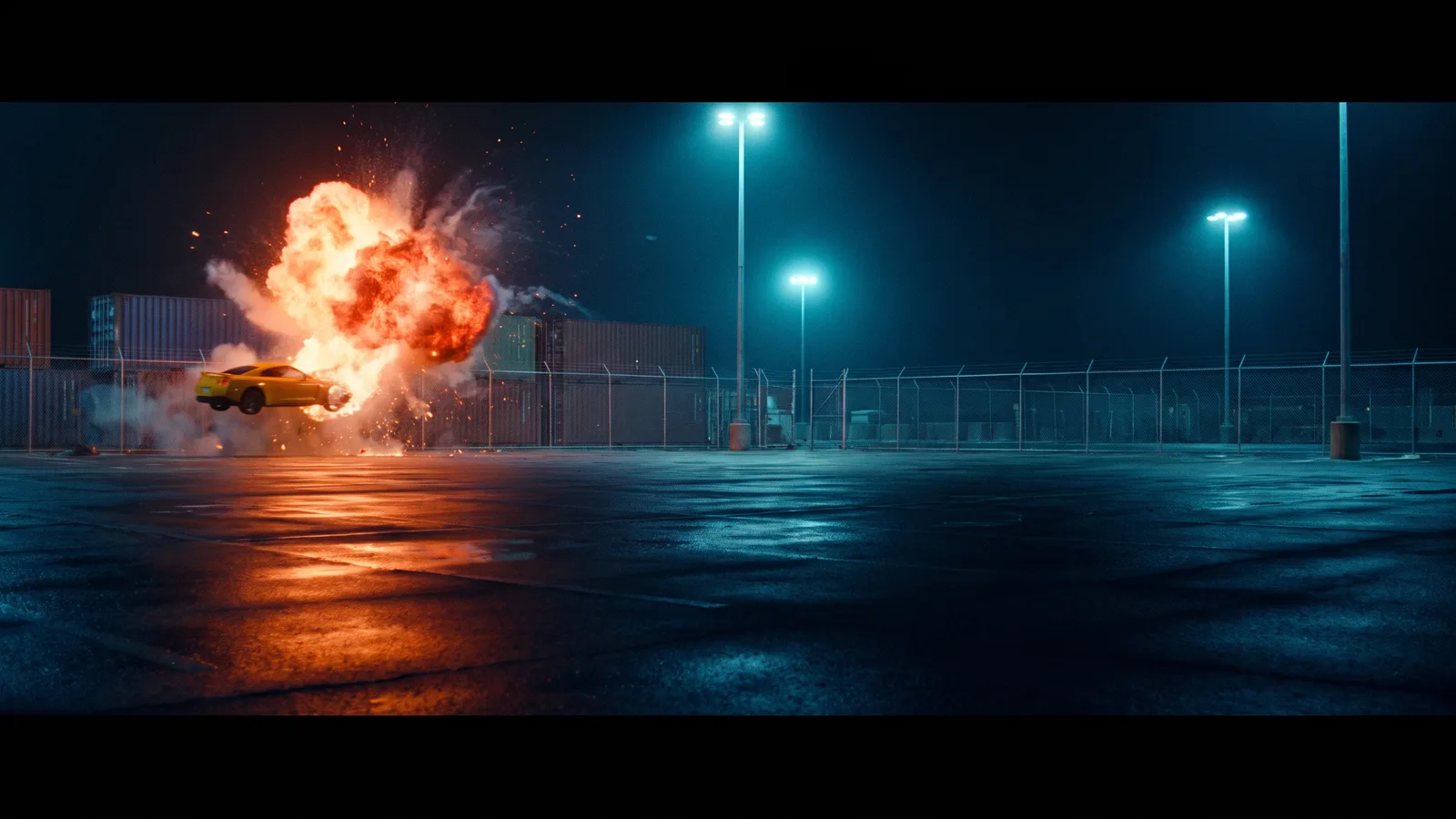
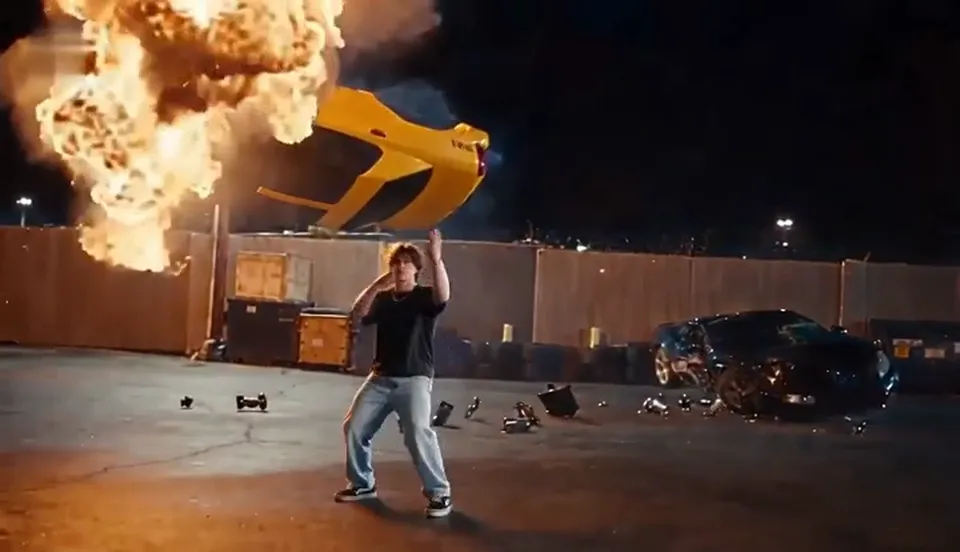
A moody blue industrial parking lot at midnight. You step toward the lens, the camera whips back as you start grooving under tall floodlights — and then a yellow sports car flips through the air behind you, crashing into a towering orange fireball while you stay completely unfazed. Right on the drop, the clip hard-cuts to you commanding a press conference podium in front of dark blue curtains, rapping straight into the camera. That 14-second, three-act blockbuster is the box mv ai video sweeping TikTok and Reels, and all it takes is a single photo.
The clip below was made with the The Box MV AI video generator on Viberot.
Why the 3-act hip-hop MV trend went viral#
Most AI video trends stick to a single locked-off shot. This one feels like a full big-budget music video compressed into 14 seconds:
- Instant contrast comedy. Put the calmest, most ordinary photo of yourself — or a friend in a cozy hoodie — in front of a flipping sports car explosion and a press podium, and the main-character energy sells itself.
- Three distinct visual hooks. Even viewers scrolling fast stop for the blue-lit entrance, stay for the massive orange fireball, and replay for the sudden podium switch.
- One photo, zero choreography. You do not need to film yourself dancing or edit green screens. One clear front-facing photo carries your face, hair and outfit across all three acts.
Inside the three acts, second by second#
Here is how the 14-second sequence unfolds:
- 0–2s (Act 1 — Close-up entrance): A tight, moody shot in a dark blue industrial parking lot as you step up and hype the lens.
- 2–5s (Act 1 cont. — Wide night groove): The camera pulls back wide under tall cyan floodlights, showing chain-link fences and containers as you dance at center frame.
- 5–9s (Act 2 — The car fireball): A yellow sports car flips overhead in the background and erupts into a blazing orange-red fireball, bathing the lot in warm rim light while you stay totally cool and keep vibing.
- 9–12s (Act 3 — Press podium finale): A crisp hard cut drops you behind a classic wooden press conference podium framed by dark blue curtains — clean and unbranded, with no official text or seals — delivering a bold rap finale to camera.
How to make your The Box MV AI video#
The The Box MV AI template directs all three cinematic scenes directly from your single uploaded photo:
- Upload 1 clear front-facing photo. Good lighting on your face, hair and outfit gives the strongest likeness across both the dark parking lot and the bright fire glow.
- Pick your format and quality. 9:16 fits TikTok, Reels and Shorts out of the box; 16:9 gives you a widescreen music-video frame. 720p is the default, while Pro and Ultra go up to 1080p.
- Generate your clip. Your video keeps your own clothes from your photo through every scene — no costume swap, no watermarks.
- Add the official sound when posting. Your clip includes AI-generated sound effects, not the original song. Add Roddy Ricch's official "The Box" track from TikTok's or Instagram's licensed music library right before you post so the fireball and podium cut land on the beat.
Tips for a sharper the box mv ai video#
- Use an evenly lit solo shot. Avoid heavy sunglasses or deep shadows over your eyes so your face stays crisp during the dark parking lot shots.
- Wear the fit you want in the MV. Whatever jacket, hoodie or streetwear you wear in your photo stays with you from the car explosion to the podium.
- Waist-up or full-body works best. Since Act 1 pulls out to a wide dancing shot, showing your shoulders and torso helps proportions look natural.
- Only upload photos of yourself or people who agreed. Photos of public figures are rejected before any credits are charged.
Caption ideas for TikTok and Reels#
- "Me walking out of my 9-to-5 on Friday at 5:01 PM."
- "POV: you passed me the aux once and now I'm running for office."
- "Stay calm, never look back at the explosion."
- "Drop this with no context in the group chat."
Price and FAQ#
A Standard 720p video costs 597 credits and 480p costs 271. Credit packs are one-time payments starting at $9.90 for 600 credits — see pricing. Failed generations are refunded automatically.
Does it include the song? No. The clip comes with AI-generated sound; add the official "The Box" sound from your app's music library when posting. Examples on the page play preview audio only.
Is this official? No. Viberot is an independent AI tool and is not affiliated with Roddy Ricch, Atlantic Records or any record label. We do not use any artist's voice, likeness or footage.
Want more hip-hop or explosion clips? Pair up with a friend in the green neon booth with On The Radar AI, or go full action-movie slow-mo with Explosion Walk AI.
Ready to headline? Make your The Box MV AI video from one photo.
Step into your own blockbuster MV
Upload one photo to trigger the car fireball, nail the podium finale and drop the official sound when you post.
From 96 credits · failed videos refunded · no subscription