Pick It Up Dance AI: How to Do the Make It Jump Dance
How to do the Pick It Up (Make It Jump) dance trend: arms up, a turn, a bounce on the beat. Make it in your own room from one photo with Pick It Up Dance AI.
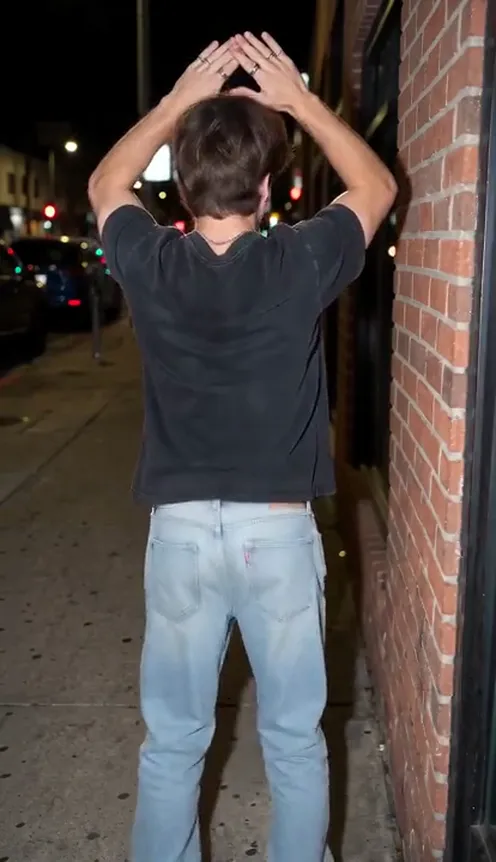
The Pick It Up dance, also called the Make It Jump dance, is easy to learn and easy to film anywhere: arms up, hands joined over your head, a turn and a bounce on the beat. This guide covers the moves and how to make a 12-second version of yourself, in the place from your own photo, from 1 photo with the Pick It Up Dance AI template on Viberot.
Why the Pick It Up dance spreads#
- Simple moves. Arms up, hands joined, a turn and a bounce: anyone can follow it.
- Any room works. It is usually filmed in an ordinary place with a locked phone camera.
- Strong beat. The bounce lands on the rhythm, so the clip feels tight.
- Easy to remix. Friends, couples and creators all post their own version.
The dance, second by second#
Here is what the 12-second version you get looks like:
- Warm up (0 to 2 s). You face the camera and sway, then both arms swing up.
- Hands joined (2 to 6 s). Arms over your head, a turn to show your back, bounce on the beat.
- Pick it up (6 to 9 s). A sideways sweep of one arm, then hands out with palms up.
- The finish (9 to 12 s). Arms up again, light jumps and hands on hips with a smile.
You keep your own face, hairstyle and clothes, and the dance happens in the place from your photo. The clip comes out silent, so you add the sound in TikTok when you post.
Step by step: how to make it with AI#
- Open the template. Go to the Pick It Up Dance AI page and sign in.
- Upload your photo. Pick a clear photo where the place looks right, because it becomes the background.
- Pick the aspect ratio and quality. 9:16 for TikTok, Reels and Shorts, or 16:9 for YouTube. Standard 480p or 720p is enough.
- Generate. No prompt to write: the dance is already set. Rendering usually takes a few minutes.
- Add the sound and post. You get a silent 12-second MP4. Open TikTok, pick the sound and post.
Picking a photo that works#
| Works well | Causes trouble |
|---|---|
| One subject, face clearly visible | Group photos where the face is tiny |
| Standing, full body or waist up | Sitting or lying down |
| Even light, sharp focus | Heavy filters, very dark or blurry photos |
| A room or street you like as background | Cluttered or very dark places |
Note
Photos that appear to show public figures, including actors, singers and influencers, are rejected before any credits are charged. Use photos of yourself or of friends who agreed to be in your video.
Ideas for your post#
- The classic. "Me doing the Make It Jump dance in my room."
- The friend tag. Tag the friend who needs to learn it.
- Pair it with another trend. Follow it with Fancy Cafe AI for a second post.
How it differs from a CapCut or editing template#
A CapCut template needs you to film the dance yourself and then fit your clips into its timing. With this template you upload a photo instead: the room or street in the photo stays as the background, your face and clothes carry over, and the dance is generated for you. That makes it handy if you have no space to film, are shy about dancing on camera, or simply want to see how the moves would look in your own place before you try them. You get a short silent clip to post as it is or pair with the sound you like in TikTok.
Price and FAQ#
A Standard 720p video costs 572 credits and 480p costs 259; see pricing for credit packs. Credits are a one-time purchase, with no subscription.
Does the video include the song? No, it is silent. This is an independent tool, not affiliated with any artist or label. Add the sound in TikTok when you post.
Can I use a pet? This template is built for people.
Pick it up
Upload one photo and get your 12-second Pick It Up dance video in your own place, ready to post.
From 92 credits · failed videos refunded · no subscription