How to Do the My Ride Is Here Broom Trend (and the Broom Crash Version) From One Photo
How to do the My Ride Is Here broom trend from one photo: hover on a flying broom at a red light, fly off on green — plus the funny Broom Crash version.
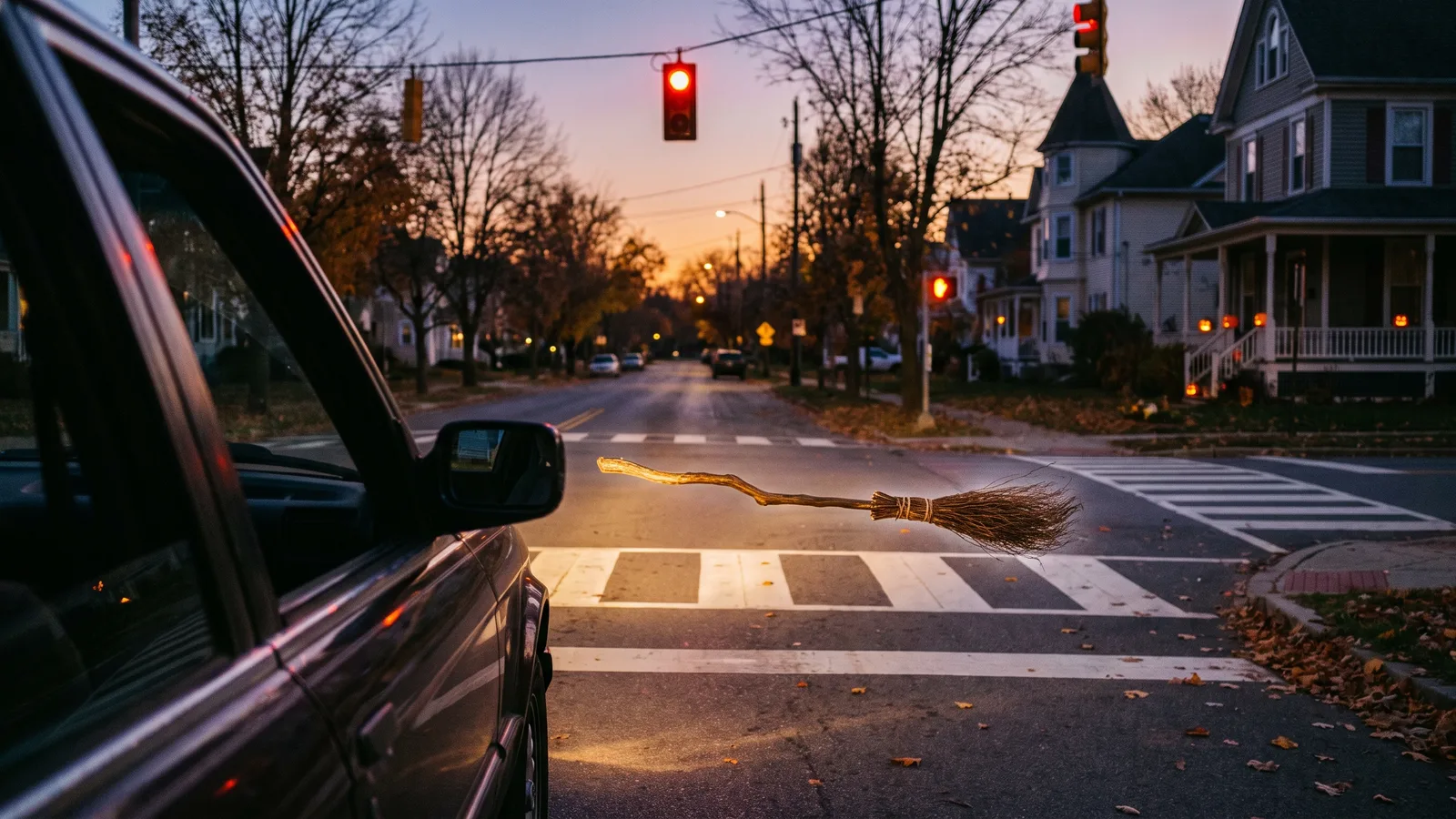
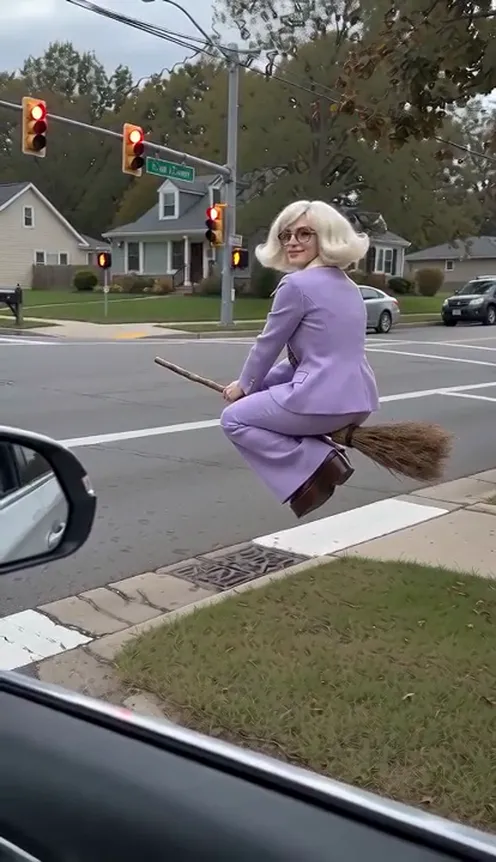
The My Ride Is Here broom trend is filmed from the passenger seat of a car stopped at a red light. Right outside the window, someone sitting side-saddle on an old wooden broom is hovering over the zebra crossing. They turn, look into the camera with a calm little smile, as if this is a completely normal commute, and the moment the light turns green they lean in and shoot off down the road. A second version is taking off right behind it: a funny flying clip where the rider zooms toward the camera, waves, and flies face-first into a road sign. This guide covers where both templates come from, each clip shot by shot, and how to put yourself or your pet on the broom with the Broom Flying AI generator on Viberot, from a single photo.
Where the trend comes from#
Both clips started as CapCut templates by the same creator. My Ride Is Here caught fire at the end of September 2026 and passed 160,000 uses within weeks — a perfect fit for the run-up to Halloween, when everyone is looking for a witchy video that isn't just a costume filter. The joke is in the framing: shaky phone footage from a real car, a real red light, and a person on a broom who acts like it's the most normal thing in the world.
The second template, Funny flying, started blowing up around October 18. Same broom, very different ending: a fixed camera on a country road, the rider flying in from far away, a big grin and a wave — and then a road sign. The pet versions, with cats and dogs riding the broom into the sign, are the most shared ones. On Viberot we call this style Broom Crash.
Why it took off#
- It's Halloween without the costume. A flying broom says "witch" instantly, so you don't need a hat, a cape or makeup to join in.
- The deadpan sells it. In My Ride Is Here, the rider's knowing smile at the camera is the whole punchline — it reads like a real dashcam moment.
- Everyone knows the red-light wait. Pulling away on green is the most relatable part of any commute; doing it on a broom is the fantasy.
- Slapstick always travels. Broom Crash is pure comedy timing: the wave, the BONG, the wriggling on the road. It works with no caption at all.
- Pets make it better. A cat with its paws on a broom handle, staring at you from a crossing, is hard to scroll past.
Two styles to choose from#
The generator has a Style option with both versions. They use the same single photo and the same old wooden broom:
| My Ride Is Here (default) | Broom Crash | |
|---|---|---|
| Length | 10 seconds | 10 seconds |
| Setting | Suburban crossing at a red light, filmed from a car | Sunny country road, camera on a tripod |
| The joke | Calm hover, a knowing smile, gone on green | A big wave, then face-first into a road sign |
| Sound (from the original clip) | Street and in-car ambience, a whoosh on take-off | Wind and the impact into the sign |
| Music | None | None |
Both styles can be exported in vertical 9:16 or landscape 16:9.
My Ride Is Here, shot by shot#
The My Ride Is Here style is a 10-second clip filmed as if by the front passenger, through the open side window, with the side mirror and a bit of the door frame in shot:
- The arrival. Your subject — a person or a pet — glides in from the left, sitting side-saddle on the broom about a metre above the zebra crossing, and stops right beside the car.
- The hover. They float in place, swaying gently, legs dangling, one hand on the handle.
- The look. They turn to the phone camera and give it a calm, knowing smile — just another morning commute.
- The green light. The light changes. They face forward, grip the broom with both hands and lean in.
- The take-off. With a whoosh they shoot off down the road; the camera swings to the windscreen as the car starts moving, and the rider shrinks to a dot flying low over the street.
Sound: the same street and in-car ambience as the viral original, with the whoosh on take-off. No music and no dialogue.
Broom Crash, shot by shot#
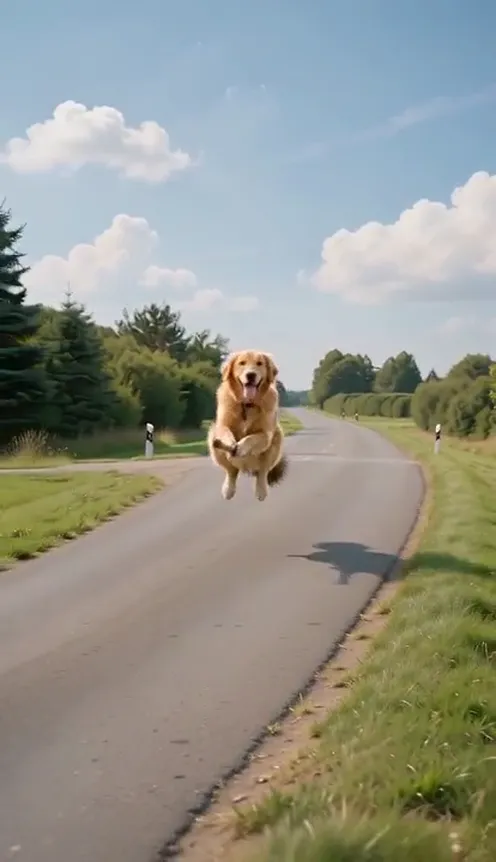
The Broom Crash style is a 10-second locked-off shot from the side of a straight country road, with a plain blank road sign close to the camera:
- The dot. Far down the road, a tiny figure appears, riding a broom straight toward the camera.
- The approach. They get bigger and bigger, legs swinging, hair or fur blowing back, clearly having the time of their life.
- The wave. Right in front of the lens they flash a huge grin and wave; the camera pans slightly to follow.
- The BONG. Still looking at the camera, they fly face-first into the blank sign with a loud metallic BONG, and the sign bends back.
- The landing. They tumble off the broom onto the asphalt, the broom clatters away, and they lie on the road wriggling and trying to push themselves up — dazed, but completely fine.
Sound: the same wind and impact as the viral original. No music and no dialogue. It's slapstick: no blood, no injury.
How to make your broom video, step by step#
- Open the template. Go to the Broom Flying AI page and sign in.
- Upload the rider. 1 photo — one person or one pet, face clearly visible.
- Choose a style. My Ride Is Here (the default) for the red-light hover and take-off, or Broom Crash for the wave and the road sign.
- Pick a format. 9:16 for TikTok, Reels and Shorts, or 16:9 for YouTube.
- Pick a quality. Standard 720p is the default; 480p is cheaper for a first try. The exact credit cost is shown next to the Generate button before you start.
- Generate. It usually takes a few minutes.
- Download. You get a 10-second MP4 with the original clip's ambient sound built in and no music, so you can add your own track on top when you post.
Tip
The rider keeps their own face and their own clothes from your photo — no witch hat or cape is added. If you want the full Halloween look, wear the costume in the photo you upload.
Choosing the right photo#
The face is on screen for the smile at the red light and for the grin before the crash, so the photo matters more than anything else.
| Works well | Causes trouble |
|---|---|
| One person or one pet, face clearly visible | Group photos, or a face that's tiny in the frame |
| Half-body or full-body, so the outfit carries over | Tight crops that cut off the clothes you want to keep |
| Even light and sharp focus | Dark, grainy or blurry photos |
| Pets sitting or standing, looking at the lens | Pets curled up asleep or half hidden |
| A relaxed smile | Sunglasses, masks, a hand over the face |
- Pets are the stars. Cats and dogs ride with their front paws on the handle and, in Broom Crash, land on all fours after the sign. The pet version is the most popular one of this trend.
- Outfits add a second joke. Office clothes for the "commute", a cosy jumper, or a full Halloween costume — whatever you wear in the photo goes on the broom.
- Don't worry about the background. The template puts your subject on the street or the country road and relights them for the scene.
Note
Photos of celebrities and other public figures are rejected before any credits are charged. Use photos of yourself, your pets, or people who agreed to be in your video. Only photos are accepted — you can't upload your own video.
Ideas for your post#
- "My ride is here." The classic caption for the red-light version. Post it on your way to work, or on Halloween morning.
- Your pet's commute. "My cat on her way to the vet appointment she knows about." The smug look at the camera does the rest.
- The before and after. Post My Ride Is Here first, then Broom Crash with "how it actually went". Same photo, two endings.
- Let the BONG land. If you add music to Broom Crash, keep it low so the impact still hits — or cut the music right at the sign.
- Tag the friend who can't drive. Broom-as-transport jokes write themselves.
- Pick the right format. 9:16 for TikTok and Reels, 16:9 for YouTube or the group chat.
Broom Flying AI vs. the CapCut templates#
The CapCut templates are built around a fixed piece of footage: you drop a photo or a cut-out into the slot, and it's composited on top of the clip. Your subject often looks pasted in, and the pose never quite matches the scene.
The Broom Flying AI template generates a new video around your subject instead: they actually sit on the broom, sway at the crossing, turn to the camera and fly off — or wave, hit the sign and roll on the road — with the lighting of the scene. It works the same for people and pets, keeps your own clothes, and runs in your phone's browser with no app or template link to hunt for. It also has the Broom Crash version, which most other AI video sites do not offer yet.
How much it costs#
A Standard 720p video costs 167 credits, or 81 at 480p, and both styles cost the same. Faster and higher-detail tiers cost more — Pro 1080p is 2071 credits — and the format (9:16 or 16:9) does not change the price. The exact price is always shown next to the Generate button before you start. Credit packs are one-time payments — no subscription — start at $9.90 for 600 credits and never expire. If a generation fails, the credits go straight back to your balance. See the pricing page for details.
Frequently asked questions#
What is the My Ride Is Here broom trend?#
It's a Halloween-season CapCut trend where a passenger films from a car at a red light while someone on a flying broom hovers over the crossing, smiles at the camera and flies off when the light turns green.
What's the difference between My Ride Is Here and Broom Crash?#
My Ride Is Here is the calm red-light hover and green-light take-off, filmed from a car window. Broom Crash is the funny flying version on a country road: a grin, a wave, and face-first into a blank road sign with a BONG. Both are 10 seconds and cost the same.
How many photos do I need?#
- One photo of one person or one pet with the face clearly visible.
Can I use my pet?#
Yes. Cats and dogs work very well — they ride with their front paws on the handle and keep their own fur colour and markings.
Will I be dressed as a witch?#
No. You keep the clothes from your photo. Wear a costume in the photo if you want one.
Does the video include the original song?#
No. There's no song and no music. The clip carries the same ambient sound as the viral CapCut original — street and in-car ambience and a whoosh in My Ride Is Here, the wind and the impact in Broom Crash — not AI-generated sound effects. Add a track from the TikTok or Instagram sound library on top when you post.
How much does it cost?#
81 credits at 480p or 167 credits at 720p on the Standard tier, for either style. The exact price is shown before you generate, and failed videos are refunded.
Can I put a celebrity on the broom?#
No. Photos of public figures are rejected before you're charged.
More one-photo Halloween and comedy trends#
If you're in the Halloween mood, try the AI witch transformation for the full hat-and-robe look, or fly a car out of a traffic jam with the Tesla Roadster AI video.
Your ride is here
Upload one photo, hover at the red light and fly off on green — or wave at the camera and meet the road sign.
From 81 credits · failed videos refunded · no subscription