



How to Make the Plug Walk AI Filter Video From One Photo
How to make the Plug Walk AI filter video: where the car-window dollar trend comes from, the shot-by-shot routine, and how one photo puts you or your pet in it.
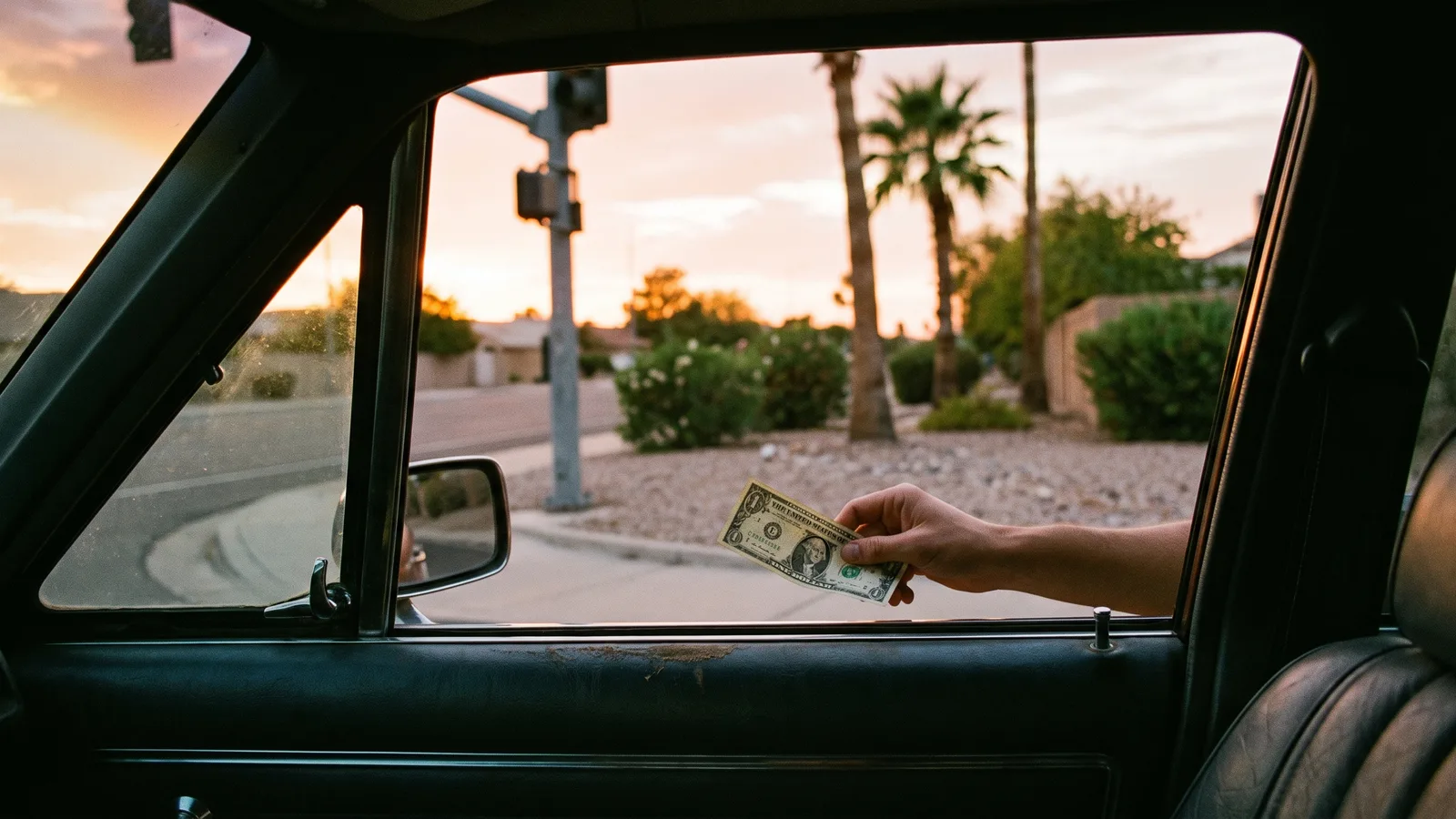
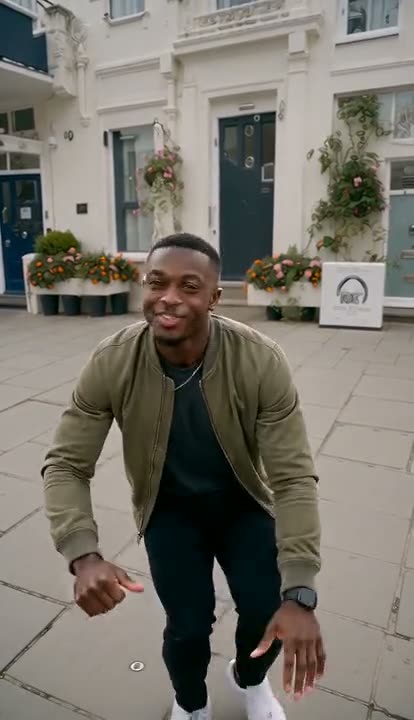
The Plug Walk AI filter is the one filmed from the driver's seat at sunset: a hand passes a single one-dollar bill out of the car window, the person outside takes it, grins, points at the camera, backs up and breaks into a smooth, low plug walk with the dollar flapping between their fingers. It is a tip-the-dancer joke, and the fun is in who you put outside the window. This guide covers where the trend comes from, what happens in each second, and how to make your own version from a single photo with the AI Plug Walk generator on Viberot — you, a friend, your grandma or your dog, in their own clothes.
Where the Plug Walk AI filter comes from#
The song is "Plug Walk" by Rich The Kid, released in 2018. Its laid-back beat and the loose, swaying walk that goes with it have been a dance staple ever since.
The October 2026 wave is something new: an AI template on TikTok, made with CapCut, that people search for as the "plug walk filter" or "hand money car window". Someone in the driver's seat holds a dollar out of the window, the person on the corner takes it and dances for it. From mid-October, tutorial accounts started posting the template preview one after another, each promising the link, and the hashtag filled up with versions starring friends, parents, coworkers and pets.
Why the trend took off#
It is a contrast joke. The move is cool and confident; the payment is one dollar. The clip gets funnier the less likely the dancer is:
- The coworker on payday, finally getting paid and celebrating accordingly.
- The friend who never dances, suddenly gliding across the gravel.
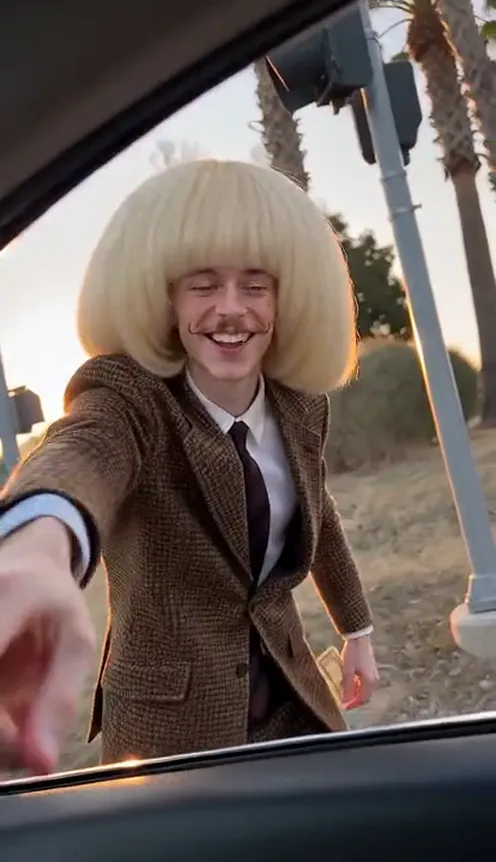
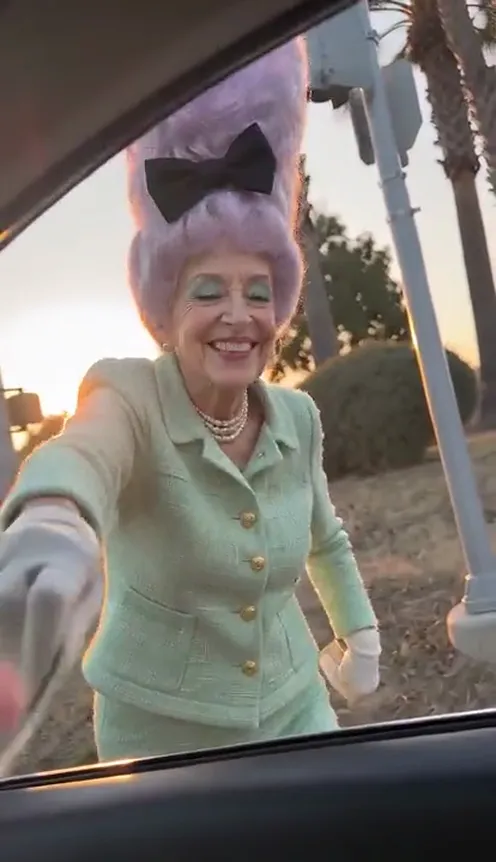
- Your parents or grandparents, plug walking in their Sunday best.
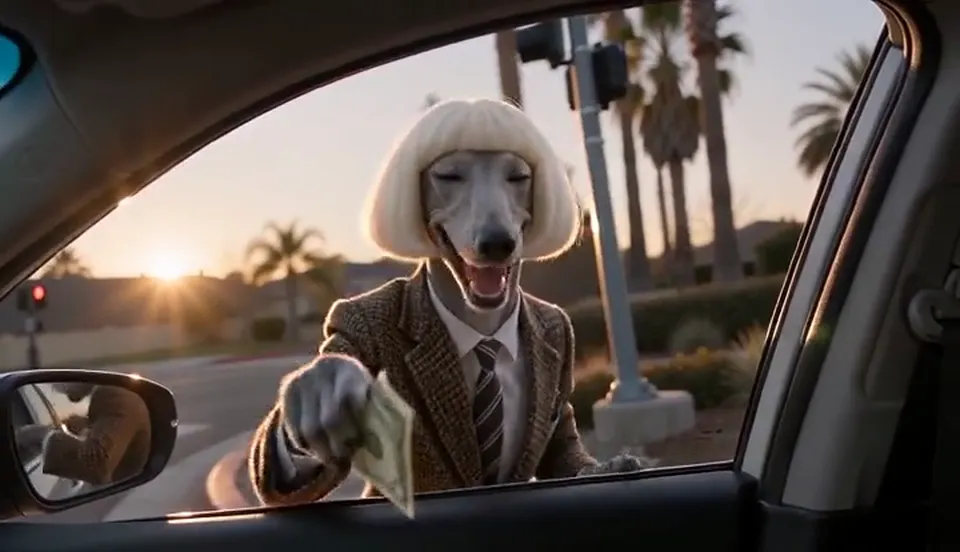
- Your pet, standing up on its hind legs, dollar in paw.
The car-window framing makes it feel like a real phone clip, so the punchline lands before anyone notices it is AI.
The routine, shot by shot#
The AI Plug Walk template is one continuous 12-second shot from the driver's seat, with the dashboard, window frame and side mirror at the edges of the frame:
- The corner. Through the car window, the person from your photo stands on a sunset street corner by a traffic-light pole, then walks up to the open driver's window.
- The tip. The driver's hand reaches out with a single one-dollar bill. Your subject takes it, looks at it and breaks into a big grin.
- The point. A cheeky point at the camera with the free hand, then a few steps back onto the gravel.
- The plug walk. Knees bent low, body rocking side to side on the beat, arms swinging loose with the dollar pinched between the fingers.
- The finish. A few more beats of the shuffle, then the dollar held up next to the face, grinning straight at the camera.
Step by step: how to make the Plug Walk AI filter video#
- Open the template. Go to the AI Plug Walk page and sign in.
- Upload 1 photo. A clear, front-facing photo of yourself, a friend, a family member or your pet.
- Pick format and quality. 9:16 for TikTok, Reels and Shorts, or 16:9 for YouTube. Standard 720p is the default; 480p is cheaper for a first try; Fast, Pro and Ultra add detail, with Pro and Ultra going up to 1080p.
- Generate. It usually takes a few minutes.
- Download and post. You get a 12-second MP4 with the template sound already on it.
Tip
Whatever is in the photo is what dances. A suit, a costume or a team jersey all come through in the video, so dress the photo for the joke you want.
Picking a photo that works#
| Works well | Causes trouble |
|---|---|
| One person or one pet, facing the camera | Group photos where the face is small |
| Full body, or at least down to the waist | Extreme close-ups with no clothing visible |
| Even light, a plain background | Heavy filters, very dark photos |
| A pet standing or sitting up | A pet curled up with its face hidden |
One clear, front-facing photo is all it needs, and a full-body shot gives the most accurate outfit. Your subject dances in exactly what they are wearing in the photo; if the photo stops at the waist, plain dark trousers and white sneakers are filled in.
Note
Photos that appear to show minors or public figures are rejected before any credits are charged. Use photos of yourself or of people who agreed to be in your video.
Ideas for your post#
The sound is already on the clip, so the casting and the caption carry the joke:
- Payday. Put the coworker who keeps checking the bank app outside the window. "Me when the salary finally hits."
- The friend who never dances. Tag them. They will want a rematch.
- Mom, Dad, Grandma, Grandpa. The more formal the photo, the better the plug walk looks.
- The pet tip. Your dog or cat takes the dollar, stands up and does the walk — "paid my dog for good behaviour."
- The bet. "Lost a bet, owed him a dollar." Post it right after.
Plug Walk AI vs. the CapCut template#
The CapCut version lives in a template link that tutorial accounts share in their comments or bios, and you need the app to use it. The AI Plug Walk generator needs none of that:
- No template link to hunt down. Open the page and upload.
- No app to install. It runs in the browser on your phone or computer.
- One photo. A new video is generated with the person from your photo as the dancer, in their own clothes, with the motion following the trend beat for beat.
About the sound#
The finished clip carries a short piece of the template's original sound, so the dance lands on the beat and the file is ready to post. Viberot is an independent AI tool and is not affiliated with Rich The Kid, his record label, CapCut or TikTok. Having audio in a downloaded file is not a music licence; when you post, you can swap it for the official "Plug Walk" sound from your platform's music library.
How much it costs#
A Standard 720p Plug Walk video costs 176 credits; 480p costs 85. Higher tiers cost more, and the exact price is always shown next to the Generate button before you start. Credit packs are one-time payments — no subscription — start at $9.90 for 600 credits and never expire. If a generation fails, the credits go straight back to your balance. See the pricing page for details.
Frequently asked questions#
What is the Plug Walk AI filter?#
It is the TikTok trend where a hand passes a one-dollar bill out of a car window and the person outside takes it and does the plug walk. On TikTok it spreads as a CapCut AI template; on Viberot you make it from one photo in the browser.
What song is used?#
"Plug Walk" by Rich The Kid, from 2018. The video comes with a short piece of the template sound; you can switch to the official song from your platform's music library when you post.
How many photos do I need?#
Just 1: a clear, front-facing photo of the person or pet you want outside the window. A full-body photo gives the best outfit.
Can I use my dog or cat?#
Yes. Pets keep their own fur and collar, take the dollar in a paw or in their mouth, then stand on their hind legs and do the plug walk.
Can I use a photo of a celebrity?#
No. Photos of public figures and of minors are rejected by moderation before any credits are charged.
How long is the video?#
12 seconds, in vertical 9:16 or horizontal 16:9.
Is this an official product?#
No. Viberot is an independent AI tool and is not affiliated with Rich The Kid, his record label, CapCut, TikTok or the creator of the original template.
Are there other trends like this?#
Yes. Try the Wipe Me Down dance or the Toc Toc AI dance, both from one photo.
Take the dollar. Do the walk.
Upload one photo and do the plug walk at the car window, sound included.
From 85 credits · failed videos refunded · no subscription