


Deep Sea AI Video: Turn One Photo Into an Underwater Portrait
How to make a deep sea AI video from one photo: the underwater portrait trend, the 10-second shot by shot, photo tips, pet versions and post ideas.
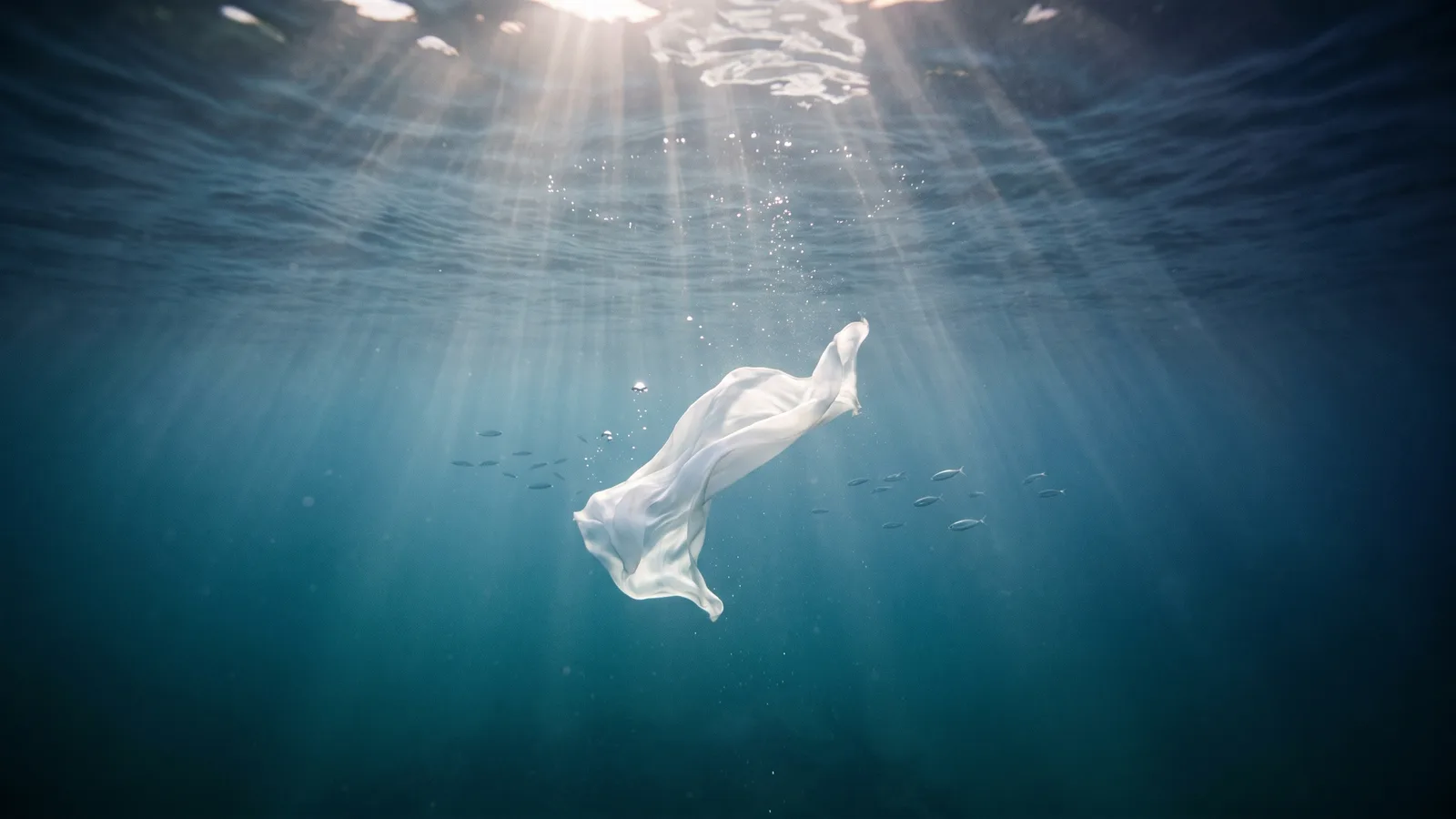
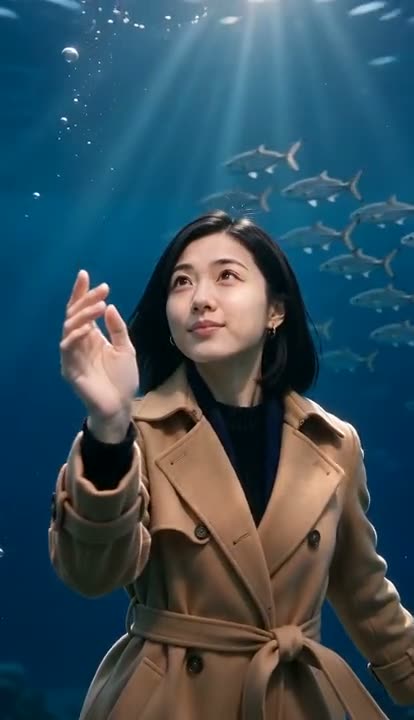
Deep sea portraits are all over TikTok and Reels right now: a person floating weightless in deep blue water, sunbeams falling from the surface, hair and clothes drifting in slow motion, a few bubbles rising past the face. The original versions are shot by underwater photographers in pools and open water, which takes a lot of gear, breath-holding and practice. The AI version gets you the same dreamy shot from a single photo. This guide covers where the trend comes from, what the video looks like second by second, and how to make your own with the AI Deep Sea Video generator on Viberot.
Where the deep sea trend comes from#
Underwater portrait photography has been around for a long time — fashion shoots, maternity shoots and "mermaid" sessions in pools are a whole niche of their own. What changed recently is the format. Short vertical clips of people floating calmly in blue water, often slowed down and set to soft, ambient audio, started showing up in feeds under tags like deep sea and underwater portrait, and AI versions of the same look followed soon after.
The appeal is easy to see: it looks expensive and cinematic, but it is calm rather than flashy. That makes it a very different kind of trend from the fast dance templates that usually fill the feed.
Why it works#
- It is beautiful, not a joke. Most AI video trends are funny. This one is something people actually want as a profile video or a story highlight.
- Real underwater shoots are hard. You need clear water, waterproof gear, good light and the ability to look relaxed while holding your breath. Most people will never do one.
- Slow motion is easy to watch. Floating hair, drifting fabric and light rays are naturally hypnotic, so viewers tend to watch to the end and loop it.
- It works for anyone. No dance moves to learn and no performance needed — you just float.
The 10-second shot, beat by beat#
The whole clip is one continuous, slow shot of 10 seconds:
- 0–3 s: suspended in the light. A medium shot of you floating weightless in open deep-blue water, calm and looking softly toward the camera. Sunbeams fall from the bright surface far above, rippling caustic light slides across your face and clothes, and tiny bubbles drift upward.
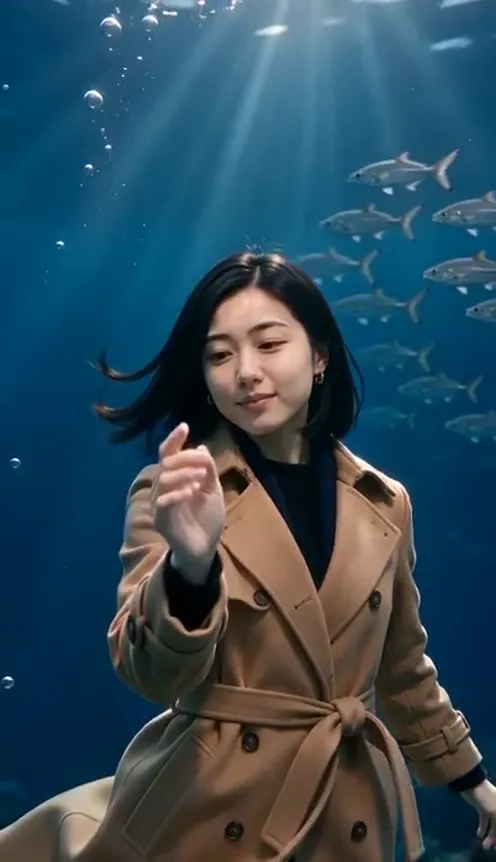
- 3–7 s: the current. A slow, gentle current lifts your hair and the loose parts of your clothes — sleeves, hem, collar — so they float and sway in slow motion. You turn slightly and lift one hand as if feeling the water, while a small school of silver fish glides past in the background.
- 7–10 s: the push-in. The camera slowly moves in toward your face. You drift a little upward with a calm, faint smile, a few bubbles escape, and the light rays shimmer behind your head for the final portrait.
The video comes with soft underwater ambience — muffled water, bubbles and a low ocean hum — and no music, so you can post it as is or add your own track.
How to make your deep sea AI video#
- Open the generator. Go to the AI Deep Sea Video page and sign in.
- Upload one photo. A clear photo of the person or pet who should float in the water.
- Pick the format. Vertical 9:16 for TikTok, Reels and Shorts; horizontal 16:9 for YouTube or a wider cinematic frame.
- Generate. The video is ready in a few minutes. The exact credit cost is shown next to the Generate button before you start.
- Post it. Download the MP4 with its underwater ambience, or swap in a soft track from your platform's music library.
Tip
Calm, slow audio fits this trend best. If you add music, pick something ambient or a slowed-down track so it matches the pace of the floating hair and light.
Choosing the right photo#
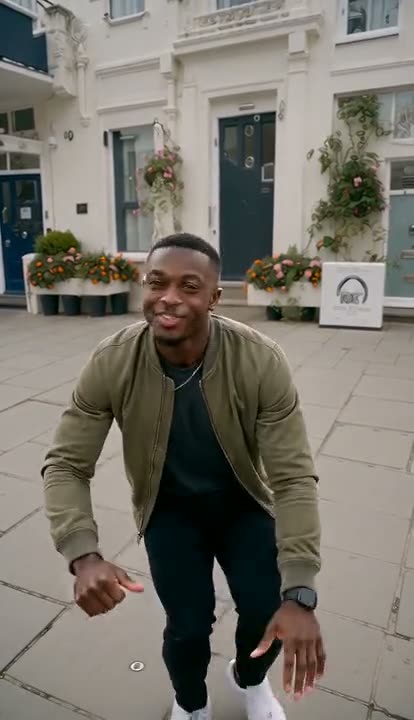
- One person, face clearly visible. A sharp, front-facing photo of a single person gives the most recognisable result. Group photos can mix up faces.
- Light, loose clothes float best. A shirt, dress, scarf or anything thin and flowing billows beautifully underwater. Heavy coats and stiff jackets still work, but they barely move.
- Show your hands. The clip has you lifting a hand to feel the water, so a photo where your hands are visible gives a more natural result.
- Half-body or more. Your clothes come from the photo, so a half-body or full-body shot works better than a tight selfie.
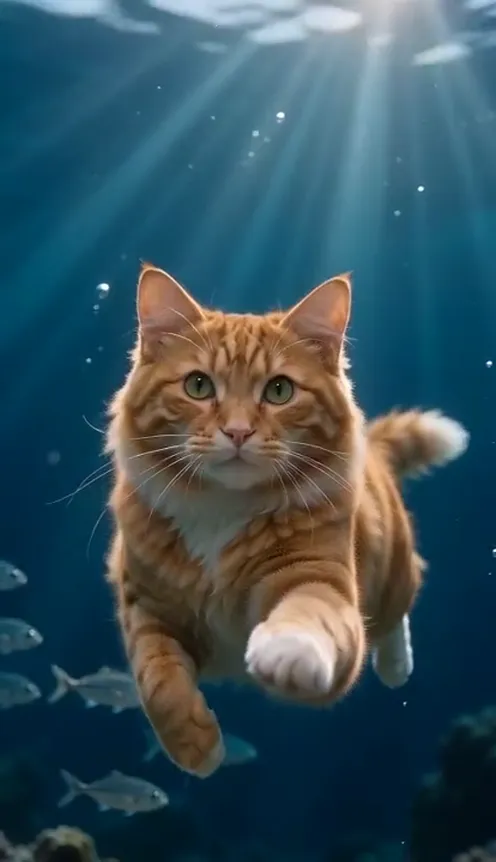
- Pets work too. Cats and dogs keep their own fur and markings and float calmly with their fur drifting.
- Use your own photos. Photos of public figures are rejected before any credits are charged, and you should only upload photos of yourself or of people who agreed to be in the video.
Post ideas#
- Before and after. Show the ordinary photo first, then cut to you floating in the deep sea.
- Profile or highlight video. A calm, cinematic loop works well as a story highlight cover or profile clip.
- Summer throwback. Pair it with a beach or holiday photo dump.
- The pet edition. Your cat or dog floating serenely with fish swimming past is hard to scroll past.
- Couple or friends series. Make one for each person and post them as a carousel.
How it differs from CapCut templates#
Most underwater templates on CapCut and similar apps put a blue filter, some bubble overlays and light rays on top of your existing photo or footage — the photo stays still or just zooms slowly. The AI version generates a new video: your whole body floats in the water, your hair and clothes actually move with the current, the light falls across your face from the right direction, fish swim past behind you, and the camera moves in. You only need one photo, and you never have to get wet.
How much it costs#
A Standard 720p deep sea AI video costs 84 credits; 480p costs 41. Higher tiers cost more, and the exact price is always shown next to the Generate button before you start. Credit packs are one-time payments — no subscription — start at $9.90 for 600 credits and never expire. If a generation fails, the credits go straight back to your balance. See the pricing page for details.
Frequently asked questions#
What is the deep sea AI video trend?#
It is a short, cinematic clip of a person (or pet) floating weightless in deep blue water, with sunbeams, bubbles and drifting hair and clothes — inspired by real underwater portrait photography and made from a single photo with AI.
Will I still look like myself?#
Yes. Your face, hair, skin tone and build stay as they are in your photo, and you keep your own clothes.
Does the video have sound?#
Yes. It comes with soft underwater ambience — muffled water, bubbles and a low ocean hum. There is no music or dialogue, so you can add your own track when you post.
How long is the video?#
10 seconds, in vertical 9:16 or horizontal 16:9.
How many photos do I need?#
Just one clear photo of the person or pet.
Can I make a pet version?#
Yes. Upload a photo of your cat or dog and it floats calmly in the deep blue water, keeping its own fur and markings.
More AI video trends#
If you like the format, try the AI witch transformation, the golden-hour Raindance video or the AI vampire transformation, all from your photos.
Dive into the deep sea
Upload one photo and get your 10-second underwater portrait, ambience included.
From 41 credits · failed videos refunded · no subscription