Ice Ice Baby Dance AI: How to Make the 90s Windbreaker Trend
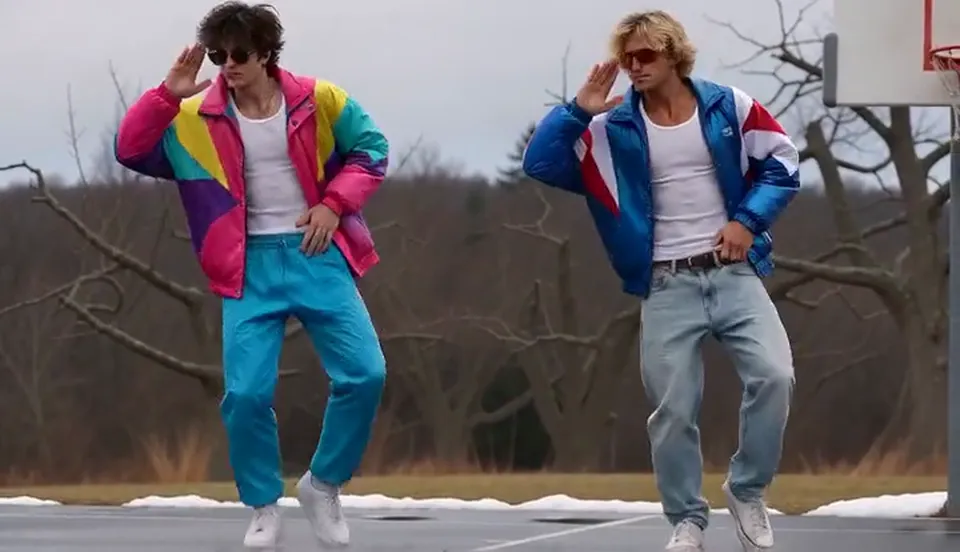
Make the Ice Ice Baby dance trend from two photos with Ice Ice Baby Dance AI: two friends in loud 90s windbreakers and shades, in sync on a wet winter court.
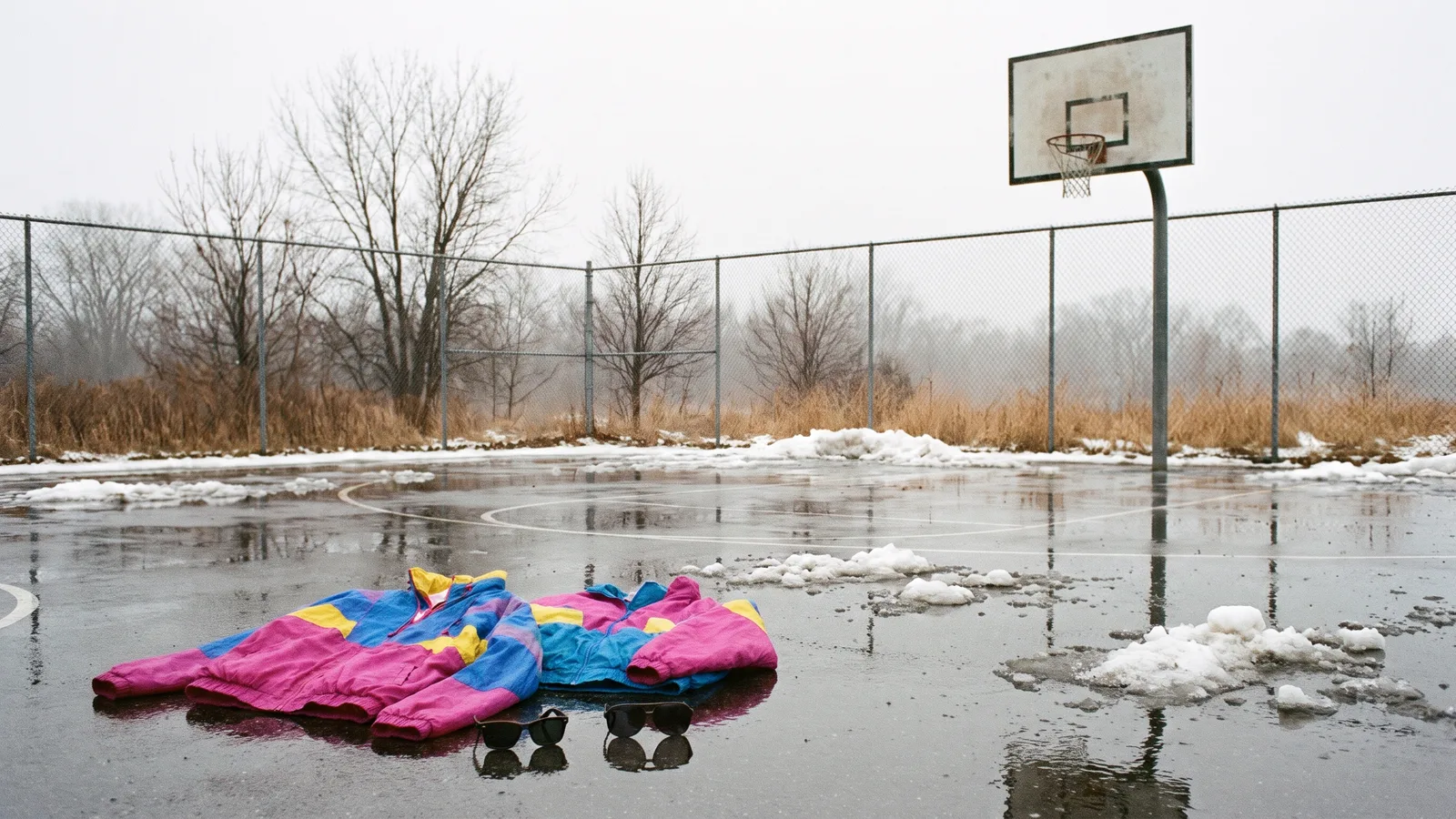
The Ice Ice Baby dance trend is pure 90s cringe in the best way: two people in loud colour-block windbreakers and sunglasses, standing on a wet winter basketball court, dancing in perfect sync like they mean every move. This guide covers where the clip comes from, why it works and how to make a 9-second version of you and a friend from 2 photos with the Ice Ice Baby Dance AI template on Viberot.
Where the trend comes from#
The look started as a short template clip: one wide, steady shot of two guys in oversized retro windbreakers, white tank tops and baggy pants, dancing to "Ice Ice Baby" on a rain-soaked outdoor court with leftover snow and bare trees behind them. People began swapping their own faces into it, tutorials followed, and dancers started recreating the moves for real.
Why it works#
- The outfit is the joke. Shiny nylon windbreakers in clashing colours and retro shades read as 90s from across the room.
- Deadpan sync. Two people doing small, serious moves at exactly the same time is funnier than any big routine.
- A strange setting. A wet winter basketball court is the last place you would expect a dance video.
- Made for two. It is an easy duet to tag a friend, a sibling or a partner.
The shot, second by second#
Here is what the 9-second version you get looks like:
- The stand (0 to 1 s). Both dancers stand side by side, nodding to the beat.
- Hands up (1 to 3 s). One hand raised palm forward, the other on the hip, light bounces.
- Knee lifts (3 to 5 s). Alternating knee lifts with thumbs on the belt, shoulders swaying.
- The groove (5 to 7 s). A bent-knee shoulder shake with small hand chops and a side step.
- The finish (7 to 9 s). Low wide-knee bounces, a quick quarter turn and a loose arm wave.
Your faces and hairstyles come from your photos; the 90s windbreakers, white tank tops and sunglasses are added for you. The clip comes out silent, so you add the sound in TikTok when you post.
Step by step: how to make it with AI#
- Open the template. Go to the Ice Ice Baby Dance AI page and sign in.
- Upload two photos. Slot 1 is the left dancer and slot 2 is the right dancer. Both are required, faces visible.
- Pick the aspect ratio and quality. 16:9 matches the original wide shot; 9:16 works for TikTok, Reels and Shorts. Standard 480p or 720p is enough.
- Generate. No prompt to write: the court, the outfits and the dance are set. Rendering usually takes a few minutes.
- Add the sound and post. You get a silent 9-second MP4. Open TikTok, pick the sound you want and post.
How to nail the deadpan look#
The funniest versions of this trend look like two people who take their 90s dance very seriously. A few small choices in your photos make a big difference:
- Pick a neutral or serious face. A big grin can look out of place; a calm, slightly too-cool expression sells the joke behind the sunglasses.
- Choose two different hairstyles. Curly next to straight, dark next to blond: the contrast makes each dancer easy to follow in the wide shot.
- Show the whole head. The outfit and shades are added for you, so your hair is what makes you recognisable. Avoid photos where a cap or hood covers it.
- Pair people who know each other. Siblings, roommates, a couple or a work duo get the most comments, because friends recognise both faces right away.
Picking photos that work#
| Works well | Causes trouble |
|---|---|
| One person per photo, face clearly visible | Group photos where the faces are tiny |
| Front-facing, relaxed expression | Extreme angles or a face turned away |
| Two clearly different people | Two photos of the same person |
| Hair visible the way you usually wear it | Hats or hoods that hide your hair |
Note
Photos that appear to show public figures, including actors, singers and influencers, are rejected before any credits are charged. Use photos of yourself or of friends who agreed to be in your video.
Ideas for your post#
- The throwback. "Us at the school dance in 1991."
- The duo challenge. Post it with a friend and dare others to match your sync.
- Pair it with another trend. Follow it with 24K Magic Dance AI for a second duet.
How it differs from a CapCut or editing template#
A face-swap template pastes your face onto someone else's body, and filming it for real needs a friend, a wet court and a pair of vintage windbreakers. Here you upload two photos and the whole scene is generated: the court, the outfits and the synced dance, with your own faces and hairstyles kept from your photos. It works for a friend who lives far away, since you only need one photo from each person. You get a short silent clip that you can post as it is or pair with the sound you like in TikTok.
Price and FAQ#
A Standard 720p video costs 451 credits and 480p costs 205; see pricing for credit packs. Credits are a one-time purchase, with no subscription.
Does the video include the song? No, it is silent. This is an independent tool, not affiliated with any artist or label, and audio in a file is not a music licence. Add the sound in TikTok when you post.
Do I keep my own clothes? No. The 90s windbreakers and sunglasses are part of the trend; your face and hair stay your own.
Can I use a pet? This template is built for two people.
Can I make it alone? The trend is a duet, so both slots are required. Ask a friend for one clear photo, or use a photo of a sibling or partner who agreed to be in it.
Which format should I pick? The original is one wide horizontal shot, so 16:9 keeps both dancers and the court in view. Pick 9:16 if you only post to vertical feeds.
What if it fails? Failed videos are refunded automatically, and the credits go straight back to your balance.
Suit up for the 90s
Upload two photos and get your 9-second Ice Ice Baby dance video, ready to post.
From 73 credits · failed videos refunded · 구독 필요 없음