Hotline Bling AI Trend: How to Do the Colour-Room Dance
Hotline Bling AI trend guide: he leads, she dances, in a glowing room that changes colour every shot. Make your own version from two photos in minutes.
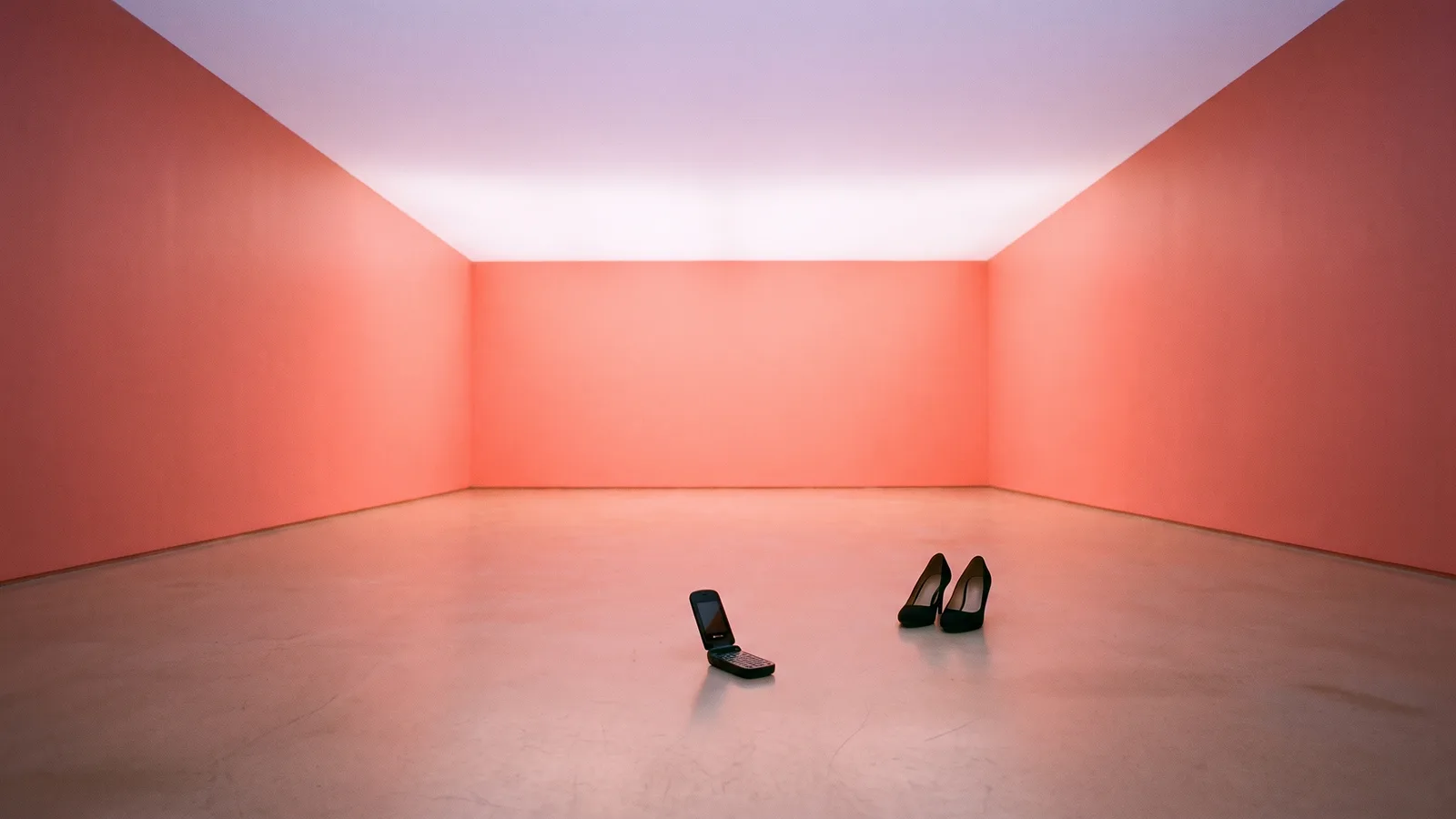
The Hotline Bling AI trend is the dance clip everyone is remaking this month: a glowing empty room whose walls change colour every shot, a guy bouncing at the knees and holding a hand to his ear like a phone, and a second dancer cutting in with a heel squat and a hip sway. This guide explains where it comes from and how to make a 15-second version of you and a friend from 2 photos with the AI Hotline Bling Dance template on Viberot.
Where the trend comes from#
The dance comes from Drake's 2015 music video for Hotline Bling, directed by Director X: an empty room lit from inside, with walls that change colour from one shot to the next. Drake's loose, bouncy dancing in it became one of the most copied moves of that year. In November 2026 the video came back as an AI trend. From 5 November, creators on TikTok posted versions where the dancers were swapped for cartoon characters and footballers, and by 10 November several apps had put the same routine into a template. The clips that work best keep the original's two-dancer structure: a lead dancer and a second dancer who cuts in between shots.
Why it works#
- Instantly recognisable. The coloured walls and the phone-call hand read in one second on a feed.
- Built for two. The lead and the dancer are different roles, so it suits couples, friends and siblings.
- The swap is the joke. Putting your friend into the heel squat, or yourself into the finger shush, is half the fun.
- Everyone knows the moves. There is nothing to learn, and the AI does the dancing.
The dance, shot by shot#
The 15-second clip is cut like the original:
- Wide shot, coral-pink room. The lead bounces at the knees and swings his arms loosely, small side steps, under a pale lilac ceiling.
- Phone call. A closer shot: his hand goes to his ear, then flicks outward.
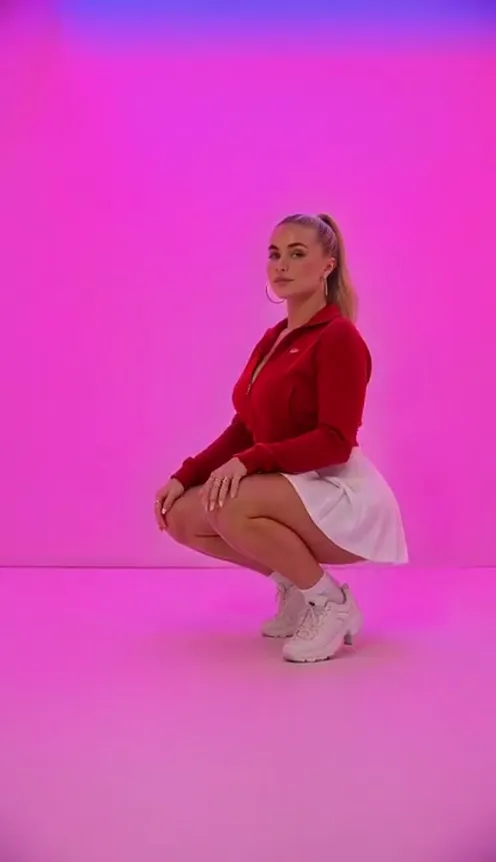
- The squat. She drops into a high-heel squat in a magenta room.
- Finger wag. An ice-blue close-up: he wags a finger and sways with his eyes closed.
- Wall twist. She twists against the wall and moves her hips.
- Back and forth. Another wide shot of him, then her hip sway in a bright cyan room.
- The shush. The last close-up: he reaches forward and puts a finger to his lips.
How to make it with AI#
- Open the AI Hotline Bling Dance template.
- Upload photo 1 of the guy who takes the lead and photo 2 of the woman who dances. Both are required.
- Pick 9:16 for TikTok, Reels and Shorts or 16:9 for YouTube, then choose the quality.
- Generate. You get a silent 15-second MP4, both of you in the clothes from your photos, dancing in the colour room.
- Add the sound and post. Pick a sound from the TikTok, Instagram or YouTube Shorts music library when you post, so it plays under the platform licence.
Picking good photos#
- One person per photo. Crop a group photo if that is all you have, as long as each face is clear.
- Face visible and well lit. Front-facing, no sunglasses, no heavy filters.
- Half body or full body. The outfit in your photo is the outfit in the video, so pick one you like. Your photo background is not used; the room is the colour room.
- Real people only. Photos that look like public figures, Drake included, are rejected before any credits are charged.
Posting ideas#
- Tag your partner or best friend in the other slot with "who is the lead?".
- Make a second version with the photos swapped and post both.
- Post it on 16:9 for YouTube and a cropped 9:16 for TikTok.
- Duet a classic Hotline Bling clip with your AI version.
Tips for a better result#
- Use photos with similar lighting. Two bright daytime photos blend into the glowing room more naturally than one flash photo and one dim one.
- Show the hair you want. Each dancer keeps the hairstyle from their photo, so a ponytail stays a ponytail through the squat.
- Wear something plain. Solid-colour tops look sharp against the coloured walls.
- Pick the sound before you post. The video is silent, so choose the sound first and time your caption to it.
How it differs from a CapCut template#
CapCut photo templates usually animate a still photo or paste faces onto a fixed clip. This template generates a new video: both of you actually dance the routine, from the wide shots to the close-up shush, with your own faces in every shot and the walls changing colour as in the original. The only thing left to add is the sound.
Price and FAQ#
How much is it? Standard 480p costs 270 credits and 720p costs 594 credits per 15-second video. Credit packs are one-time payments starting at $9.90 for 600 credits; see pricing.
Does it have the song? No. The video comes out silent, with no song and no AI audio; the music in the example on the template page is a preview only. Add a sound from your platform's music library when you post. Viberot is an independent tool, not affiliated with Drake, the music video's creators or any label, and an audio track in a file is not a music licence.
Can I keep my own clothes? Yes. Both of you keep the clothes from your photos.
Can I use my pet? Not yet. This version is made for two people.
What if it fails? Failed videos are refunded automatically.
Step into the glowing room
Upload two photos and get your 15-second AI Hotline Bling dance, ready to post.
From 95 credits · failed videos refunded · 구독 필요 없음