How to Make an AI Vampire Transformation Video From One Photo
Make an AI vampire transformation video from one photo: mist sweeps in, your eyes glow red, fangs and a cape appear and a moonlit cemetery takes over.
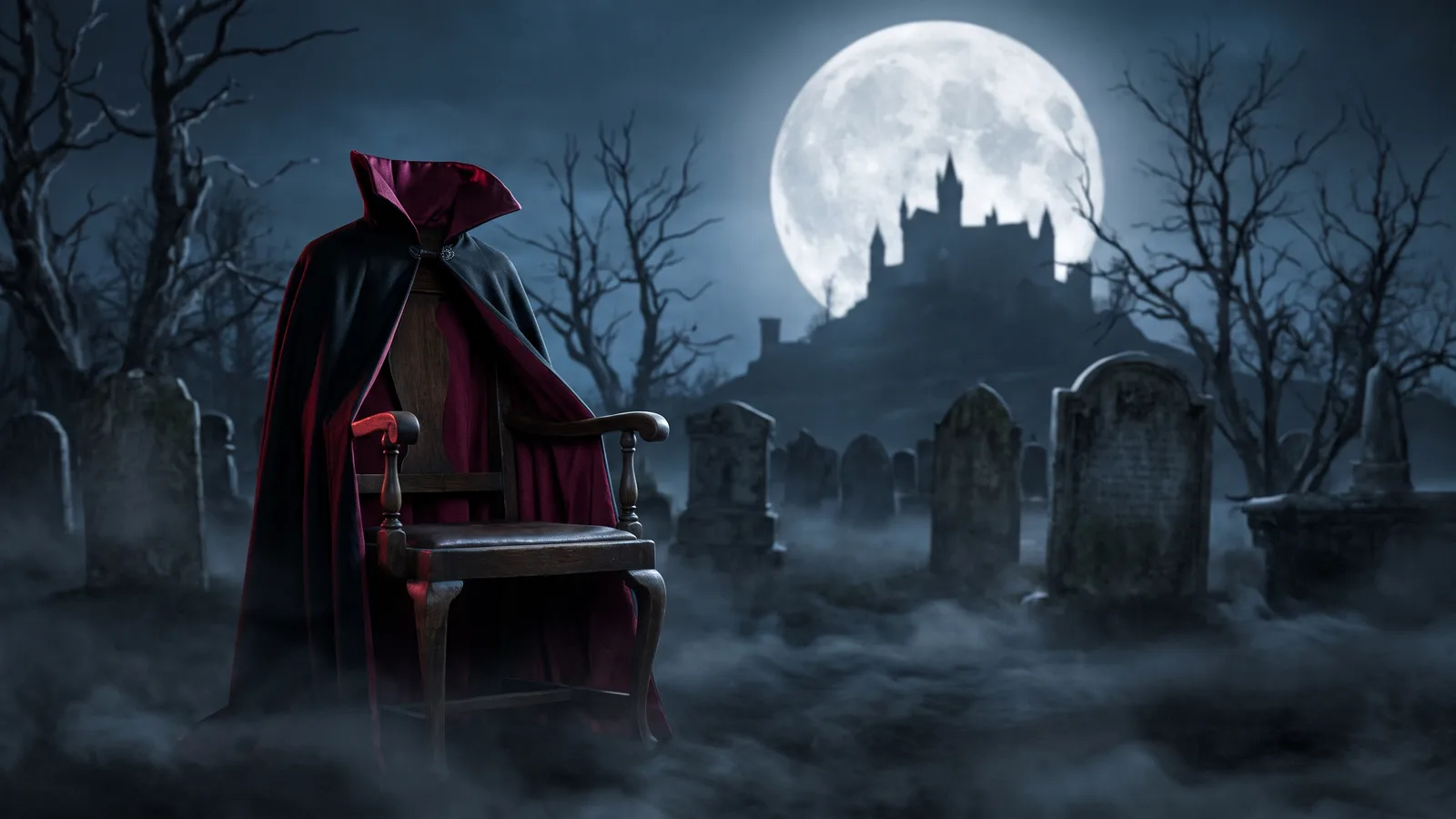
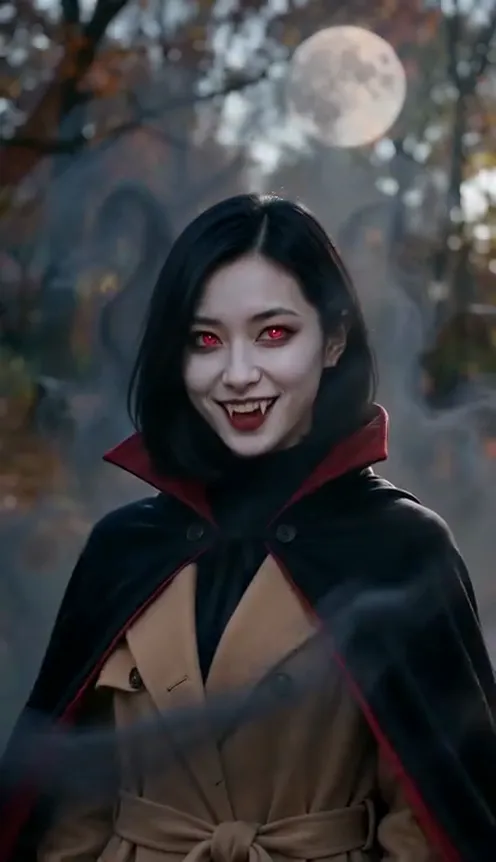
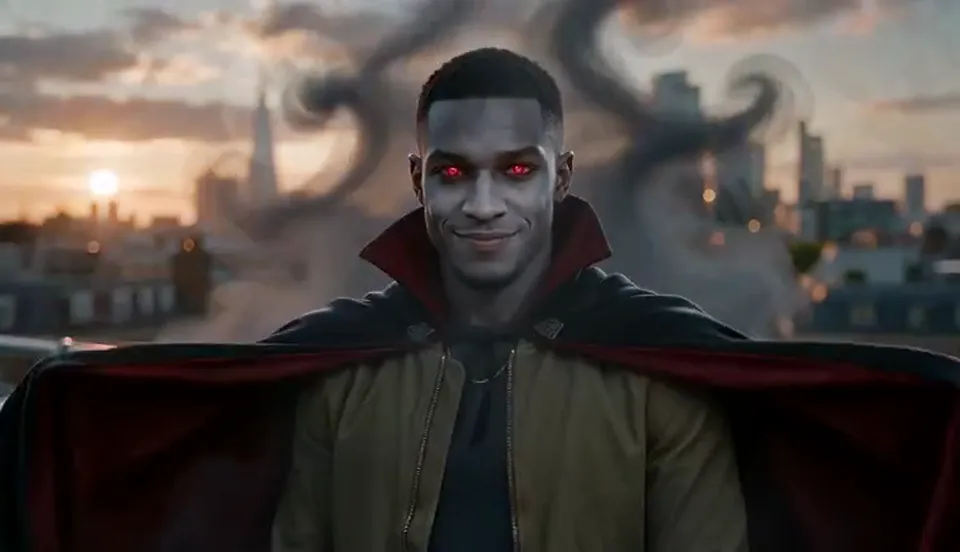
You look calmly into the camera in an ordinary park, a rooftop or your living room. Thin grey mist curls in from the edges of the frame, sweeps across your face, and when it clears your eyes are glowing crimson, two small fangs show through a slow smile, a black red-lined cape sits on your shoulders and the background has become a moonlit cemetery under a distant castle. That 5-second change is the AI vampire transformation, and you can make your own from a single photo with the AI Vampire Transformation generator on Viberot.
Where the vampire transformation trend comes from#
The Halloween reveal format. Every October, TikTok and Reels fill up with "normal → reveal → costume" videos: someone stands in their everyday clothes, covers the lens or spins, and the cut hides a full costume and makeup change. They are fun to watch, but they take hours of makeup, a costume and a clean edit.
The AI version. AI transformation videos skip the makeup chair and the cut. The change happens on screen in one continuous shot, so instead of a jump there is a real transformation: the mist passes, the eyes ignite and the scene around you changes with it. Vampires are the classic pick because the look reads instantly, even on a small phone screen: red eyes, fangs, a high collar and moonlight.
Why it works so well on social#
- Instant before-and-after. The first second is clearly you; the last second is clearly a vampire. Viewers rewatch to catch the moment it flips.
- It still looks like you. Your face, hair and clothes stay recognisable the whole way, so friends know exactly who they are looking at.
- Spooky, not gory. Glowing eyes, mist and moonlight, with no blood or wounds. It is safe to post on any feed and to send to the family group chat.
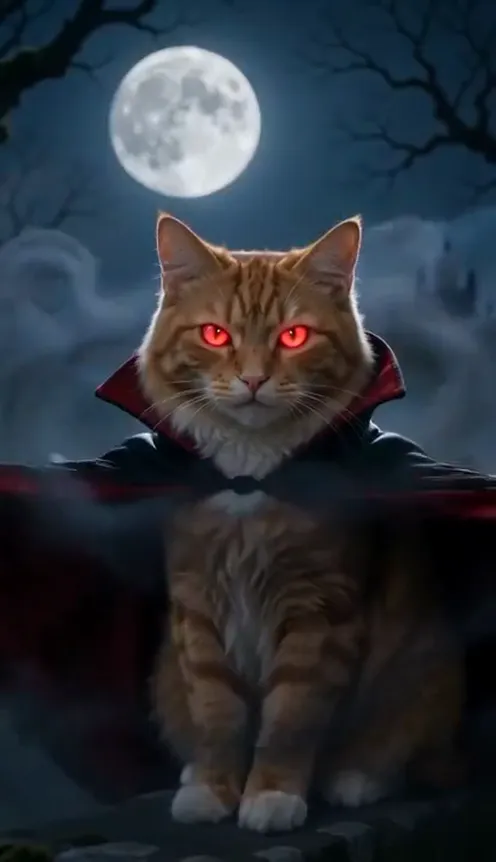
- Pets join in. A cat with glowing red eyes, tiny fangs and a little cape is pure Halloween engagement bait.
What happens shot by shot#
The AI Vampire Transformation template turns 1 photo into one continuous 5-second clip:
- The calm start. A medium close-up of you looking into the camera, in the same setting as your photo. Wisps of charcoal mist start creeping in from the edges.
- The mist sweeps through. The mist thickens and passes across you. As it does, your eyes glow crimson, your skin turns a shade paler and two small fangs appear as you smile.
- Cape and cemetery. A black high-collared cape with a deep red lining settles over your own clothes while the background dissolves into a moonlit cemetery with gravestones, bare trees, a full moon and a castle on the hill.
- The final portrait. The mist clears, you hold a cold, confident pose with your chin slightly raised, and the camera slowly pushes in on your vampire face with a faint red rim light on the fangs.
How to make your AI vampire transformation video#
- Open the template. Go to AI Vampire Transformation and sign in.
- Upload 1 photo. One person or one pet, facing the camera. Head and shoulders is enough.
- Pick aspect ratio and quality. 9:16 for TikTok, Reels and Shorts, or 16:9 for YouTube. Standard 480p or 720p is plenty for social; the Plus tier renders a denser, more cinematic version.
- Generate. In a couple of minutes you get a 5-second MP4 with eerie sound effects already mixed in.
- Download and post. No editing needed.
Choosing the best photo#
| Works well | Avoid |
|---|---|
| One person or one pet, facing the camera | Group shots or several pets in one photo |
| Head-and-shoulders or waist-up framing | Tiny faces in a wide landscape shot |
| Even daylight or indoor light on the face | Heavy shadows, sunglasses or motion blur |
| The outfit you want to keep under the cape | Photos of celebrities or public figures |
A darker outfit blends nicely with the black cape, but any clothes work: the cape goes on over whatever you are wearing in the photo.
About the sound#
Every clip comes with sound effects made for it: low wind, a rising whoosh as the mist sweeps in, a soft bass hit on the reveal and a distant crow. There is no music and no dialogue, so you are free to add any trending sound from your platform's library when you post.
Posting ideas#
- Caption hooks. "Me after one sip of pumpkin spice", "POV: you finally see my true form", or "When the sun goes down on October 31st."
- Couple or friend series. Make one for each friend and post them as a carousel, or pair yours with the AI Witch Transformation for a two-part coven reveal.
- Turn up the horror. Follow it with the full survival-horror storyline of the AI zombie video.
- Hashtags.
#vampiretransformation,#halloweentransformation,#aivampire,#halloween.
AI vampire transformation vs. CapCut templates#
CapCut vampire templates usually overlay red-eye stickers, a fang filter and a cemetery background on top of your photo or clip, and the edges give it away. On Viberot the AI generates the whole shot from your photo: the mist moves through the scene, the lighting changes from your original setting to cold moonlight, and the cape drapes over your real clothes in one continuous take. It runs in the browser on your phone, with no app to install.
Pricing and FAQ#
A Standard 720p clip costs 69 credits and 480p costs 32 credits; the Plus tier price is shown next to the Generate button before you start. Credit packs are one-time payments starting at $9.90 for 600 credits, with no subscription, and they never expire. Failed renders are refunded automatically. See the pricing page for every pack.
How many photos do I need?#
Just 1 photo of one person or one pet.
Will it still look like me?#
Yes. Your face, hair and clothes come from your photo and stay recognisable in every frame, before and after the transformation. Your ears stay normal, too.
Can I use a photo of my cat or dog?#
Yes. Pets stay the same animal and get glowing red eyes, tiny fangs and a small cape, sitting or standing as they were in the photo.
Is it scary or gory?#
No. It is cinematic rather than gory: mist, red eyes, fangs and moonlight, with no blood or wounds.
Does it include music?#
No. The clip has sound effects only, so you can add any track from your platform's music library when posting.
Ready for your night shift? Make your AI vampire transformation video from one photo.
Become a vampire tonight
Upload one photo and get your 5-second vampire transformation, sound included.
From 32 credits · failed videos refunded · 구독 필요 없음