How to Make a SmackDown AI Video: The Wrestling Ring Body Slam Trend
Learn how the viral SmackDown AI video trend works and turn one photo into a single-take wrestling ring body slam with the original sound on Viberot.
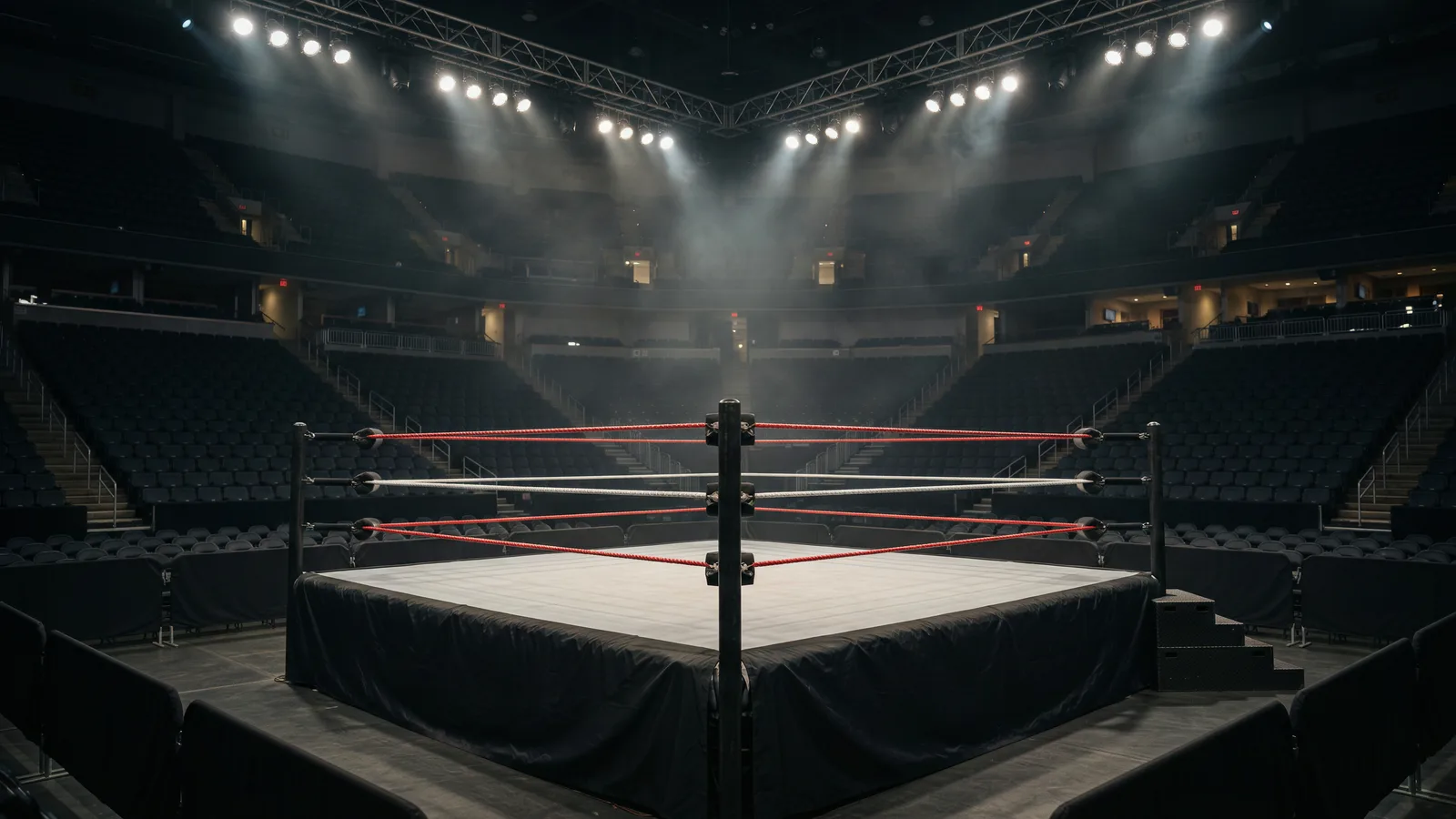
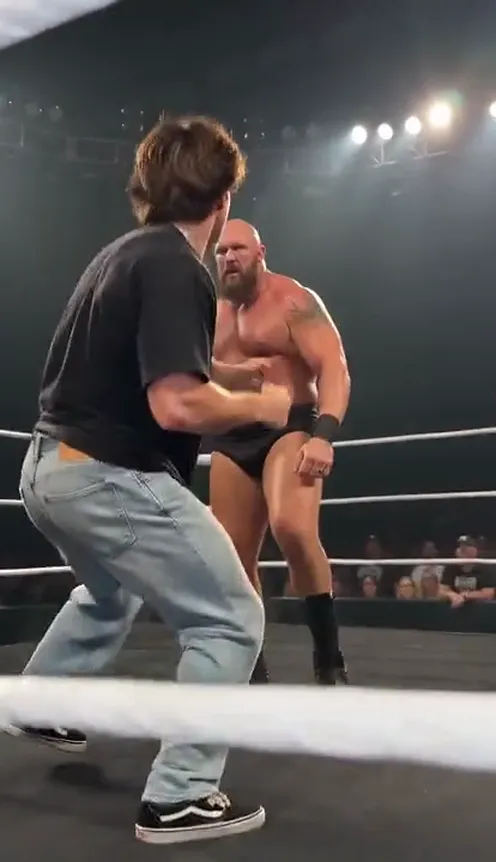
Picture your quietest friend standing under blinding arena spotlights in their everyday clothes, squaring up against a towering heavyweight wrestler—and then hoisting the giant off his feet, slamming him onto the mat, and striding up to the camera with one arm raised to a roaring stadium. That single 15-second take is the SmackDown AI video trend taking over TikTok and Reels, and you only need one photo to make your own version.
The clip below was generated with the SmackDown AI video generator on Viberot.
Why the SmackDown AI video trend blew up#
Pro-wrestling clips are built for pure spectacle: dark arena seating, blazing overhead beams, taut ring ropes, and a crowd waiting for one huge finisher. The viral format flipped that energy into a personal meme by dropping a completely ordinary person—still wearing their hoodie, tee or office shirt—straight into the squared circle against an opponent a full head taller.
- Instant David-vs-Goliath comedy. The bigger the mismatch between your real-life personality and a main-event finisher, the faster people hit share.
- One continuous shot, zero filler. Because the camera never cuts away from the ring, the action feels like a real broadcast highlight instead of stitched-together clips.
- No costumes or acting required. You don't need wrestling gear, a gym, or a second person. One clear portrait does the whole job.
- Built-in arena hype. With crowd roar and mat impact baked into the clip, the payoff lands even before you add a caption.
The shot, second by second#
Every frame happens inside the ring in one sweeping, handheld-style take:
- 0–1s: Under dramatic arena spotlights, you face off across the canvas against a towering villain wrestler.
- 1–2s: You drop low and burst forward, wrapping your arms around the heavyweight's waist.
- 2–4s: The camera arcs past the white ring ropes as you power through and hoist the giant off the mat.
- 4–5s: You drive him down with a thunderous body slam onto the padded ring canvas.
- 5–6s: You spring back up cleanly while your rival stays flat on the mat behind you.
- 6–10s: You stride toward the camera into a hero close-up, open your arms, and throw one fist high to the cheering crowd.
Text-only prompts almost always break down during the grapple—limbs tangle, faces drift, or the camera cuts awkwardly right before the slam. Tracking the ring choreography keeps the momentum, camera arc and victory walk clean from start to finish.
How to make your SmackDown AI video#
The SmackDown AI template turns a single portrait into the full arena sequence:
- Upload one clear photo. Use a front-facing shot of one person with the face, hair and everyday outfit easy to see.
- Pick your aspect ratio and tier. 9:16 is the default for TikTok, Reels and YouTube Shorts; 16:9 widens the arena view. Standard 720p is the default, with higher tiers up to 1080p.
- Generate the clip. Wait a few minutes while your face and outfit are placed into the ring sequence.
- Post it. The finished video already includes the original sound from the viral clip, synced to the slam and the victory walk.
Tips for the best SmackDown AI video#
- Pick an outfit with contrast. Because the arena is dark and dramatic, light or distinct everyday clothes—a bright tee, denim jacket or crisp shirt—stand out cleanly against the ring background.
- Show waist-up or full body. Giving the generator a clear look at your clothing helps keep your real outfit consistent from the grapple all the way to the close-up celebration.
- Cast the most unexpected person. Your soft-spoken roommate, your sibling, or a friend who hates the gym usually gets the biggest laughs (just make sure they agreed to let you use their photo).
- Use a sharp, well-lit face. Avoid heavy sunglasses or shadows across the eyes—the final four seconds walk straight into a close-up hero shot.
Caption and posting ideas#
- "POV: someone ate my leftovers out of the office fridge."
- "Me walking into Monday morning after surviving last week."
- "My friend who says they hate confrontation the second someone cuts in line."
- Pair it with another high-energy sports or showdown clip like Tomahawk Dunk AI or Your Next Opponent Is You AI for a main-character reel series.
Price and FAQ#
A 720p video costs 594 credits and 480p costs 270. Credit packs are one-time payments starting at $9.90 for 600 credits—see pricing. Failed generations are refunded automatically.
How many photos do I need? Just 1 photo. The towering opponent and packed arena are generated automatically.
Does it include sound? Yes—the original sound from the viral clip is included in the video file. Viberot is not affiliated with the original creator or any promotion, and the included audio is not a music license, so check your platform's rules before posting publicly.
Is this affiliated with WWE or SmackDown? No. Viberot is an independent AI tool and is not affiliated with, endorsed by, or sponsored by WWE, SmackDown, or any wrestling promotion or performer.
Ready for your main-event moment? Make your SmackDown AI video from one photo.
Step into the spotlight
Upload one photo and get your arena body-slam video with the original sound, ready to post.
From 95 credits · failed videos refunded · sin suscripción