Gas Station Dance AI: How to Make the Viral Truck Stop Dance Video
Make the viral Gas Station Dance AI video from three photos: one friend dances across a sunrise truck stop, one films a selfie, one steps out by the car.
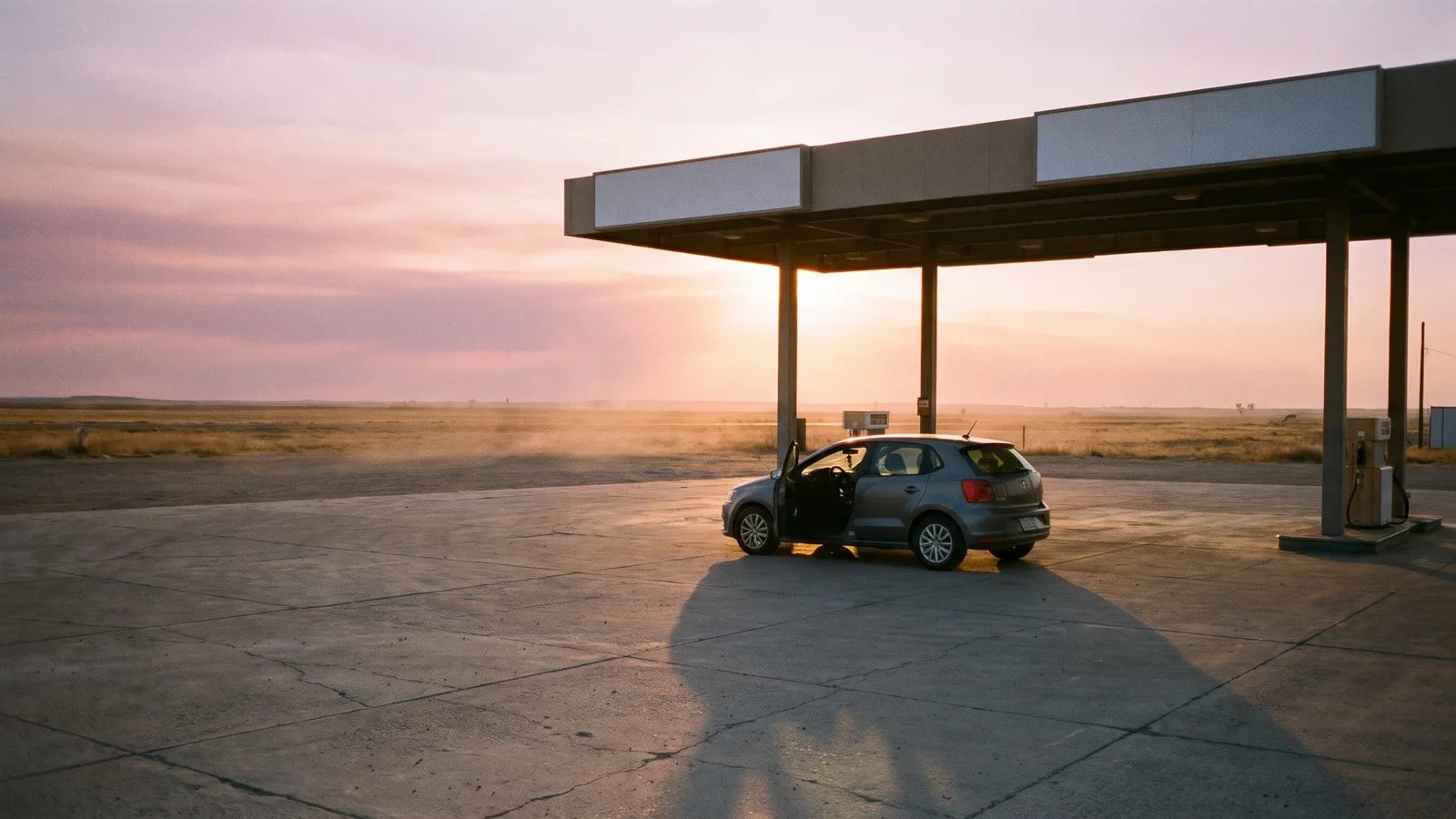
A huge pink-and-gold sky, an empty truck stop at sunrise, a car parked by the pumps with music blasting from the open door, and one friend dancing across the forecourt like nobody is watching. Then a quick cut to a selfie, then another friend stepping out by the car. That loose, joyful road-trip moment became the Gas Station Dance trend, and now you can recreate it with your own crew from three photos using the Gas Station Dance AI generator on Viberot.
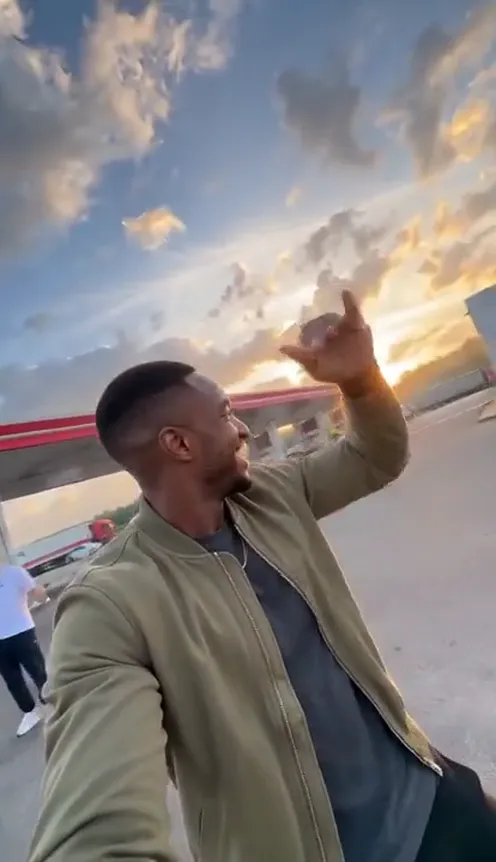
Where the Gas Station Dance comes from#
The original clip. It started as a real road-trip video filmed by friends at a roadside stop at dawn: one of them breaks into a carefree dance on the empty lot while the others film and hang out by the car. The trend is also known as the Litvin dance, and the clip is usually paired with Akcent's eurodance hit "On & On (Stay With Me)".
Why it went viral. It is pure nostalgia and freedom in 15 seconds. No choreography, no costumes, just the feeling of being on the road with your friends at sunrise. Once creators started turning it into an AI template, people raced to put their own friend groups into the scene.
What happens shot by shot#
The Gas Station Dance AI template turns 3 photos into a 15-second vertical clip that follows the original three shots in the same order and timing:
- The dance. Your dancer moves across the empty forecourt with the loose, joyful moves from the original clip, under the wide sunrise sky.
- The selfie. A handheld front-camera shot of your second friend filming themselves at the truck stop.
- The car exit. Your third friend steps out next to the car, closing the road-trip moment.
Each role keeps its own face, hairstyle and outfit from its own photo. The location, the sky, the camera shake and the timing stay true to the original trend.
How to make your Gas Station Dance AI video#
- Open the template. Go to Gas Station Dance AI and sign in.
- Upload the dancer. The person who dances across the lot. A full-body or waist-up photo works best.
- Upload the selfie and car roles. One clear photo for the selfie shot and one for the person by the car. Short on friends? You can use the same person twice.
- Pick aspect ratio and quality. 9:16 vertical for TikTok, Reels and Shorts, or 16:9 widescreen. Standard 720p is the default; Pro and Ultra go up to 1080p.
- Generate and post. Wait a few minutes, then download your 15-second MP4 straight to your phone.
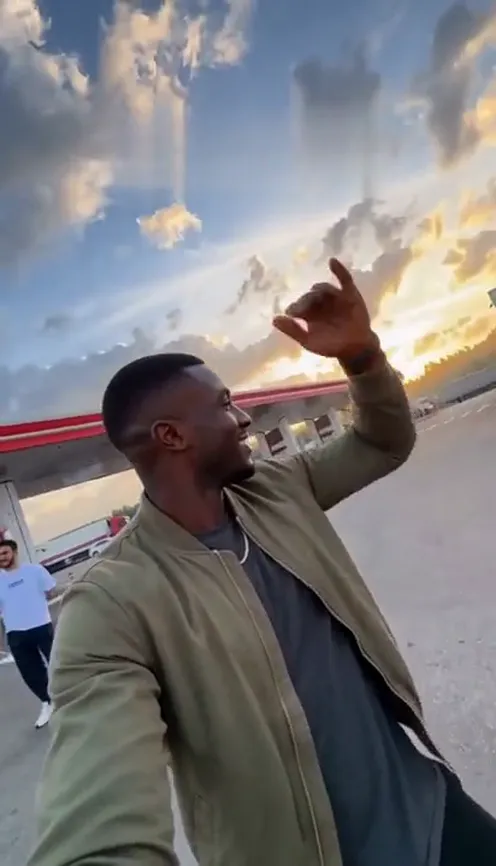
Choosing the best photos#
| Works well | Avoid |
|---|---|
| One person per photo, face clearly visible | Group shots in a single slot |
| Full-body or waist-up for the dancer | Face-only selfies for the dancer role |
| Even daylight or soft indoor light | Heavy shadows, sunglasses or motion blur |
| The outfit you want to wear in the video | Celebrity or public-figure photos |
Only upload photos of yourself or people who agreed to be in the video. Photos of public figures are rejected before any credits are charged.
About the music#
Your video comes with an upbeat generated track and light wind, not the original song. To get the full trend feel, add the original "On & On" sound from TikTok's or Instagram's music library when you post. Viberot is an independent tool and is not affiliated with the original creators, Akcent or any record label.
Posting ideas#
- Caption hooks. "Road trip energy only", "5 AM, no sleep, best day ever", or "Tag the friend who would actually dance at a gas station".
- Friend group roll call. Put your best friend in the dancer slot and yourself in the selfie shot, then tag both.
- More dance trends. Keep the energy going with Wipe Me Down Dance AI or the slow-mo walk of Hotel Lobby AI.
- Hashtags.
#gasstationdance,#litvindance,#roadtrip,#aitrend.
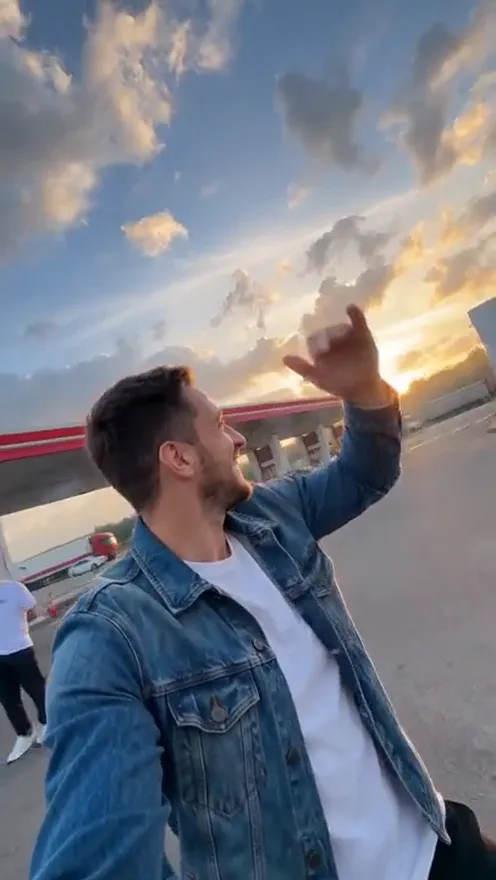
Gas Station Dance AI vs. CapCut templates#
CapCut templates for this trend usually paste a still photo or a face sticker over someone else's footage. With Gas Station Dance AI, the AI video model animates all three of your friends, with real dance moves, a real selfie shot and a real car exit, in one continuous clip. It runs in the browser on your phone or computer, so there is no app to install.
Pricing and FAQ#
A Standard 720p video costs 594 credits and 480p costs 270 credits. Credit packs are one-time payments starting at $9.90 for 600 credits and never expire. Failed generations are refunded automatically. See the pricing page for all packs.
How many photos do I need?#
3 photos, one for each role: the dancer, the selfie shot and the person by the car. You can reuse the same person for more than one role.
Do I need to know how to dance?#
No. The moves come from the original viral clip, so your dancer nails the trend without any filming or practice.
Do I keep my own clothes and hair?#
Yes. Each person keeps the face, hair and outfit from their own photo.
Does it include the original song?#
No. The video comes with an upbeat generated track. Add the original trending sound when you post on TikTok or Reels.
Ready to hit the road? Make your Gas Station Dance AI video from three photos.
Hit the road
Upload a photo and dance at the sunrise truck stop.
From 95 credits · failed videos refunded · sin suscripción