How to Make Two Legends Try to Make Coffee With AI
How to make the "when two legends try to make coffee" video with AI: you and a friend spill grounds, miss the mug and flood the counter, from two photos.
The "when two legends try to make coffee" video is two very serious people, one kitchen counter and a cup of coffee that never gets made. This guide covers where the clip comes from, why it spread, and how to make a 14-second version starring you and a friend from 2 photos with the AI Two Legends Make Coffee template on Viberot.
Where the two legends coffee video comes from#
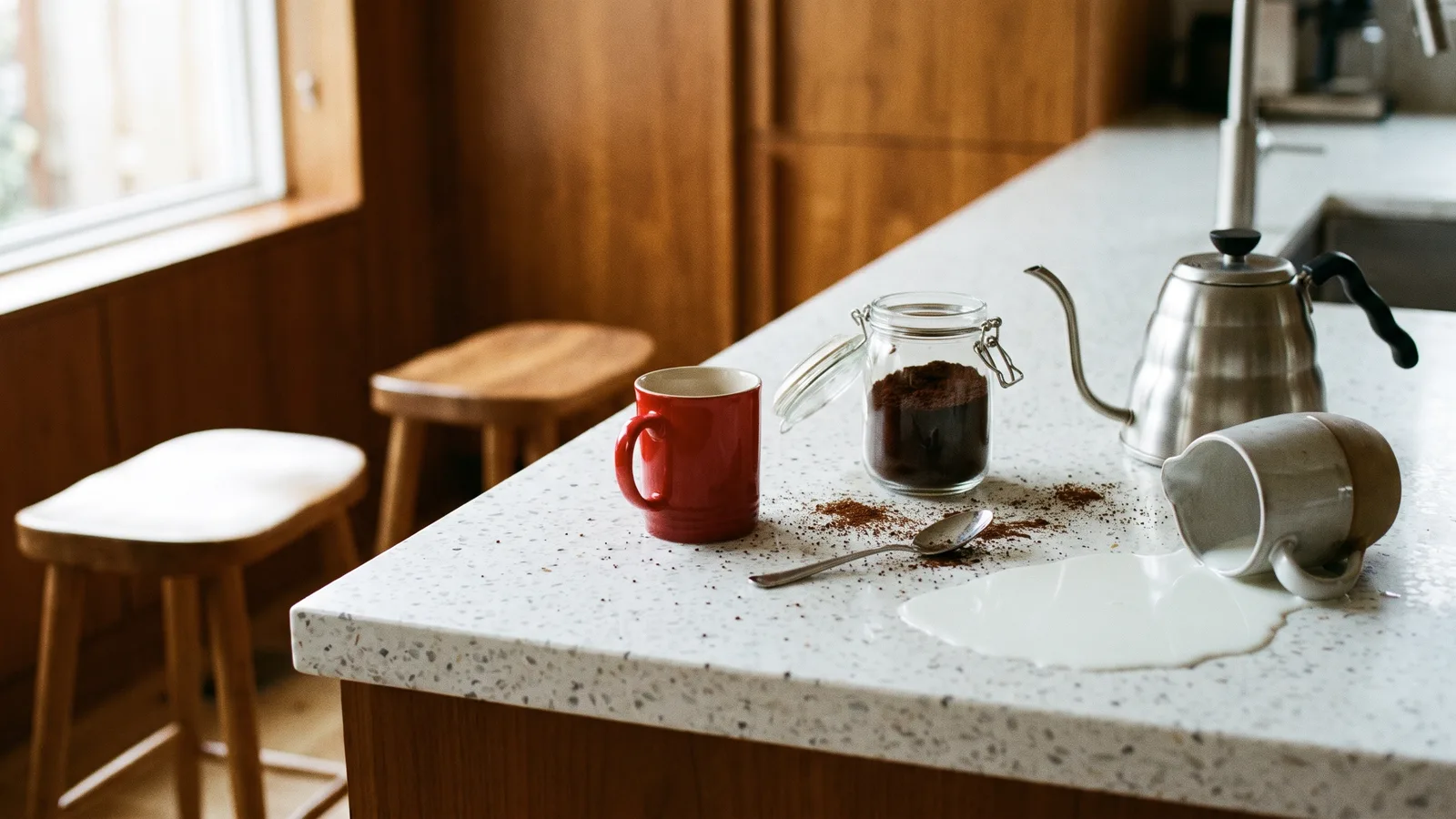
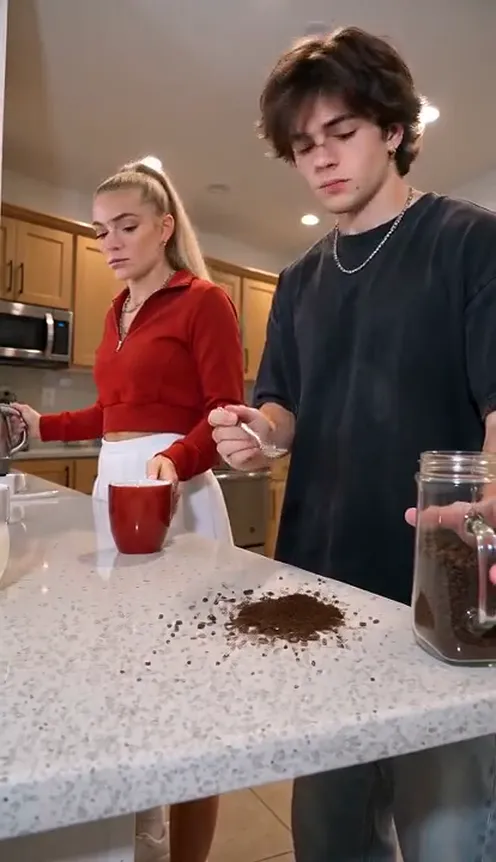
The source is a short vertical clip filmed low from the edge of a glossy white kitchen counter. Two people stand behind it, one in front with a spoon and one behind with a steel kettle, a red mug, a jar of ground coffee and a jug of milk between them. They try to make one coffee together, and nothing goes right. It started on TikTok at the end of October 2026 and quickly turned into a template that people remade with dogs, a knight and a kitten, and pairs of friends in the same two spots.
Why it went viral#
- The straight faces. Nobody reacts to the mess, and that calm is the whole joke.
- Slow-motion chaos. Each step fails in a slightly different way, so you keep watching for the next one.
- The milk flood. The ending, where milk is poured on the exact spot where the mug just was, is the moment people replay.
- It needs a partner. Two roles make it a "tag the friend who does this" post by default.
- Anyone fits. Coworkers, roommates, a couple, you and your dog; the less likely the duo, the better.
The coffee disaster, second by second#
Here is what the 14-second clip you get looks like. It is one continuous low handheld shot, like the original:
- 0–2s: Setup. The one in front holds a spoon by the red mug while the one behind lifts the kettle.
- 2–5s: First miss. The kettle pours toward the mug and the first spoonful of coffee lands on the counter instead.
- 5–8s: Second miss. Another scoop misses and the pile of grounds grows.
- 8–11s: Hands collide. You both reach, one for the jar and one for the mug, and miss each other.
- 11–12s: The stare. The one in front looks at the mess without changing expression.
- 12–14s: The flood. The one behind pours milk where the mug just was and it splashes across the counter.
You each wear the outfit from your own photo. The generated clip is silent; add the sound you like in TikTok when you post.
Step by step: how to make the two legends coffee video with AI#
- Open the template. Go to the AI Two Legends Make Coffee page and sign in.
- Upload two photos. One for the person in front with the spoon, one for the person behind with the kettle. Both are required.
- Pick the aspect ratio. 9:16 for TikTok, Reels and Shorts, or 16:9 for YouTube.
- Pick a quality. Standard 480p or 720p is enough for social. Higher tiers give more detail and cost more.
- Generate. No prompt to write: every spill and its timing are already set. Rendering usually takes a few minutes.
- Post it. You get a 14-second MP4 with no watermark.
Picking photos that work#
| Works well | Causes trouble |
|---|---|
| One person per photo, face clearly visible | A group photo used as one slot |
| Half body or full body in frame | Extreme close-ups of the face |
| Even light, sharp focus | Heavy filters, very dark or blurry photos |
| Hands free | Holding a drink, a bag or a phone |
| Neutral expression | Big grins, which fight the deadpan look |
Tips#
- Who goes where. The first slot is the one in front who keeps spilling the coffee; the second slot stands behind with the kettle and pours the milk.
- Your outfits stay yours. Nothing is swapped: each of you appears in what you wear in your photo.
- Keep it deadpan. Photos with a neutral face match the joke best.
Note
Photos that appear to show public figures, including actors, singers and influencers, are rejected before any credits are charged. Use photos of yourself or of friends who agreed to be in your video.
Ideas for your post#
- The classic. "Me and my coworker trying to do one simple task."
- The relationship edition. You and your partner making breakfast on a Sunday.
- The group chat. Send it to the friend you would never let near a kitchen.
- Another duo. Follow it with the AI Bing Bing Bing Kicking video, where you and a friend trade side kicks.
- Hashtags. #twolegends, #makingcoffee and #coffeefail put your clip where people are already watching.
AI Two Legends Make Coffee vs. photo templates in other apps#
Most tutorials send you to a mobile app: install it, find the template and upload your photos there.
The AI Two Legends Make Coffee template does it in the browser:
- No filming, no kitchen. Two photos in, a finished clip out.
- No app to install. It runs on your phone or computer.
- Two separate photos. Each person comes from their own photo, so both faces stay sharp and nobody gets merged.
- The real sequence. The missed scoops, the missed hands and the milk flood, timed like the original clip.
- Two aspect ratios. 9:16 vertical or 16:9 widescreen.
- No watermark. The file is clean and ready to post.
How much it costs#
A Standard 720p AI Two Legends Make Coffee video costs 597 credits; 480p costs 271. Higher tiers cost more, and the exact price is always shown next to the Generate button before you start. Credit packs are one-time payments, not a subscription. They start at $9.90 for 600 credits and never expire. If a generation fails, the credits go straight back to your balance. See the pricing page for details.
Frequently asked questions#
What is the "when two legends try to make coffee" video?#
A short clip of two people at a white kitchen counter failing to make one coffee, with straight faces, spilled grounds and a milk flood. It spread on TikTok and Instagram in late October 2026. The AI version on Viberot puts you and a friend in their places.
How much does it cost?#
271 credits at 480p and 597 credits at Standard 720p. The price is shown before you generate.
How many photos do I need?#
- One clear photo per person, half body or full body. Both slots are required.
Does it include the original sound?#
No. The generated video is silent, and the example on the page plays audio only as a preview. Add your own sound when you post. The audio is not a music licence, and this is an independent tool not affiliated with the creators of the original clip. Follow your platform's rules on labelling AI-generated content.
Can I use my pets?#
You can try, but this template is made for two people and results are best with people.
Can I make it with a celebrity photo?#
No. Photos that appear to show public figures are blocked before any credits are charged, and explicit images are always blocked.
Your turn to ruin the coffee
Upload two photos and get your 14-second AI two legends make coffee video, ready to post.
From 96 credits · failed videos refunded · sin suscripción