Christmas Dance AI: How to Do the Pajama Dance Trend
Christmas dance AI guide: two people in matching plaid PJs do the viral deadpan holiday routine in a kitchen. Make your own version from two photos in minutes.
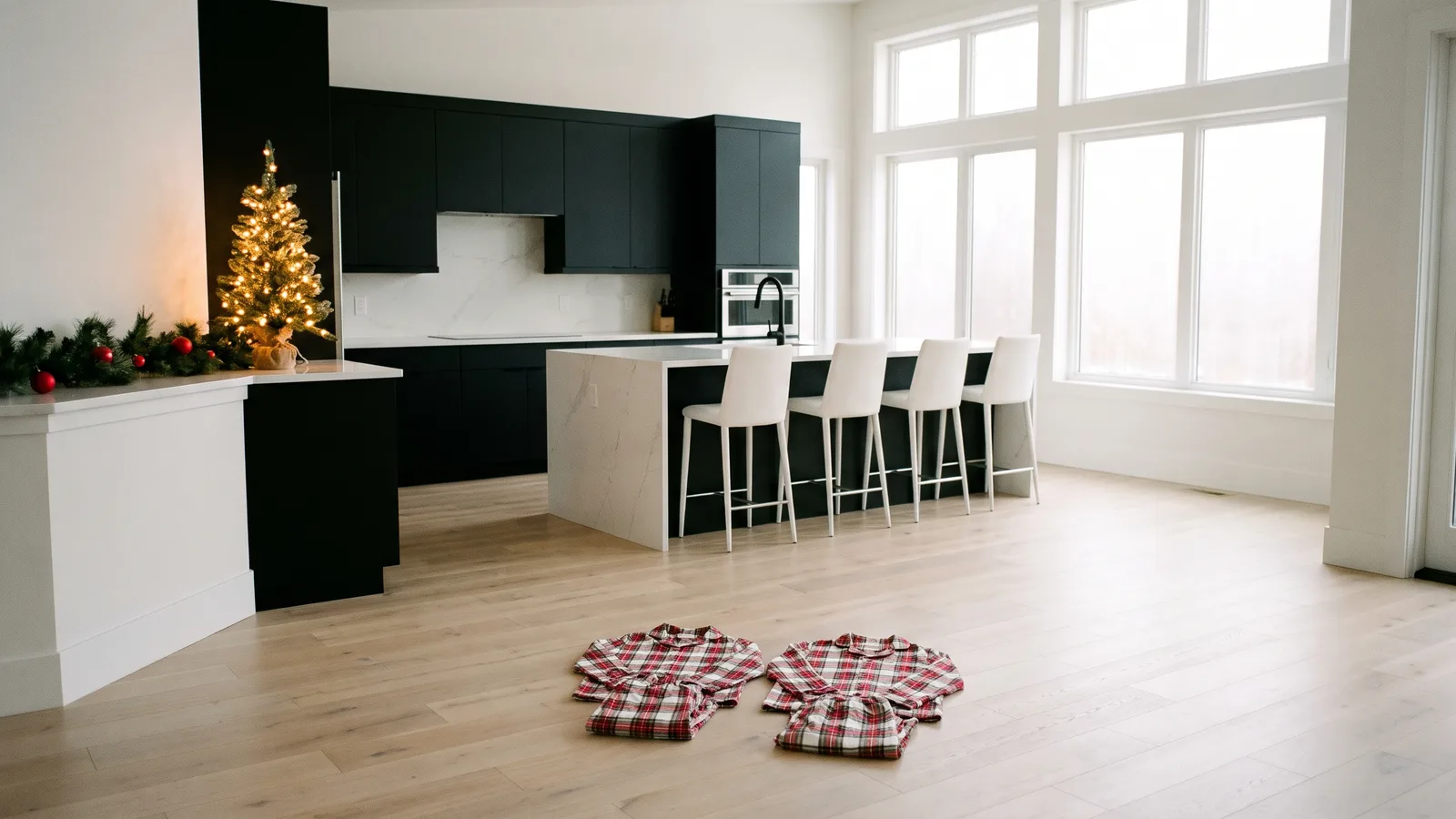
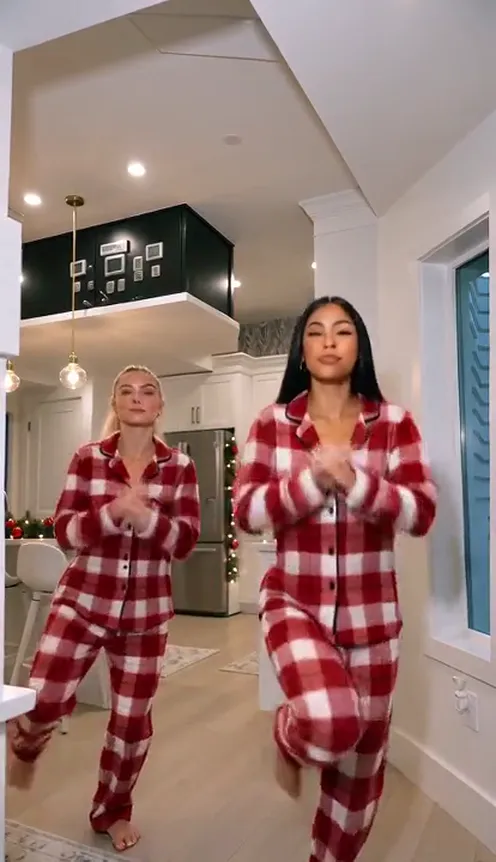
With Christmas dance AI you can join the holiday clip everyone is copying this month: two people side by side, a deadpan and slightly clumsy routine, and a walk up to the camera at the end. The kitchen version in matching plaid pajamas is the one that stuck. The Christmas pajama dance is easy to spot: same pajamas, same kitchen, same straight faces. This guide explains where it comes from and how to make a 14-second version of you and a friend from 2 photos with the AI Christmas Pajama Dance template on Viberot.
Where the trend comes from#
The dance started on TikTok on 2 November 2026 as a tongue-in-cheek post asking whether this is what Christmas dances look like this year. Two friends did a stiff, serious routine to a Deck the Halls dance remix posted as an original sound by a DJ. A follow-up with a mom joining in passed five million views a day later. On 5 November a mother and daughter did it again in their kitchen, this time in matching plaid Christmas pajamas, and that version became the template people now recreate with sisters, roommates and parents.
Why it works#
- The straight faces. Nobody smiles until the very end, which is what makes a cheesy holiday routine funny.
- Matching pajamas. One look tells you it is Christmas and that these two belong together.
- Built for two. Mom and daughter, sisters, best friends, couples: everyone has a partner for it.
- Easy to recognise. The kitchen, the PJs and the walk to the camera read in one second on a feed.
The dance, beat by beat#
The 14-second clip is one fixed phone shot with no cuts:
- Hands at the collar. Both of you stand side by side and sway your hips.
- Arm rolls and side steps. Small steps to the beat, then one of you kicks a knee up.
- The point and the hip bounce. One points at the other and you both bounce toward the camera.
- The quick spin. A fast turn on the spot, hair flying.
- Heart, sky, fists. A hand on the chest, a point to the ceiling, fist pumps and a clap.
- The walk. You both walk up to the lens and the clip ends on your faces.
How to make it with AI#
- Open the AI Christmas Pajama Dance template.
- Upload photo 1 for the dancer on the left and photo 2 for the dancer on the right. Both are required.
- Pick 9:16 for TikTok, Reels and Shorts or 16:9 for YouTube, then choose the quality.
- Generate. You get a silent 14-second MP4, both of you in matching red plaid pajamas in a bright kitchen with a few Christmas touches.
- Add the sound and post. Pick the trend sound from the TikTok, Instagram or YouTube Shorts music library when you post, so it plays under the platform licence.
Picking good photos#
- One person per photo. Crop a group photo if that is all you have, as long as each face is clear.
- Face visible and well lit. Front-facing, no sunglasses, no heavy filters.
- Half body or full body. Your outfit does not matter, because the template dresses you both in the pajamas; your face, hairstyle and hair colour stay your own.
- Real people only. Photos that look like public figures are rejected before any credits are charged.
Posting ideas#
- Tag the person in the other slot: "us every December".
- Make one with your mom and one with your best friend and post them back to back.
- Use it as a Christmas card for a family group chat.
- Duet the original kitchen video with your AI version.
Who to make it with#
The original went viral partly because of who was dancing: a mom keeping a perfectly straight face next to her daughter. That pairing still works best, but the format is flexible:
- Mom and daughter, dad and son. The generational contrast is the funniest version, and it doubles as a holiday greeting for relatives.
- Sisters or cousins. Matching pajamas already feel like a family photo, so this one fits right in.
- Best friends and roommates. Post it on the first night you put the tree up.
- Couples. A low-effort Christmas post that still looks like you planned it.
- Coworkers. Two people from the same team make a good teaser for the office party.
Tips for a better result#
- Pick photos with similar lighting. Two bright daytime photos blend into the kitchen more naturally than one flash photo and one dim one.
- Show the hair you want. The dancers keep the hairstyle from their photo, so a ponytail stays a ponytail through the spin.
- Choose who stands where. The left dancer starts a step further back, and the right dancer is a little closer to the camera for most of the clip.
- Keep the deadpan in the caption. Captions like "we rehearsed for weeks" land better with the serious faces than a row of emojis.
- Post early in the season. Holiday dance trends peak between mid November and Christmas Day, so the sooner you post, the more people are still searching for it.
How it differs from a CapCut template#
CapCut photo templates usually animate a still photo or paste faces onto a fixed clip. This template generates a new video: both of you actually dance the routine, spin and walk to the camera in the pajamas, with your own faces in every frame. The only thing left to add is the sound, picked in the app when you post.
Price and FAQ#
How much is it? Standard 480p costs 271 credits and 720p costs 597 credits per 14-second video. Credit packs are one-time payments starting at $9.90 for 600 credits; see pricing.
Does it have the sound? No. The video comes out silent, with no song and no AI audio; the music in the example on the template page is a preview only. Add the trend's sound from your platform's music library when you post. Viberot is an independent tool, not affiliated with the DJ, the original creators or any label, and an audio track in a file is not a music licence.
Can I keep my own clothes? Not in this template. The matching pajamas are the point.
Can I use my pet? Not yet. This version is made for two people.
What if it fails? Failed videos are refunded automatically.
Grab a friend and put the PJs on
Upload two photos and get your 14-second AI Christmas pajama dance, ready to post.
From 96 credits · failed videos refunded · sin suscripción