How to Make the AI Shoulder Carry I'm the One Trend From 2 Photos
How to make the AI shoulder carry I'm the One trend video: where it came from, the carry, spin and reveal second by second, and how two photos make yours.
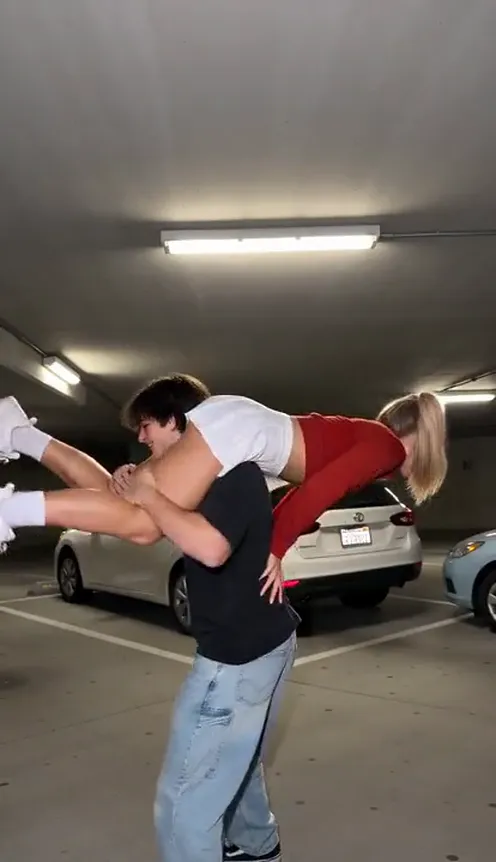
The shoulder carry I'm the One trend is a two-person body-swap gag: one friend carries the other across their shoulders, spins around and bends over, and suddenly the carried friend's face and arms are sitting on top of the carrier's legs. This guide covers where the trend came from, the shot second by second, and how to make a 9-second version of you and a friend from 2 photos with the AI Shoulder Carry I'm the One generator on Viberot, no lifting needed.
Where the trend came from#
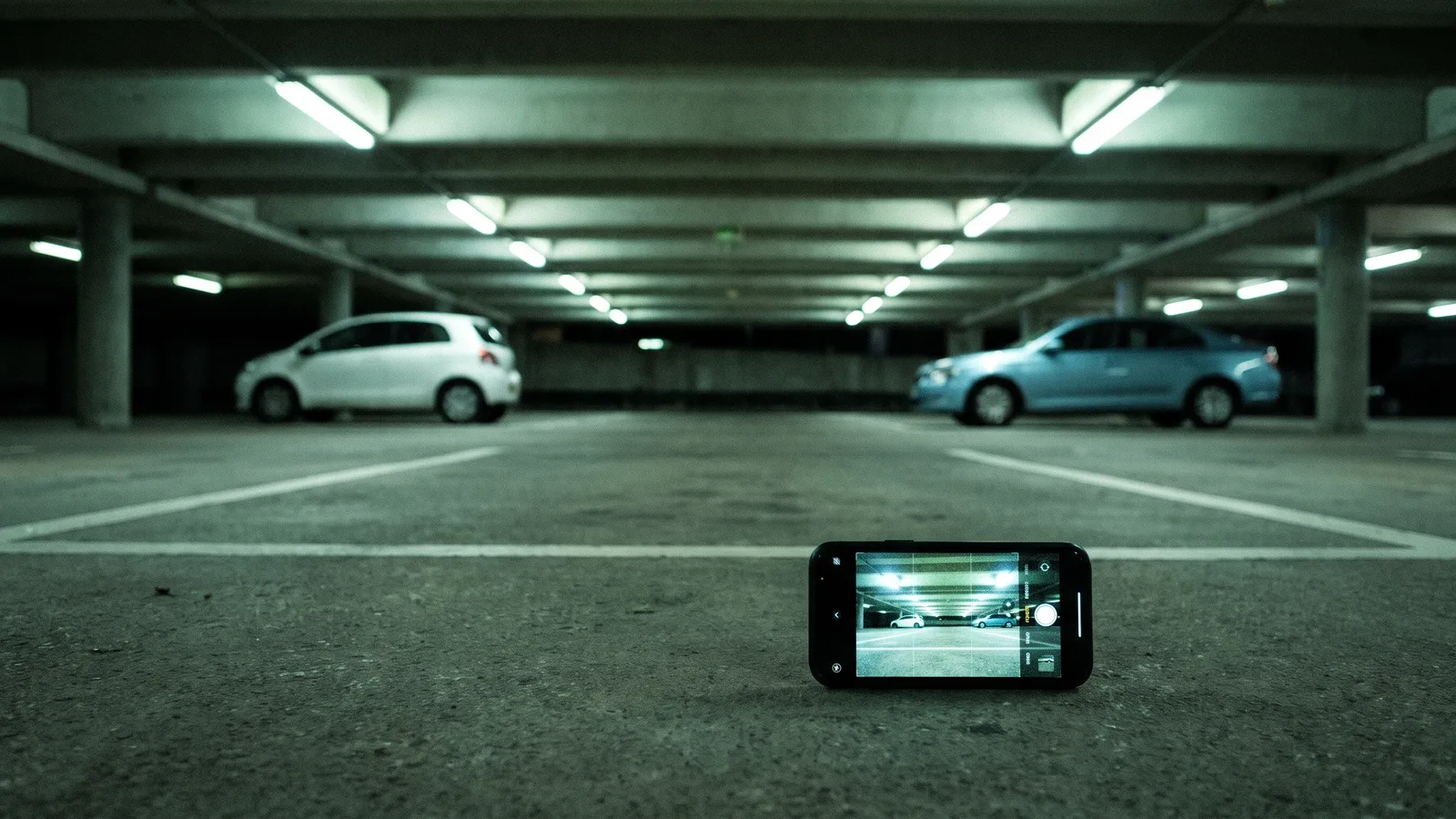
The version everyone copies was posted in late October 2026: a couple in an underground parking garage, phone propped on the floor, set to a sped-up cut of "Famous (I'm The One)". It took off because the reveal looks like a camera trick but is just one spin and a bend. Thousands of remakes followed, and CapCut template tutorials kept the trend going into November.
Why it works#
- The illusion lands in one second. The spin hides the carrier's head and puts the other person's upper body in its place.
- Two clear roles. One person does the work, the other gets the punchline and the smug face.
- One fixed camera. Nothing moves except the two of you, so the swap is easy to read on a small screen.
The shot second by second#
- 0-2.5s: The carry. The carrier faces the camera with their friend draped across the back of their shoulders, legs dangling in front, head hidden behind.
- 2.5-3.5s: The spin. The carrier turns 180 degrees on the spot and bends forward; the friend slides down the carrier's back.
- 3.5-4.5s: The reveal. The carried friend lifts their head to the camera and plants both hands on the carrier's hips.
- 4.5-9s: The pose. It now looks like one person: the friend's face and arms on the carrier's legs, grinning and mouthing along to the beat.
Step by step#
- Open the template. Go to the AI Shoulder Carry I'm the One page and sign in.
- Upload Photo 1: the carrier. Their face shows at the start, before the spin.
- Upload Photo 2: the one being carried. Their face pops up at the end. Swapping the two photos swaps the roles, so check the order.
- Pick the aspect ratio. 9:16 for TikTok, Reels and Shorts.
- Generate. No prompt needed. It usually takes a few minutes.
- Add the sound. The file has no music, so pick the trend sound in TikTok, Instagram or YouTube when you post.
Picking photos that work#
| Works well | Causes trouble |
|---|---|
| One person per photo, face clearly visible | Group photos where faces are tiny |
| Full-body or waist-up shots | Tight face crops with no body |
| A carrier the same size as or bigger than the friend | A small carrier lifting a much bigger friend |
| Two people who look clearly different | Heavy filters, sunglasses, dark or blurry photos |
Note
Photos that appear to show public figures or celebrities are rejected before any credits are charged. Use photos of yourself and friends who agreed to be in your video.
Tips for a better result#
Choose photos where both people are standing and the body is visible down to at least the waist; the AI needs to see each person's build to drape one over the other's shoulders believably. The carrier's photo matters most for the opening and the closing pose, because the carrier's legs and trousers stay on screen for the whole clip. The carried friend's photo matters most for the punchline: their face, hair and top are what fill the frame after the spin, so pick one where the face is sharp, well lit and not turned away. Two people with clearly different looks, such as different hair colours or very different tops, make the body-swap illusion easier to read on a phone screen.
Outfits come from your photos, so wear what you would want to post in. Bright tops on the carried friend pop against the grey concrete of the parking garage. Loose trousers or jeans on the carrier read well from behind, because the back of the carrier's legs is what the carried friend appears to be standing on.
Why the parking garage#
Every popular version of this trend is filmed in an underground parking garage: flat concrete floor, rows of strip lights, a couple of parked cars and a phone propped on the floor. The plain, even background is part of the joke, since nothing distracts from the swap. That is why the template always uses the same kind of garage instead of the backgrounds in your photos, so any two photos work, even if they were taken in completely different places.
Ideas for your post#
- Couple edition. The classic: one partner carries, the other steals the ending.
- Best friend edition. Let the friend who always has the last word take Photo 2.
- Siblings edition. Settle once and for all who carries whom.
How it differs from the CapCut template#
CapCut shoulder carry templates ask you to install an app and line up your photos inside a template editor. Viberot runs in your browser: upload two photos, and the AI builds the whole clip, the parking garage, the carry, the spin and the reveal, with both of you in your own clothes. Nobody has to actually lift anyone.
How much it costs#
A Standard 720p video costs 451 credits; 480p costs 205. The exact price is shown next to the Generate button before you start. Credit packs are one-time payments, start at $9.90 for 600 credits and never expire. Failed generations are refunded automatically. See the pricing page for details.
Frequently asked questions#
Does it include the original song?#
No. The video comes without music. Add "Famous (I'm The One)" from the licensed music library in TikTok, Instagram or YouTube when you post. Viberot is an independent tool and is not affiliated with the artists, their label or the creators of the original posts.
How many photos do I need?#
2: Photo 1 is the carrier, Photo 2 is the person being carried.
Can I use my pet?#
Not in this template. It is built for two people.
Looking for another two-person trend?#
Pick your carrier and spin
Upload two photos and get your own shoulder carry video, spin and body-swap reveal included.
From 73 credits · failed videos refunded · sin suscripción