How to Make the A2O LITE NEON AI Dance Video (Duo Intro) With Two Photos
How to make an A2O LITE NEON AI dance video: where the duo intro comes from, the moves shot by shot, and how two photos of you, a friend or a pet do it.
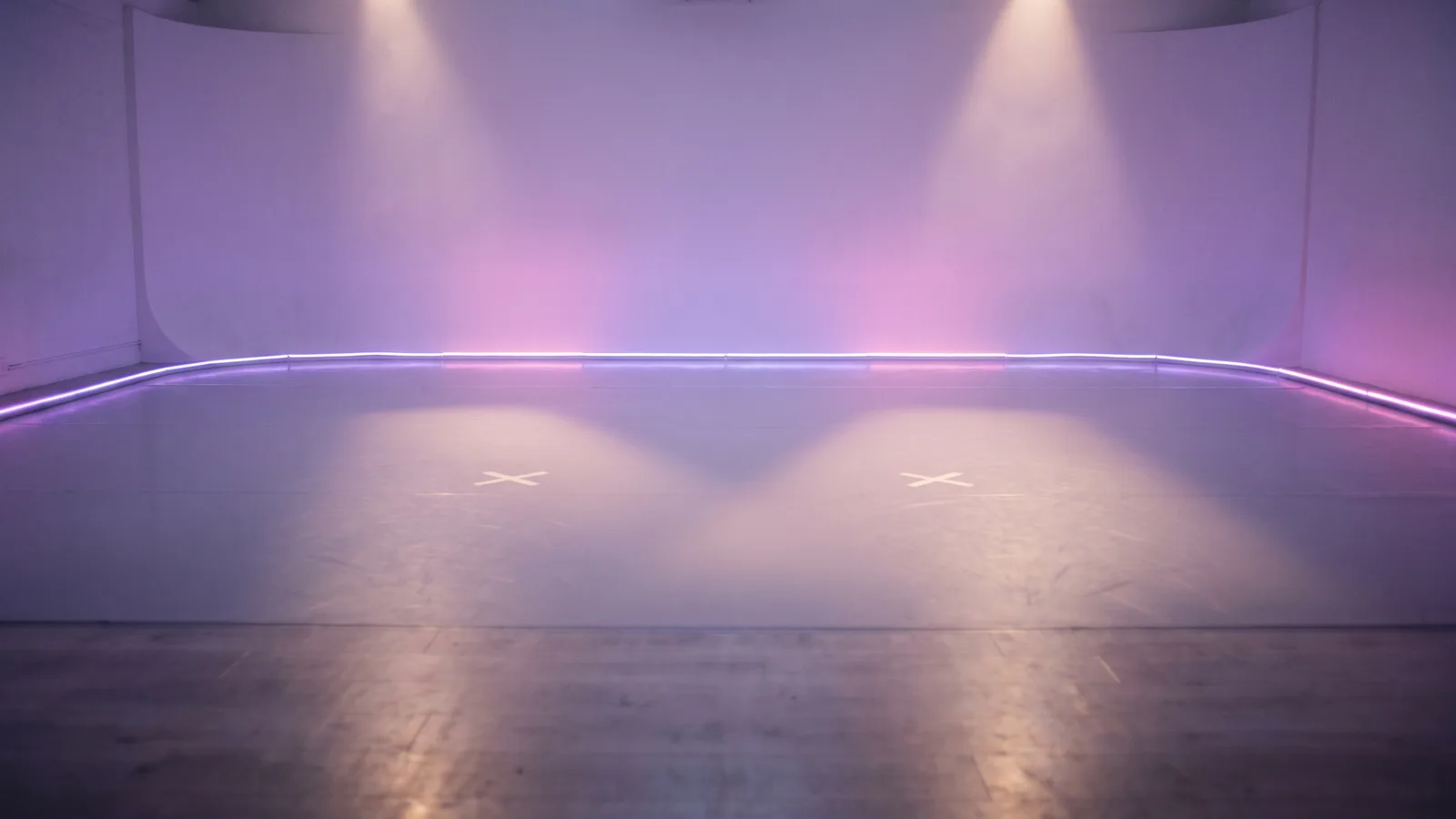
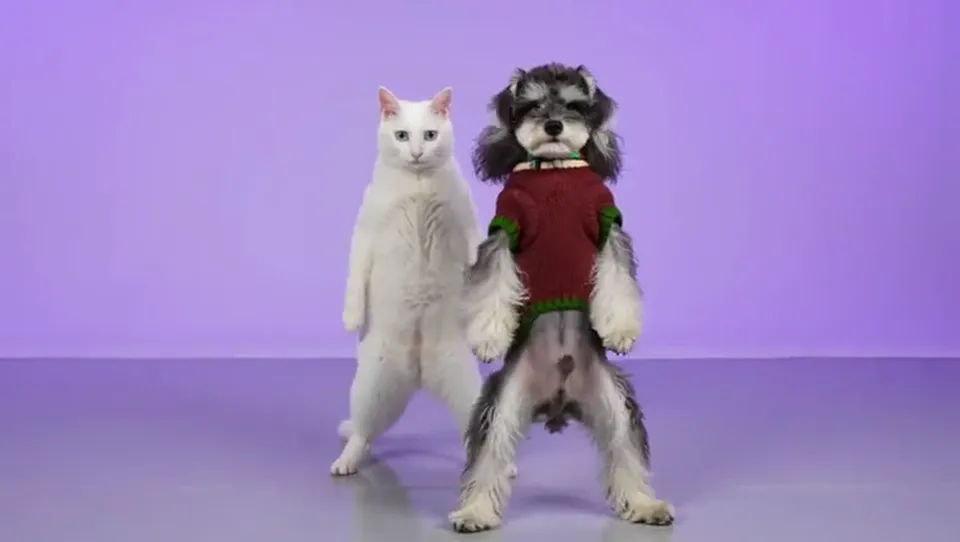
The A2O LITE NEON AI dance is the one where two dancers stand side by side in a lilac studio and hit the "NEON" intro in perfect sync: the cross-dodge, the H pose, the finger gun, the kick and the rush to the camera at the end. Since the K-pop girl group dropped its debut MV on 12 October 2026, TikTok has filled up with covers of that intro — and with AI versions starring two cats, TV drama characters and pets. This guide covers where the routine comes from, why it took off, what happens in each beat, and how to make your own version from two photos with the AI NEON Dance generator on Viberot.
Where the NEON dance comes from#
The group. A2O LITE is the new girl group from Lee Soo-man's A2O Entertainment. On TikTok you will often see the name spelled "A20 LITE", with a zero instead of the letter O — both spellings point to the same group and the same song.
The song. "NEON" is their debut single. The music video came out on 12 October 2026 and the single was released on 13 October. Twenty-nine hours after release it reached number one on the Melon Top 100, which Korean media reported as a record for a debut, and the MV pulled in roughly 3.68 million YouTube views on its first day.
The intro. The full track is 3:28 long and was not built as a short-form challenge. What people actually copy is the opening: a duo routine in which two members dance in sync. The choreography is by J-Black, with Cream Dance involved, and fans call AIJING's one-footed spin the "killing part". The official TikTok clip of that intro has about 2 million views and 286,000 likes.
The AI remakes. Within days, creators started running the intro through AI video tools: two cats dancing it as "A2O MEOW", versions with characters from K-dramas and variety shows, and plenty of dogs and cats doing the full routine. The obvious next question was how to put yourself and a friend in it.
Why the intro took off#
- It is a duo. Two people, one routine, side by side. It is made for best friends, couples, siblings and pet pairs — and for tagging the person you would do it with.
- The sync is the hook. When two dancers hit the same pose on the same beat, it looks impressive even if the moves are simple.
- It ends in a close-up. Both dancers rush the lens at the end. Whoever is in it, that final frame is the moment people screenshot.
- The set is neutral. A soft lavender studio and nothing else. Any two people, or a person and a cat, look like they belong there.
The routine, beat by beat#
The AI NEON Dance template turns the intro into a 15-second clip in a lavender dance studio. The order of the moves follows the viral duo version:
- 0–1.5 s: the solo close-up. The video opens on the dancer on the right, front-on and close to the camera, with the partner hidden right behind.
- The cross-dodge. The camera pulls back; with both feet planted, the two lean past each other in a quick criss-cross and freeze on the beat.
- The H pose. The right dancer turns away with one arm straight up and the other hand on the lower back; the left dancer raises the opposite arm and wraps the other around the partner's back.
- The finger gun. One forearm across the chest, the other hand making a finger gun aimed at the lens.
- The frame. Both bend their arms over their heads to frame their faces.
- The side step. Both turn sideways and step across the floor together.
- Down and up. The right dancer drops into a low crouch and springs back up.
- The kick. The right dancer spins and fires a high kick out to the side.
- The finish. The right dancer rushes the lens for a big close-up, then the two step apart side by side.
How to make your NEON AI dance video, step by step#
- Open the template. Go to the AI NEON Dance page and sign in.
- Upload photo 1: the left dancer. This is the person or pet who dances on the left side of the frame.
- Upload photo 2: the right dancer. This one gets the opening solo close-up and does the forward kick, so give this slot to the bigger personality or the sharper photo.
- Pick format and quality. 9:16 for TikTok, Reels and Shorts, or 16:9 for YouTube. Standard 720p is the default; 480p is cheaper for a first try.
- Generate. It usually takes a few minutes. The exact credit cost is shown next to the Generate button before you start.
- Download, add the song and post. You get a silent 15-second MP4. Add the official "NEON" sound inside TikTok or Instagram when you post (more on that below).
Tip
People keep the clothes from their own photos — nobody is forced into a stage outfit. Pets keep their own fur colour and markings and dance standing upright on two legs.
Picking photos that work#
You need 2 photos: one for each dancer. They can be two people, a person and a pet, or two pets.
| Works well | Causes trouble |
|---|---|
| One person or one pet per photo, facing the camera | Group shots where the face is tiny |
| Full body or waist-up, so the outfit is clear | Tight face crops with no body visible |
| Bright, even light and a sharp focus | Dark, blurry or out-of-focus photos |
| Pets standing or sitting up, body visible | Pets curled up, half-hidden under a blanket |
| Clothes that show the shape of the body | Big coats, bags or arms covering the outfit |
- The right dancer is on camera first. Photo 2 fills the frame in the first two seconds and again at the end, so use your clearest, best-lit face for that slot.
- Standing pet photos work best. The pet has to stand and dance on two legs, so a photo that shows the whole body gives the AI more to work with than a close-up of the head.
- Contrast is fun. A tiny dog next to a tall friend, a sleepy cat next to an over-committed owner — the bigger the difference, the better the sync looks.
Note
Photos of public figures are rejected before any credits are charged, so the idol and drama-character versions you see on TikTok can't be made here. Only photos are accepted — you can't upload a video. Use photos of yourself, your pets, or people who agreed to be in your video.
Ideas for your post#
- The best-friend cover. You and your best friend doing the intro you have both been trying to learn. Caption it with who actually knows the moves.
- The couple. One of you is the idol, the other is the one who agreed to this.
- You and your pet. Your dog on the left, you on the right taking the solo close-up — or the other way round.
- Two pets. Your own "A2O MEOW": two cats, two dogs, or one of each.
- Siblings or parents. Mum and daughter, two brothers, grandma and grandkid. The H pose lands every time.
- Hit the intro beat. When you add the official sound, line the start of the clip up with the start of the intro so the pull-back and the sway land on the beat.
- Post both formats. 9:16 for TikTok and Reels, 16:9 for a YouTube Short series or a group chat.
How to add the NEON song#
The video does not include the original song — the file is silent. When you post on TikTok or Instagram Reels, open the sound picker and add the official "NEON" audio from A2O LITE. Using the platform's licensed sound keeps your post eligible to show up on the song's page, which is where most people find covers. Slide the audio so the intro starts with your clip.
Viberot is an independent tool. It is not affiliated with, endorsed by or connected to A2O LITE or A2O Entertainment, and it does not use the artists' voices or likenesses.
AI NEON Dance vs. CapCut templates#
Most "NEON" CapCut templates paste your face over a clip of someone else dancing, or animate a still photo with zooms and a beat. Your face ends up on another body under another light, and it looks like a sticker.
The AI NEON Dance template generates a new video in which both of your subjects actually move: the cross-dodge, the H pose, the finger gun, the kick and the rush to the lens, in your own clothes or your pet's own fur. It is built from your faces, not a face-swap overlay. It runs in your phone's browser, with no app or template link to hunt for.
How much it costs#
A Standard 720p video costs 564 credits; 480p costs 256. The exact price is always shown next to the Generate button before you start. Credit packs are one-time payments — no subscription — start at $9.90 for 600 credits and never expire. If a generation fails, the credits go straight back to your balance. See the pricing page for details.
Frequently asked questions#
What is the A2O LITE NEON dance?#
It is the duo intro from "NEON", the debut single of K-pop girl group A2O LITE, released on 13 October 2026. Two members dance it in sync, and it is the part of the song that people cover and remake with AI.
Is it "A2O LITE" or "A20 LITE"?#
The group is A2O LITE, with the letter O. "A20 LITE" with a zero is a common misspelling on TikTok and refers to the same group.
How many photos do I need?#
- Photo 1 is the dancer on the left; photo 2 is the dancer on the right, who opens the video with a solo close-up.
Can I use my pet?#
Yes. Dogs and cats work in either position. They keep their own colours and markings and dance upright on two legs. You can also use two pets.
Does the video include the NEON song?#
No. The video is silent. Add the official "NEON" sound in TikTok or Instagram when you post.
Can I make a version with the A2O LITE members or other celebrities?#
No. Photos of public figures are rejected before you are charged. Use photos of yourself, your friends or your pets.
Can I upload my own dance video instead?#
No. The template only takes photos; the moves come from the template.
How long is the video, and which formats are supported?#
15 seconds, in vertical 9:16 or horizontal 16:9.
Is this an official A2O LITE product?#
No. Viberot is an independent AI tool and is not affiliated with A2O LITE or A2O Entertainment.
More two-person trends#
If you like duo formats, try the AI Alors On Danse studio sketch, the Burning Bridges party video or the La Tormenta de Arena balcony scene.
Who is your NEON partner?
Two photos, one lilac studio, one synced duo intro. Make it, add the NEON sound and post.
From 91 credits · failed videos refunded · sin suscripción