Dougie Dog AI: How to Make Your Pet Do the Dougie From One Photo
Dougie Dog AI guide: the Teach Me How to Dougie dog meme explained, the clip second by second, and how to make your dog or cat do it from one photo.
The Dougie dog meme is a tiny story in two parts. A caption sets it up: "When your human drops something while preparing your walkies snack." Then a boxer comes tearing out of the hallway and does the Dance from "Teach Me How to Dougie" straight at the camera. The original is a real dog filmed by its owner on Facebook. This guide covers why the joke works, the clip second by second, and how to make your own from one photo with the Dougie Dog AI generator on Viberot.
Where the Dougie dog meme comes from#
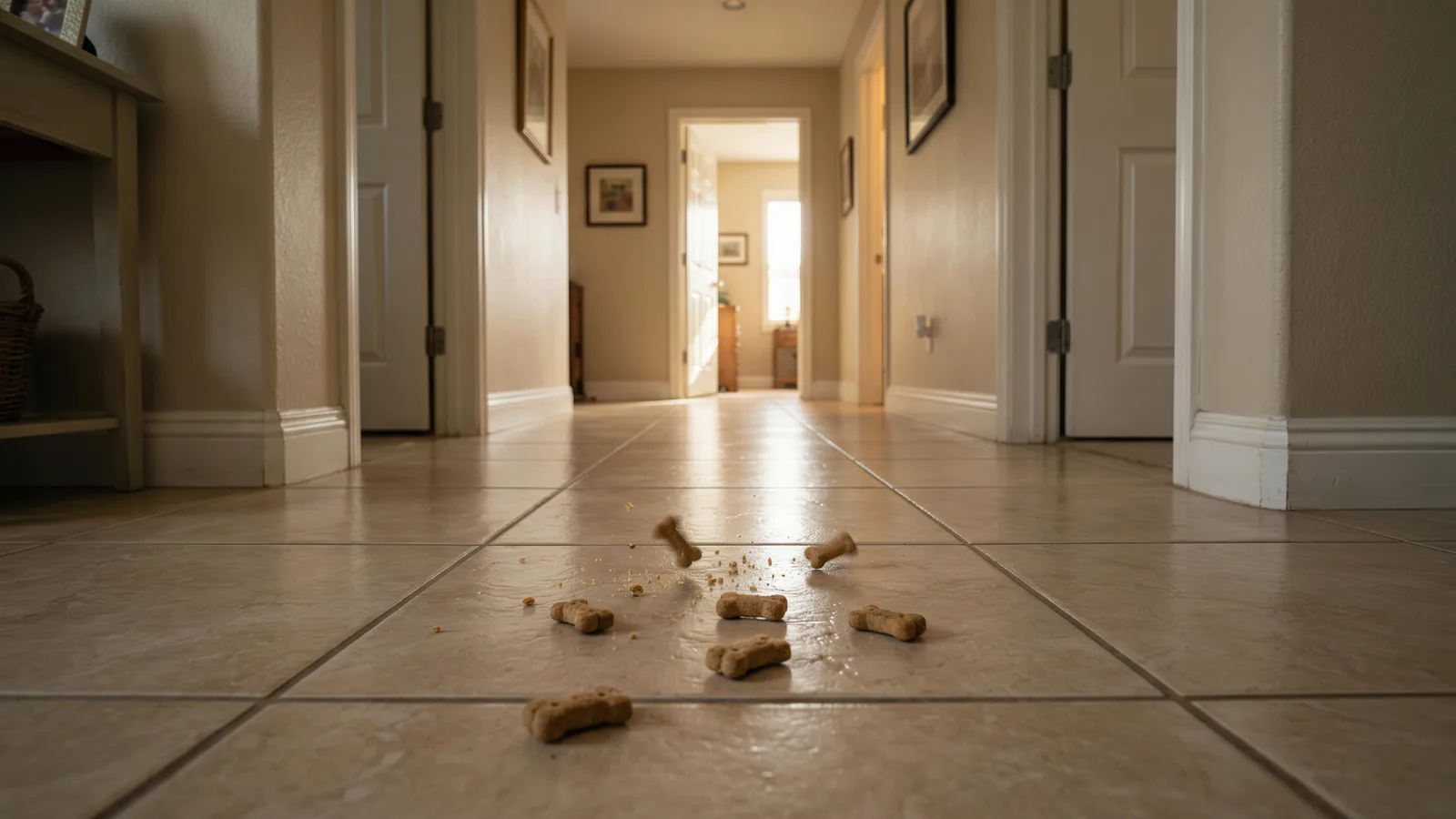
The original. A real boxer, filmed by its owner and shared on Facebook. A person is at a table cutting up the dog's walkies treats, a few pieces fall on the tiles, and the dog hears it from the other end of the house. No template, no AI: a real dog and a real hallway.
The song. "Teach Me How to Dougie" by Cali Swag District came out in 2010, and the Dougie was the dance that went with it. Hearing it today is a time machine to that era, which is half the charm of pairing it with a dog.
The AI wave. The idea travels well because it needs only one thing from you: a pet. That is why it works as an AI template where any dog or cat can star.
Why it's funny: the setup plus the song#
The caption and the song only work together.
- The caption is the dog's inner monologue. "When your human drops something while preparing your walkies snack" is the exact moment every dog owner knows: a treat hits the floor and your dog is somehow already there.
- The song is the dog's reaction. Instead of just eating, the dog celebrates. It runs in and busts out the Dougie, because this is the best news of its day.
- The contrast does the rest. A quiet kitchen scene, then a sprint down the hallway and a full dance at the lens. The buildup is calm and the payoff is loud.
- Any pet has the same instinct. Every dog and most cats have lost their minds over a dropped snack, so the joke needs no explaining.
The clip, second by second#
The Dougie Dog AI template makes a 15-second video in one locked low-angle shot:
- 0-5s: the drop. A pair of hands cuts up dog treats on a table. A few pieces slip off and land on the hallway tiles. Nothing else moves yet.
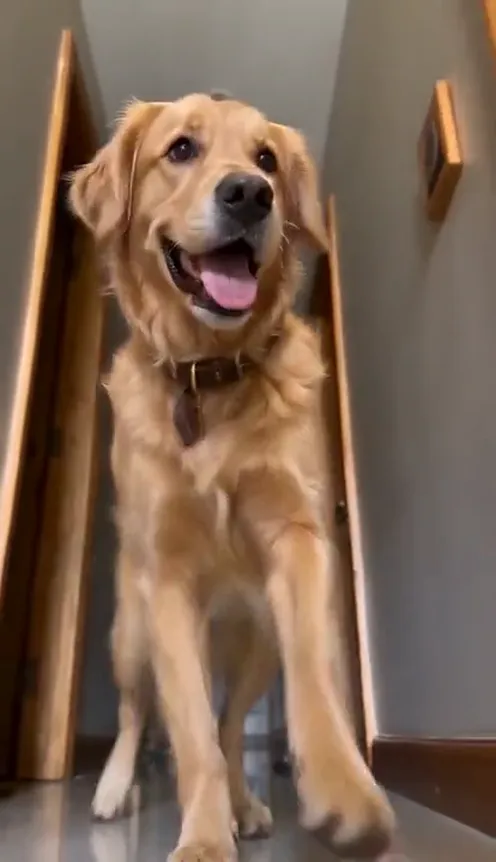
- 5s: the arrival. Your pet comes running out of the hallway toward the camera.
- 5s onward: the Dougie. It lifts a front paw and does quick side-to-side steps, the Dougie, as it closes in on the lens.
- The end: the spin. It reaches the camera and finishes with a full turn.
Your pet's look comes from your photo. The setting is the hallway from the original, not the background of your photo.
How to make your Dougie dog video#
- Open the template. Go to the Dougie Dog AI page and sign in.
- Upload 1 photo. One clear photo of your dog or cat, face and body visible.
- Pick the format. Vertical 9:16 for TikTok, Reels and Shorts, at 480p or 720p.
- Generate. It takes a few minutes. You get a 15-second MP4 of your pet dropping everything for a snack and dancing for it.
- Add the sound and post. The file has AI-generated music and sound effects, not the original song. Add the official "Teach Me How to Dougie" sound when you post (see below).
Tip
Dogs with a bounce in their stance sell this best. A pet whose photo already looks excited, mouth open, ears up, reads as the one that heard the treat hit the floor.
Picking a photo that works#
Your pet runs, dances and spins, so the whole body matters.
| Works well | Causes trouble |
|---|---|
| One dog or one cat, face and body visible | Two or more pets in the photo |
| Facing the camera or a slight three-quarter angle | Side profiles, back-of-the-head shots |
| Even light, sharp focus | Dark, blurry or heavily filtered photos |
| Head and most of the body in frame | Tight close-ups of the face only |
Note
Cats and dogs only. The routine is built around a cat or dog body, and photos of people aren't supported for this template. The hallway is part of the template, so your own photo's background isn't used.
Posting it: swap in the official sound#
The generated file has AI-generated music and sound effects timed to the moves, not the original song. When you post to TikTok or Reels:
- Use the official sound. Turn the built-in audio down or off and add "Teach Me How to Dougie" from the app's sound library. That puts your clip on the sound's page next to every other Dougie remake.
- Start it at the right spot. The dance begins around the 5 second mark, so line the sound's chorus up with the moment your pet comes out of the hallway.
- Hashtags. #dougie plus the pet tags that fit yours: #dogtok, #cattok, #pettok.
Caption ideas:
- "when mom says the word treat"
- "he heard a crumb from three rooms away"
- "the floor is not a plate. he disagrees."
- "I dropped one piece and got a dance routine"
- The series. Post one clip per pet in the house. The dog sprints in, the cat strolls in a minute late.
- The pairing. Post it next to a real clip of your pet at snack time for the before and after.
Dougie Dog AI vs. CapCut templates#
CapCut templates for this trend usually paste your pet's photo over the original clip with zooms, shakes and cuts, so your pet never really moves. The other option is filming your own dog doing the Dougie, which takes a very patient dog and a lot of treats. The Dougie Dog AI generator makes a brand-new video from your photo: your actual pet, with its own fur and markings, running out of a hallway and doing the dance. It runs in your phone's browser with no app, no template link and no editing timeline.
How much it costs#
A Standard 480p video costs 270 credits and 720p costs 594; the exact price is always shown next to the Generate button before you start. Credit packs are one-time payments, no subscription, starting at $9.90 for 600 credits, and they never expire. Failed generations are refunded automatically. See the pricing page.
Frequently asked questions#
How much does it cost?#
270 credits at 480p or 594 at 720p for a 15-second video. Credit packs start at $9.90 for 600 credits.
How many photos do I need?#
Just 1: one clear photo of one dog or cat.
Does the video include the song?#
No. The original song belongs to the artist and label, so it isn't in your file; the video has AI-generated sound synced to the motion instead. Add the official "Teach Me How to Dougie" sound from TikTok or Reels' sound library when you post.
Is it affiliated with Cali Swag District or the label?#
No. Viberot is an independent, just-for-fun tool, not affiliated with, sponsored by or endorsed by Cali Swag District or any label, and it doesn't use the artist's voice or likeness. The video is generated entirely from your photo. Follow the music rules of the platform you post on when you add the sound.
Can I use my cat?#
Yes. Cats and dogs both work, and a cat doing the Dougie for a dropped treat is its own kind of funny.
Will it use the background of my photo?#
No. The scene is the hallway from the template, with the treats on the tiles. Only your pet's look comes from your photo.
How long does it take?#
Usually a few minutes.
What photo works best?#
One dog or cat, face and body visible, well lit, ideally facing the camera. Skip group shots, side profiles and dark or blurry photos.
Are there other pet trends like this?#
Yes. Try the Bad Times AI video, where your pet argues with the camera.
Let your pet hear the treats hit the floor
Upload one photo of your dog or cat and get the full 15-second Dougie Dog clip — then add the official "Teach Me How to Dougie" sound when you post.
From 95 credits · failed videos refunded · 구독 필요 없음