How to Make the Outstanding Tiny Desk AI Video (Desk Concert From One Photo)
How to make the Outstanding Tiny Desk AI video: lead a desk concert band, laugh through the chorus and hand off to the sax, all from one photo of yourself.
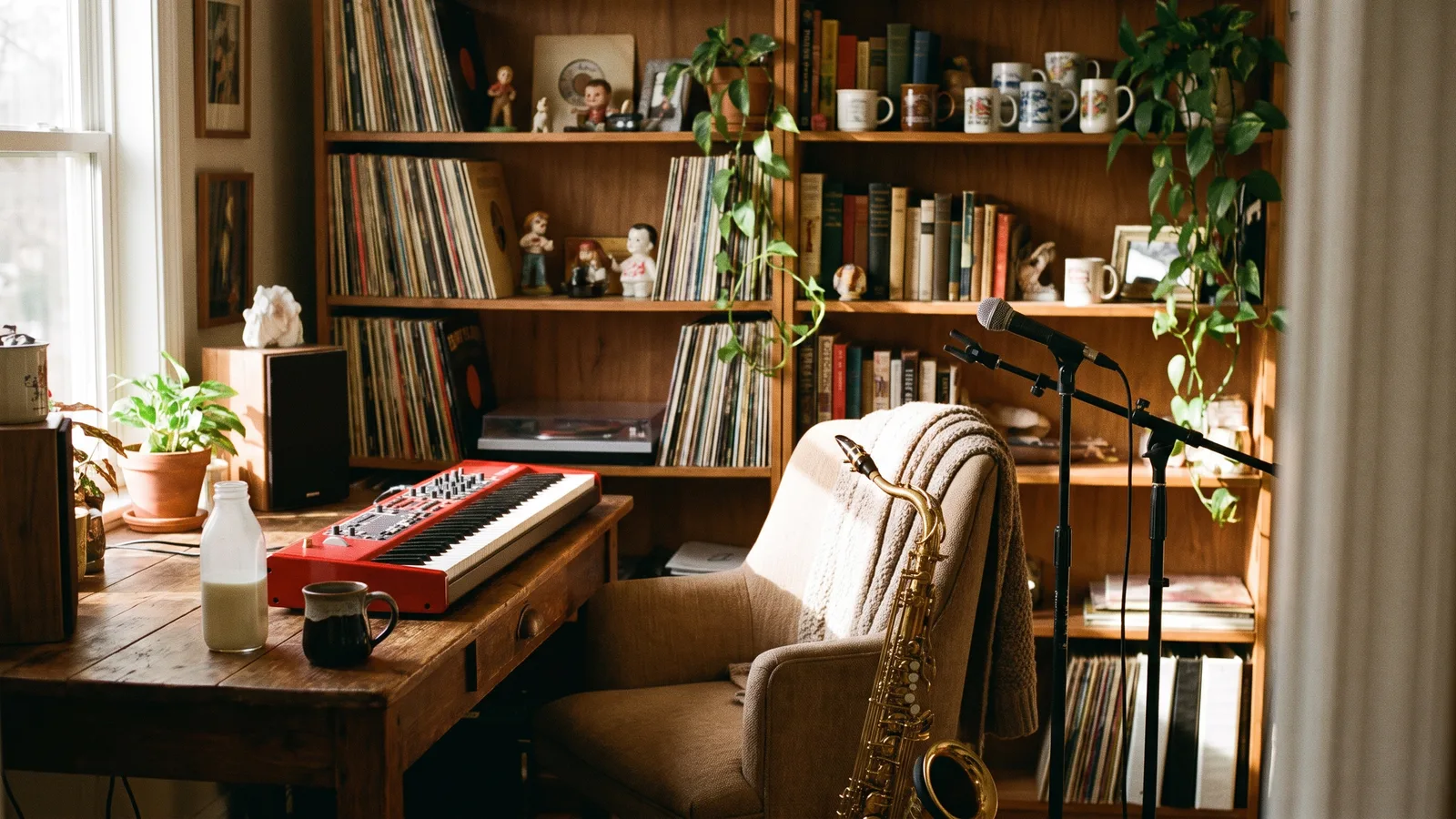
The Outstanding Tiny Desk AI trend is the feel-good clip of the college football season. A band crammed into an office full of records plays a funk classic at a desk, the lead singer laughs his way through the chorus, and a sax player takes it home. This guide explains where the trend comes from, why it spread, and how to make a 14-second version with you as the lead singer from 1 photo using the Outstanding Tiny Desk AI template on Viberot, no band, no studio and no football team required.
Where the Outstanding Tiny Desk trend comes from#
On October 18, 2026, the college football parody account The Burner posted a "Week 8 All-Loss Tiny Desk": an AI parody in which head coaches who had just lost that Saturday perform "Outstanding" as a cosy desk concert, headsets on, belting the chorus in front of a wall of records. The caption was upfront that it was an AI parody of a famous live performance of the song. It passed two million views within a week, and a CapCut template followed, so people started swapping themselves into the band.
The setting is what makes it: a tiny office corner, shelves packed with vinyl, books and toys, a red keyboard on the desk, and a group of people having far too much fun for a Tuesday afternoon.
Why it went viral#
- Pure joy. Nobody in the clip is too cool. The lead singer laughs mid-line, the backing singers pump their fists, and it is impossible not to smile.
- The contrast is the joke. People you would never picture in a funk band, singing their hearts out at a desk.
- The song is a groove everyone knows. "Outstanding" has been sampled and replayed for decades, so the chorus lands instantly.
- A football meme with legs. Every weekend has new losers, so the format comes back every week.
- Anyone can front the band. Your friend, your fantasy league rival, your dad, you.
The shot, second by second#
Here is what the 14-second version you get looks like:
- 0–5.3s: The band. A wide shot of the desk: you sit behind a red keyboard singing into the mic, two backing singers stand behind you swinging their arms and pumping their fists to the beat.
- 5.3s: Hard cut.
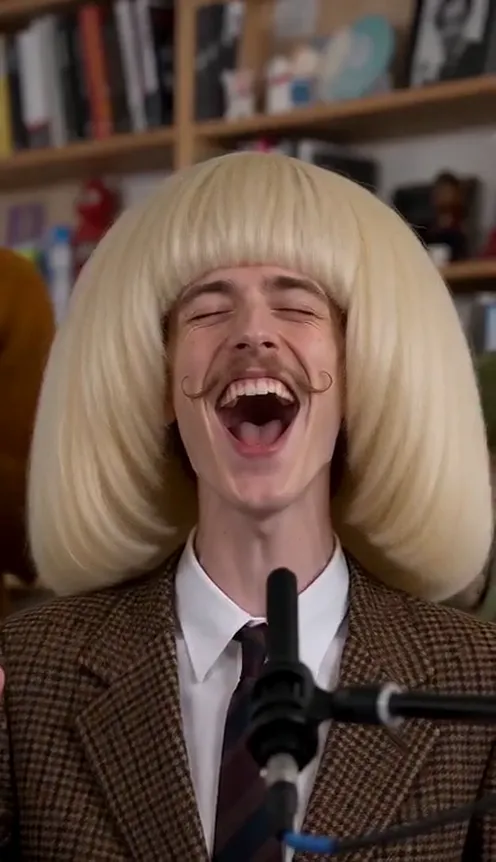
- 5.3–11.6s: Your close-up. You fill the frame, throw your head back laughing, sing wide-open notes looking up and wave a hand like the room is yours.
- 11.6s: Hard cut.
- 11.6–14s: The sax break. A bearded saxophonist blows a gold sax in front of the record shelves while you nod along in the foreground.
The clip comes out silent, but everyone is shown singing and playing, so it lines up when you add the song. Add the official "Outstanding" audio from your platform's music library when you post. The example on our page plays it as a preview only.
Step by step: how to make the Tiny Desk AI video#
- Open the template. Go to the Outstanding Tiny Desk AI page and sign in.
- Upload one photo. A clear photo of one person, face visible. Half-body works best.
- Pick the aspect ratio. 9:16 for TikTok, Reels and Shorts, or 16:9 for YouTube.
- Pick a quality. Standard 480p or 720p is enough for social. Higher tiers give more detail and cost more.
- Generate. No prompt to write: the office, the band, the keyboard and the sax solo are already set. Rendering usually takes a few minutes.
- Add the song and post. You get a silent 14-second MP4. Add "Outstanding" from the TikTok or Instagram music library, line it up, and post.
Picking a photo that works#
| Works well | Causes trouble |
|---|---|
| One person, face clearly visible | Group photos where the face is tiny |
| Half-body in frame | Full-body shots from far away |
| Even light, sharp focus | Heavy filters, very dark or blurry photos |
| An outfit you are happy to keep | Sunglasses, masks or hands covering the face |
- You keep your own clothes. The AI keeps the outfit from your photo. A suit or a team polo makes the desk concert funnier.
- You are the lead singer. The keyboard, the two backing singers and the sax player are generated for you and look like ordinary musicians, not like you.
- Only your photo goes in. The band is the same every time; your face is what makes it yours.
Note
Photos that appear to show public figures, including coaches, players and celebrities, are rejected before any credits are charged. Use photos of yourself or of friends who agreed to be in your video.
Ideas for your post#
- The loss-week classic. "Me after my team lost by 30 and I'm still singing" with the clip and nothing else.
- Group-chat roast. Make one of your friend who picked the wrong team this weekend (with their permission).
- Office version. "When the meeting could have been an email" over the desk concert.
- Pair it with another scene. Follow it with the Subway Singing AI video for a full musical breakdown.
- Hashtags. #tinydeskai, #outstanding and #collegefootball put your clip where people are already watching.
Outstanding Tiny Desk AI vs. the CapCut template#
The CapCut template is quick, but it runs inside the CapCut app and pastes your face over its fixed version of the clip.
The Outstanding Tiny Desk AI template makes a new video clip from your photo in the browser:
- No app to install. It runs on your phone or computer.
- Still you. Your face, hair and the outfit from your photo stay the same in every shot.
- A real band. The backing singers and sax player are generated as ordinary musicians, no famous faces.
- Two aspect ratios. 9:16 vertical or 16:9 widescreen.
- No watermark. The file is clean and silent, ready for the song from the platform library.
How much it costs#
A Standard 720p Tiny Desk AI video costs 234 credits; 480p costs 113. Higher tiers cost more, and the exact price is always shown next to the Generate button before you start. Credit packs are one-time payments, not a subscription. They start at $9.90 for 600 credits and never expire. If a generation fails, the credits go straight back to your balance. See the pricing page for details.
Frequently asked questions#
What is the Outstanding Tiny Desk AI trend?#
A TikTok and CapCut trend that started with an AI parody of losing college football coaches performing "Outstanding" as a desk concert. The AI version on Viberot makes a 14-second desk concert clip with you as the lead singer, from one photo.
How much does it cost?#
113 credits at 480p and 234 credits at Standard 720p. The price is shown before you generate.
How many photos do I need?#
- One clear photo of one person.
Does it include the song?#
No. The video is silent, with no song and no AI audio. The music in the example on the page is a preview only. Add the official "Outstanding" audio from the TikTok, Instagram or YouTube Shorts library when you post, so it plays under the platform's licence. Audio in a downloaded file is never a music licence. Follow your platform's rules on labelling AI-generated content.
Is this made by NPR or Tiny Desk?#
No. Viberot is an independent tool and is not affiliated with, endorsed by or connected to NPR, the Tiny Desk Concerts series, Charlie Wilson or The Gap Band. The generated video shows no show name, sign or logo.
Can I make it with a coach or a player?#
No. Photos that appear to show public figures, including coaches, athletes and celebrities, are blocked before any credits are charged, and explicit images are always blocked.
Can I use my pet?#
Not yet. The template is made for one person leading a band.
Your desk, your band, your chorus
Upload one photo and get your 14-second Outstanding Tiny Desk AI video, ready for the song.
From 113 credits · failed videos refunded · sin suscripción