How to Do the Subway Singing Trend With AI (Train Run Trend From One Photo)
How to do the subway singing trend: chase a leaving train, belt a heartbreak song on the platform and run after it. Every second of the shot, from one photo.
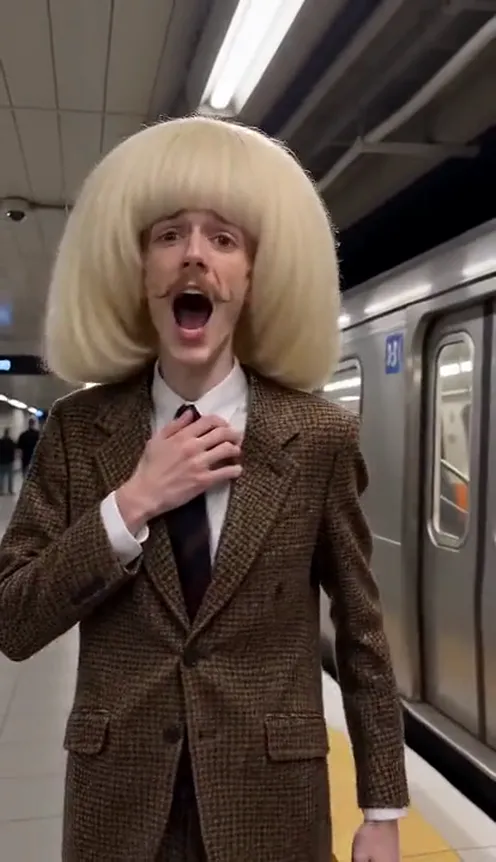
The subway singing trend is the most dramatic thing on your For You page right now. Someone sprints along a subway platform after a train that is already leaving, slaps the window, then turns to the camera and sings their heart out, clutching their chest, before running down the platform still singing. People also call it the train run trend or the Another Love subway trend. This guide explains where it comes from, why it works, and how to make a 10-second version of yourself from 1 photo with the Subway Singing AI template on Viberot, no subway or departing train required.
Where the subway singing trend comes from#
The format took off as a CapCut template called "Train run": one photo in, a short clip out, where the person chases a silver subway train, then sings a breakup ballad on the platform. A remake of a well-known face singing it went viral on TikTok, and since then people have been dropping in themselves, their friends and their dads. The song under almost every post is Tom Odell's "Another Love", which is why you will see it tagged #anotherlove.
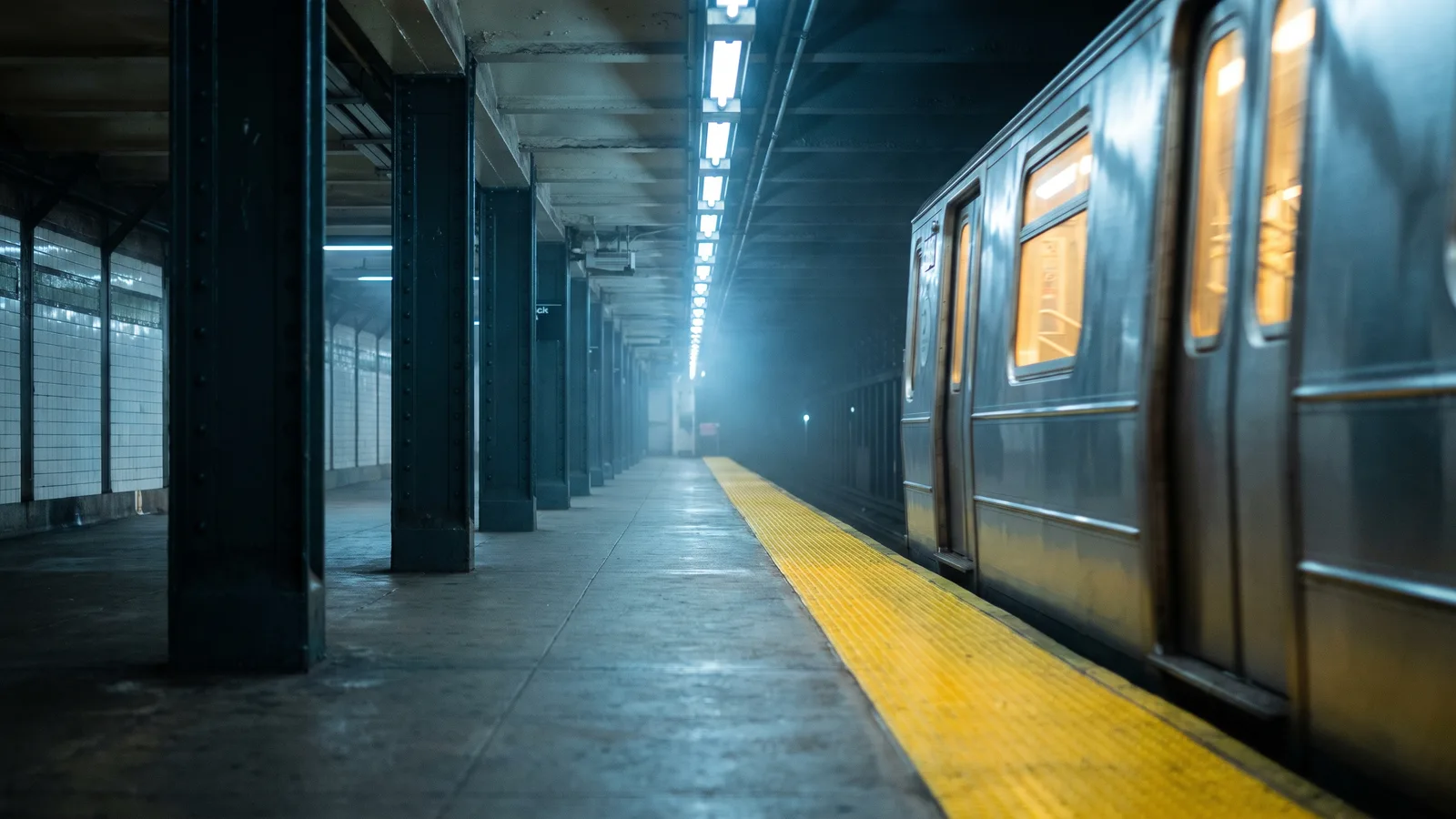
The scene is always the same: a busy underground station, a yellow platform edge, a train pulling away, and someone who is far too emotional about it.
Why it went viral#
- It is a tiny movie. A chase, a hard cut, a ballad, a run. Ten seconds tells a whole breakup story.
- The overacting is the joke. The chest grab and the wide-open singing mouth are pure melodrama, and that is what people share.
- The song does the heavy lifting. "Another Love" is instantly recognisable and already tied to big emotions.
- Anyone can star. It works best on people who would never do this in real life: your boss, your best friend, you.
- Easy to caption. "When they leave and you still have one more verse" writes itself.
The shot, second by second#
Here is what the 10-second version you get looks like:
- 0–2.7s: The chase. Side-rear shot on the platform. You run along the yellow strip beside a silver subway train as it pulls away, catch up to a window and slap the glass while the passengers stare.
- 2.7s: Hard cut.
- 2.7–5s: The heartbreak note. You face the camera on the platform, mouth wide open on a dramatic sung line, glance back over your shoulder, then grab your shirt over your heart.
- 5–7.7s: The run. You start running toward the camera, still singing, while the handheld shot backs away in front of you.
- 7.7–10s: The last line. Columns, stairs and a distant train slide past as you look back one more time, then belt one final note into the lens.
The clip comes out silent, but you are shown singing, so it lines up when you add the song. Add "Another Love" from your platform's music library when you post. The example on our page plays it as a preview only.
Step by step: how to do the subway singing trend with AI#
- Open the template. Go to the Subway Singing AI page and sign in.
- Upload one photo. A clear photo of one person, face visible. Half-body or full-body works best.
- Pick the aspect ratio. 9:16 for TikTok, Reels and Shorts, or 16:9 for YouTube.
- Pick a quality. Standard 480p or 720p is enough for social. Higher tiers give more detail and cost more.
- Generate. No prompt to write: the station, the train, the chase and the singing are already set. Rendering usually takes a few minutes.
- Add the song and post. You get a silent 10-second MP4. Add "Another Love" from the TikTok or Instagram music library, line it up, and post.
Picking a photo that works#
| Works well | Causes trouble |
|---|---|
| One person, face clearly visible | Group photos where the face is tiny |
| Half-body or full-body in frame | Extreme close-ups of only the face |
| Even light, sharp focus | Heavy filters, very dark or blurry photos |
| An outfit you are happy to keep | Sunglasses, masks or hands covering the face |
- You keep your own clothes. The AI keeps the outfit from your photo. A suit or a work uniform makes the melodrama funnier.
- Your face and hair stay. Only the setting changes to the subway station.
- You are the star. A few commuters may appear small and blurred in the background, but you are the only main person.
Note
Photos that appear to show public figures or celebrities are rejected before any credits are charged. Use photos of yourself or people who agreed to be in your video.
Ideas for your post#
- The classic caption. "Me after they said 'we should see other people'" or "When the group chat leaves without you".
- Make it absurd. Post it of your dad, your coworker or your roommate (with their permission) chasing the 8:15 train.
- The commute version. "Missed the last train home" with the clip and nothing else.
- Pair it with another scene. Follow it with the Streetlight Slip video for a full night-out story.
- Hashtags. #subwaysinging, #trainrun and #anotherlove put your clip where people are already watching.
Subway Singing AI vs. the CapCut template#
The CapCut template is quick, but it runs inside the CapCut app and you get its fixed version of the clip.
The Subway Singing AI template makes a new video clip from your photo in the browser:
- No app to install. It runs on your phone or computer.
- Still you. Your face, hair and the outfit from your photo stay the same in both shots.
- Real singing motion. The mouth moves like real singing from the cut to the end, so the song lines up.
- Two aspect ratios. 9:16 vertical or 16:9 widescreen.
- No watermark. The file is clean and silent, ready for the song from the platform library.
How much it costs#
A Standard 720p subway singing video costs 167 credits; 480p costs 81. Higher tiers cost more, and the exact price is always shown next to the Generate button before you start. Credit packs are one-time payments, not a subscription. They start at $9.90 for 600 credits and never expire. If a generation fails, the credits go straight back to your balance. See the pricing page for details.
Frequently asked questions#
What is the subway singing trend?#
A TikTok and CapCut trend, also called the train run trend: someone chases a departing subway train, then sings a heartbreak song on the platform, clutching their chest, and runs after it. The AI version makes the whole 10-second clip from one photo.
How much does it cost?#
81 credits at 480p and 167 credits at Standard 720p. The price is shown before you generate.
How many photos do I need?#
- One clear photo of one person.
Does it include the song?#
No. The video is silent, with no song and no AI audio. The music in the example on the page is a preview only. Add "Another Love" from the TikTok, Instagram or YouTube Shorts library when you post, so it plays under the platform's licence. Viberot is an independent tool and is not affiliated with the artist or the record label, and audio in a downloaded file is never a music licence. Follow your platform's rules on labelling AI-generated content.
Can I use my pet?#
Not yet. The template is made for one person singing.
Which photos are rejected?#
Photos that appear to show public figures or celebrities are blocked before any credits are charged, and explicit images are always blocked.
Missed the train? Sing about it
Upload one photo and get your 10-second subway singing video, ready for the song.
From 81 credits · failed videos refunded · sin suscripción