How to Make a Bécane Studio Mic Video With AI (From One Photo)
How to make a Becane studio mic video with AI: one photo in, a silent 9-second performance in an orange booth out. Not lip-sync, no watermark.
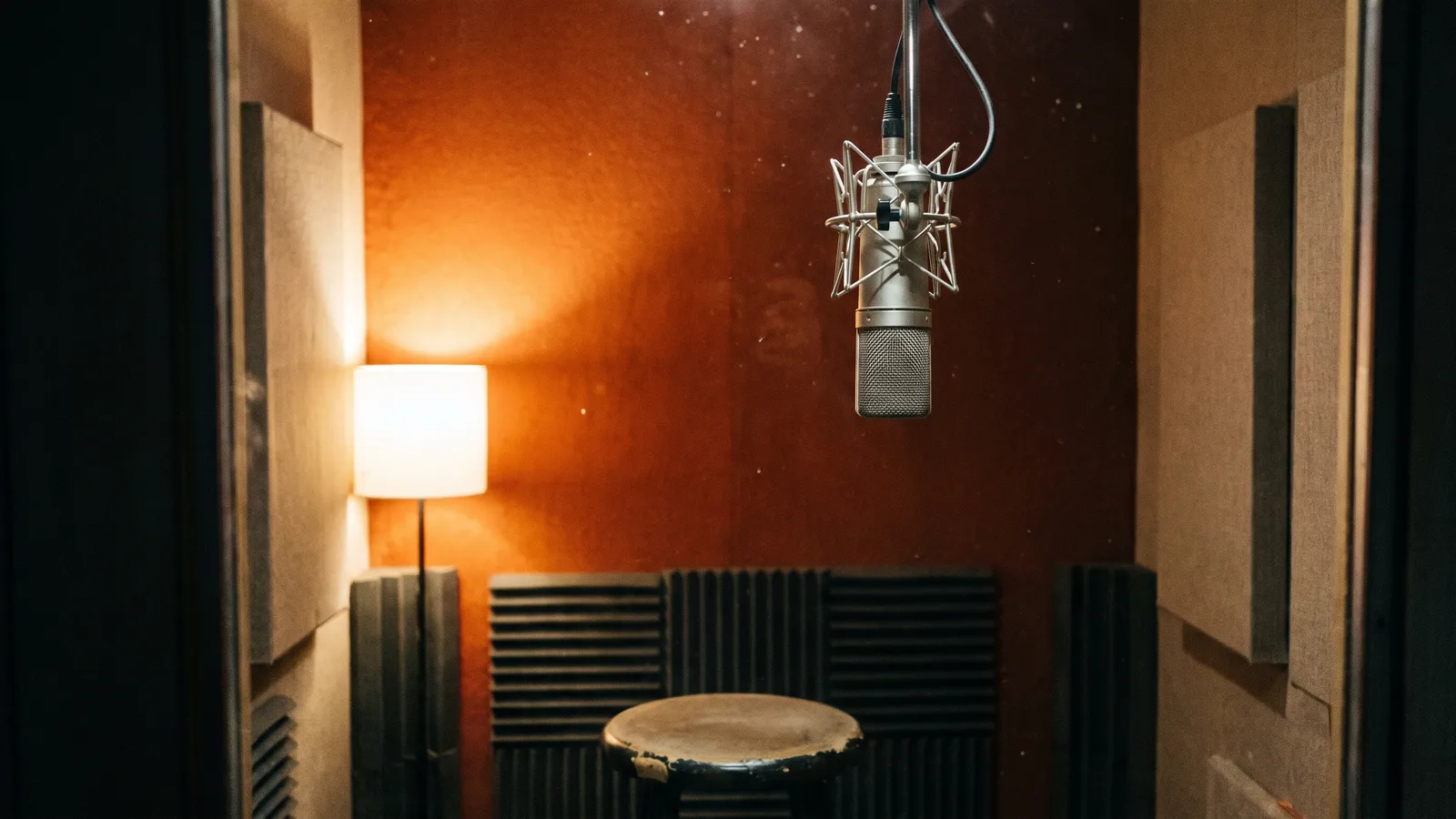
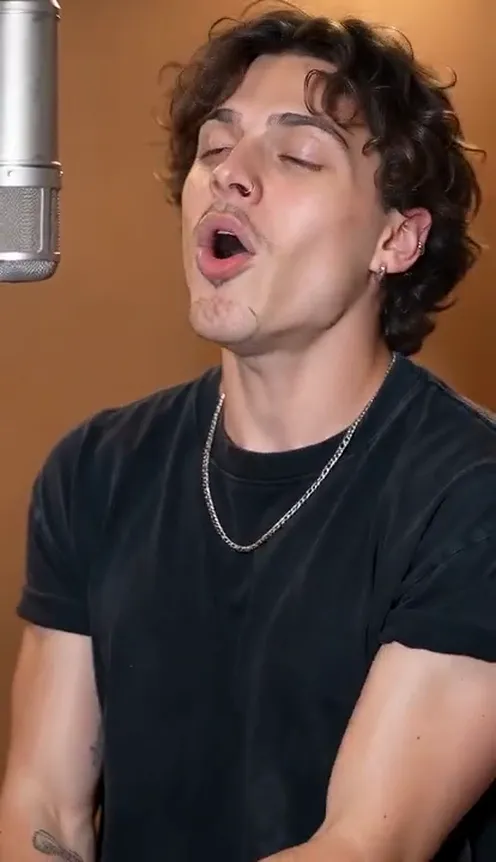
The Bécane studio clip is everywhere on TikTok and CapCut: a burnt-orange booth, a silver mic hanging next to the singer and a performance full of feeling. This guide covers what the trend is and how to make a 9-second studio mic performance starring you from 1 photo with the AI Bécane Yame template on Viberot. The result is a silent mic performance, not lip-sync.
Where the Bécane clip comes from#
The song Bécane is a commercial release by a rapper and its label, and clips of people performing it in a studio booth spread through TikTok and CapCut templates. Most are filmed the same way: waist-up, a fixed camera, an orange wall and a mic hanging from above.
Viberot is an independent tool and is not affiliated with the artist or the label. The video you get has no song, no artist voice and no lip-sync.
Why it went viral#
- The orange booth and hanging mic are instantly recognisable.
- It is all about emotion: a hand to the face, a head tilted back, open palms.
- It works with any sound you add, so you can remix it your way.
- It reads like a real studio session, even on a phone screen.
The clip, second by second#
Here is what the 9-second version you get looks like. It is one continuous fixed shot, like the original:
- 0–2s: Into the mic. You sing with eyes half closed, a hand rising to your face.
- 2–4s: The tilt. The hand slides down as you tilt your head back.
- 4–7s: Open palms. Both hands open at chest height and move with the rhythm.
- 7–9s: The finish. You turn slightly and end on a soulful look.
Step by step: how to make it with AI#
- Open the template. Go to the AI Bécane Yame page and sign in.
- Upload one photo. Use a photo with your face clearly visible, head to waist or full body. You appear in the outfit from your photo; the booth with the orange wall and hanging mic is the setting.
- Pick the aspect ratio. 9:16 for TikTok, Reels and Shorts, or 16:9 for YouTube.
- Pick a quality. Standard 480p or 720p is enough for social. Higher tiers give more detail and cost more.
- Generate. No prompt to write: the moves and timing are already set. Rendering usually takes a few minutes.
- Add a sound and post. You get a silent 9-second MP4. Add the sound you want in TikTok or CapCut and post it.
Note
Photos that appear to show public figures, including actors, singers and influencers, are rejected before any credits are charged. Use photos of yourself or of friends who agreed to be in your video.
Ideas for your post#
- The freestyle post. Add your own sound or voiceover on top.
- The friend duet. Make one for each friend (with their permission) and post them in a row.
- The caption. "Recording the hit at 3 a.m." over the clip.
- Hashtags. #becane, #studiosession and #capcuttemplate put your clip where people are already watching.
- More trends. Follow it with the AI Singing Pet for a change of mood.
AI Bécane Yame vs. the CapCut template#
The CapCut template needs your own studio-style footage. With the AI Bécane Yame template you upload one photo in the browser and get the finished clip, with your face and outfit intact.
- No filming, no rehearsing. One photo in, a finished clip out.
- No app to install. It runs on your phone or computer.
- Still you. Your face and outfit stay the same in every frame.
- Two aspect ratios. 9:16 vertical or 16:9 widescreen.
- No watermark. The file is clean and silent, ready for a sound from the platform library.
How much it costs#
A Standard 720p AI Bécane Yame video costs 451 credits; 480p costs 205. Higher tiers cost more, and the exact price is always shown next to the Generate button before you start. Credit packs are one-time payments, not a subscription. They start at $9.90 for 600 credits and never expire. If a generation fails, the credits go straight back to your balance. See the pricing page for details.
Frequently asked questions#
How much does it cost?#
205 credits at 480p and 451 credits at Standard 720p. The price is shown before you generate.
How many photos do I need?#
- One clear photo of one person.
Will I keep my clothes and background?#
Yes. You appear in the outfit from your photo, and the background of your photo stays as the setting.
Does it include the original sound or song?#
No. The video is silent: no song, no artist voice, no AI audio and no lip-sync to the lyrics, and it is not affiliated with the artist or label. The music in the example on the page is a preview only. Add a sound in TikTok or CapCut when you post, so it plays under the platform licence. Audio in a downloaded file is never a music licence.
Can I make it with a celebrity photo?#
No. Photos that appear to show public figures are blocked before any credits are charged, and explicit images are always blocked.
Step up to the mic
Upload one photo and get your silent 9-second AI studio mic performance, ready to post.
From 73 credits · failed videos refunded · sin suscripción