How to Do the Wyw My Sweetie Dance Trend With AI (Pull Your Partner In)
How to do the Wyw My Sweetie dance trend: the jersey club song, the solo-then-pull-in duo skit, and how two photos put you and your partner in the video.

The Wyw My Sweetie dance is the one where somebody bounces through a jersey club routine alone in their living room, then reaches off-screen and drags their partner into the frame — and the partner flails along, never quite on the beat. In October 2026 it became one of the biggest dance sounds on TikTok. This guide covers where the song and the dance come from, what happens second by second, and how to make your own version from two photos with the AI Wyw My Sweetie Dance generator on Viberot — no choreography practice, no filming.
Where the Wyw My Sweetie trend comes from#
The song. The sound is "Wyw my sweetie #JerseyClub - Slowed" by nissi & 25Hzz, released in late August 2026. "Wyw" is short for "where you at". It is a slowed jersey club track: a bouncy kick pattern you can feel in your knees, and a short vocal hook that loops.
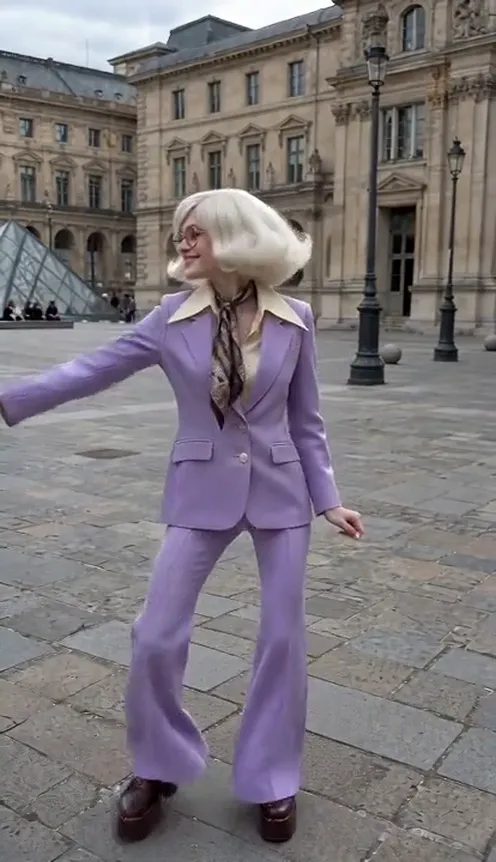
The dance. The choreography started as a solo routine posted in September by a Japanese choreographer: hair flips, quick knee bounces on every kick, shoulder shrugs and loose arm swings. Plenty of dancers copied the solo, and K-pop idols joined in around mid-October.
The duo skit. What turned it into a trend everyone could do was a couple version posted in early October that passed 25 million views: one person dances the solo, turns to the edge of the frame, and pulls their (much less coordinated) partner in by the arm to finish the song together. More than 60,000 videos now use the sound, and new duo versions are still coming out every day.
What happens in the video, second by second#
| Time | What you see |
|---|---|
| 0–0.5s | Dancer 1 steps into the middle of the frame |
| 0.5–5s | Dancer 1 dances alone: hair flip, knee bounces, shoulder shrugs, facing the camera |
| 5–6s | Dancer 1 turns to the left edge, grabs Dancer 2 by the arm and pulls them in |
| 6–10s | Both dance side by side; Dancer 2 is chaotic and off-beat, Dancer 1 laughs and tugs them along |
The joke is the contrast: one person who clearly knows the dance and one who is just happy to be there.
How to make your Wyw My Sweetie video with AI#
- Open the Wyw My Sweetie AI page on your phone or computer.
- Upload photo 1: the dancer who starts. This person dances the solo and does the pulling. Their photo's background becomes the scene, so a photo taken somewhere fun works well.
- Upload photo 2: the one who gets pulled in. This person enters from the left and joins the dance.
- Pick the format. 9:16 for TikTok, Reels and Shorts, or 16:9 for YouTube. Standard 720p costs 167 credits (81 at 480p).
- Generate and download. You get a 10-second MP4 with the song already on it, ready to post.
Both of you keep your own faces, hair and the clothes from your photos — the AI only borrows the motion and timing from the viral duo version.
Choosing the right photos#
- Clear, front-facing photos with the face fully visible. Full-body or half-body shots work best, because the whole body dances.
- One person per photo. Group photos confuse who is who.
- Pick photo 1's background on purpose. It becomes the room you dance in: a living room, a dorm, a street at night.
- Cast the roles. Put the better dancer in photo 1 and the friend who "can't dance" in photo 2 — that is the whole bit.
- Only use photos of people who agreed to be in the video. Photos that look like celebrities or public figures are rejected before you are charged.
Posting ideas#
- Couples: "when he says he can't dance but I make him anyway".
- Best friends: tag the friend who always ends up dragged into your TikToks.
- Roommates or siblings: the one who knows every trend vs the one who has never opened TikTok.
- Reply videos: stitch it under a real duo version with "we did it without leaving the couch".
AI version vs a CapCut template#
A CapCut template pastes your photo onto pre-made frames or a face-swap layer, so the body, outfit and moves still belong to the template. With the AI Wyw My Sweetie generator the whole clip is generated from your two photos: your faces, hair and clothes actually do the dance. It runs in the browser, so you do not need the CapCut app or a template link.
Price and FAQ#
How much does it cost? A Standard 720p video costs 167 credits (81 at 480p). Credit packs start at $9.90 for 600 credits — one-time payments, no subscription. See pricing for every pack. Failed videos are refunded automatically.
Does the video include the song? Yes, the 10-second section of "Wyw my sweetie" from the trend is added to your clip. Audio in a downloaded file is not a music licence, so follow the music rules of the platform you post on, and swap in the official sound from TikTok's library if it asks.
Is Viberot affiliated with the artists? No. Viberot is an independent AI tool, not affiliated with nissi, 25Hzz, their label or the creators who made the trend popular, and it does not use any artist's face, voice or likeness.
Can I use my pet? You can try, but the trend is built for two people and the arm-pull reads best with humans.
Ready? Grab two photos and make your Wyw My Sweetie dance.
Wyw, my sweetie?
Two photos: one dances first, one gets pulled in. Who are you dragging into the frame?
From 81 credits · failed videos refunded · sin suscripción