How to Do the Anime Eye Trend: Star Eye Sticker Selfie Without CapCut Editing
How to do the anime eye trend: where the star anime eye selfie comes from, what goes in the picture, and how one selfie gets you a star eye and your anime twin.
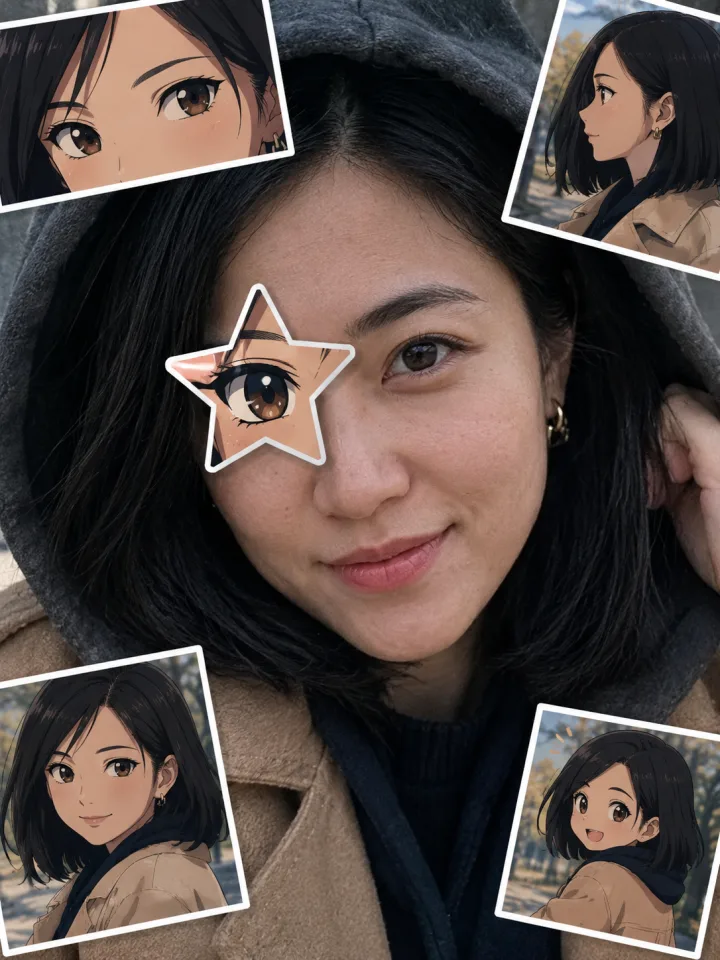
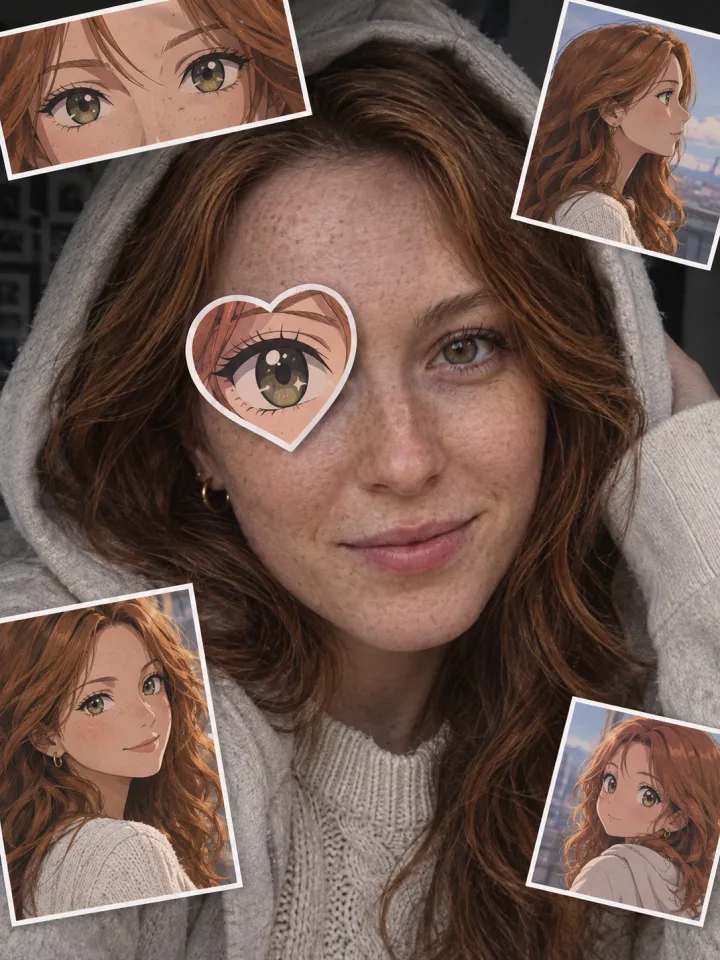
The anime eye trend is the photo format all over TikTok right now: a moody selfie with part of the face hidden, a star-shaped cut-out stuck over one eye with an anime eye inside it, and three or four little anime screenshots stuck around the face — the post's way of saying "this is the anime character I look like". This guide covers where it comes from, what exactly goes into the picture, why most people get the eye placement wrong, and how to make the whole thing from one selfie with the Anime Eye Trend effect on Viberot.
Where the anime eye trend comes from#
The sound. The trend runs on an original sound posted to TikTok in late August 2026. It sat quietly for a month before people started using it for photo edits.
The anime face edits. In early October, creators reportedly started using the sound for photos where an anime face was stuck over a friend's face. One of those posts passed 1.8 million views.
The star eye version. Around October 16–17 the format changed into the one you see now: instead of covering the whole face, only one eye gets a star-shaped anime eye, and small anime screenshots go around the edges. One of the first star eye posts reportedly passed 1.3 million views. English-language CapCut tutorials and the hashtag #animestareyetrend followed on October 19.
The template. A CapCut template called "anime eye trend" was created on October 18 and had been used more than 80,000 times within two days — roughly 37,000 uses a day. You will also see it called the anime face trend or the anime star eye trend; they are the same thing.
What goes in the picture#
Every anime eye trend post is built from the same four pieces:
- A half-hidden selfie. A close-up, usually a bit dark and moody — hoodie up, hair falling over one side, or a hand at the edge of the face. Cool expression, eyes on the camera.
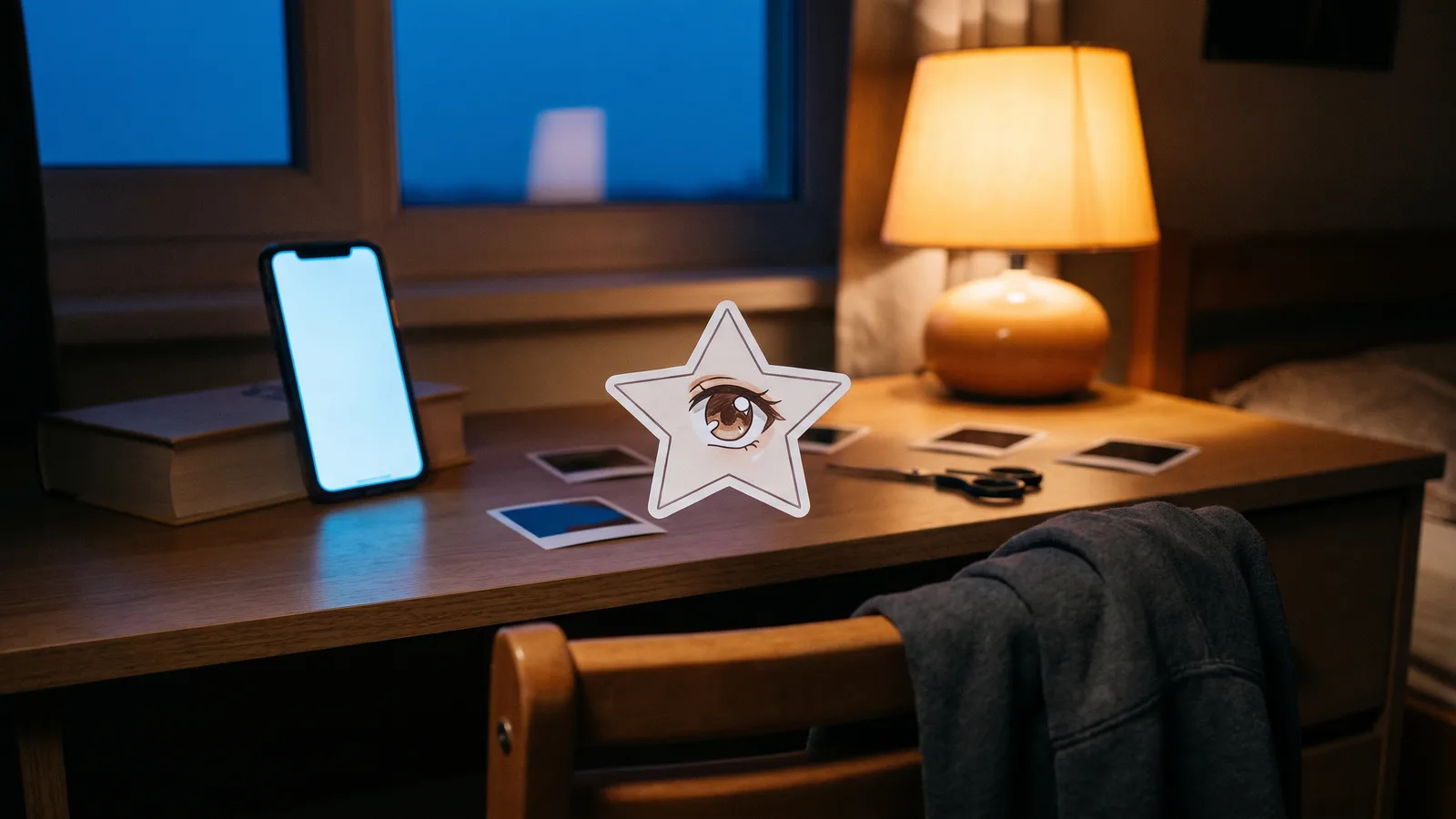
- The eye sticker. A star (sometimes a heart) cut out like paper, with a white border, stuck over one eye. Inside it is an anime eye.
- Three or four anime screenshots. Small rectangular stickers at slight angles around the face: a close-up of anime eyes, a side profile, a portrait, maybe a chibi.
- The sound. Added in TikTok when you post.
The mistake most edits make: the eye placement#
The whole joke only works if the star covers your actual eye. When the sticker drifts up onto the forehead or onto the bridge of the nose, the face looks like it has three eyes, and the post falls flat. A good anime eye edit has:
- the anime pupil on the same horizontal line as your real, uncovered eye;
- the sticker centred on the eye it replaces, with the points of the star reaching over the eyebrow, temple and top of the cheek;
- the anime eye looking the same direction as your real eye, so the face still reads as you.
In CapCut you line this up by hand with a mask. The Viberot effect is built around this rule, so the sticker lands on the eye for you.
How to do the anime eye trend from one selfie#
- Open the Anime Eye Trend page and upload one clear selfie of just you, face visible and well lit. You don't need a hoodie or a dark room — the AI restages your photo as the moody close-up.
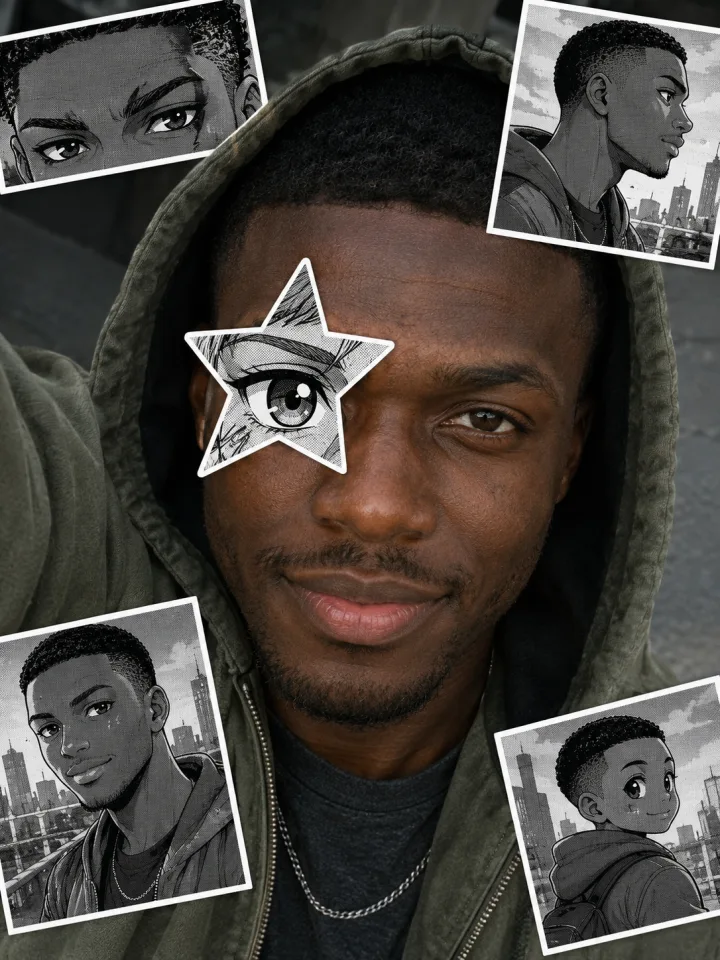
- Pick a style: Star eye (the original, with full-colour anime stickers), Heart eye (pastel), or B&W manga (a star eye with black-and-white screentone stickers on your colour photo).
- Generate. It takes about a minute and you get a 3:4 PNG.
- Post it as a TikTok photo post and add the trend sound. Making all three styles and posting them as a carousel works well.
Why the stickers show your anime twin#
The original posts use screenshots of real anime characters, which is fun but borrowed — and those characters belong to someone else. The Viberot effect draws an original anime version of you instead: your hairstyle, hair colour, eye colour and outfit, in four different shots (if you just want a single cartoon portrait of yourself, the AI cartoon generator does that). It is designed not to look like any existing anime, manga or game character. That keeps the post entirely yours, and honestly makes the "this is who I'd be in anime" joke land better, because the character actually looks like you.
Which photos work best#
- One person only. Group photos confuse the AI and people can get merged.
- Face toward the camera. A slight angle is fine; a full side profile makes it hard to place the eye sticker.
- Both eyes visible in the original. Sunglasses or hair over the eyes give the AI nothing to match the anime eye colour to.
- Decent light. The output gets moodier on its own; a dark, blurry input just loses detail.
- Your own photo, 18+. Only upload photos of yourself. Photos of minors are not allowed.
Turn it into a video#
The trend started as photo posts, but short clips are already showing up. After you generate your picture, use the animate option, or the AI image to video tool, to turn it into a few seconds of video: a slow push-in toward the anime eye while the stickers pop onto the frame one by one.
How much it costs#
One anime eye trend picture costs 8 credits at 1K. Every account gets 20 free credits a month, so you can make two for free. After that, credit packs start at $9.90 for 600 credits and never expire. If a generation fails, the credits are refunded automatically.
Frequently asked questions#
What is the anime eye trend?#
A TikTok photo trend from October 2026. You post a moody selfie with a star-shaped anime eye sticker over one eye and three or four anime screenshots around your face, as if showing the anime character you look like, set to a trending original sound.
Is the anime eye trend the same as the anime face trend?#
Yes. "Anime face trend" was the earlier version, where a whole anime face covered a friend's face. The star eye version replaced it in mid-October, and people use both names for it.
Do I need CapCut?#
No. CapCut's template needs you to find anime screenshots and line up the sticker yourself. On Viberot you upload one selfie and get the finished picture.
Will it use a real anime character?#
No. The stickers show an original anime character based on your photo, not screenshots from an existing show.
Can I add the TikTok sound?#
The picture does not include audio. Post it as a TikTok photo post and pick the trend sound there.
Find out what you look like in anime
Upload one selfie and get your anime eye trend picture — star eye, anime twin stickers and all — in about a minute.
20 créditos gratis cada mes · sin suscripción